StoreDeal.ai store
Shop
  • Deals
  • Deal checker
  • Black Friday
  • Buying guides
  • Brands
  • Stores
Travel
  • Flight deals
  • Hotel deals
Company
  • Research
  • Press
  • Use in AI assistants
  • Contact
  • deal.ai apps
Black Friday 2026
  • Walmart
  • Best Buy
  • Target
  • TVs
  • Laptops
  • Headphones
  • Apple
  • Gaming
  • Vacuums
  • Kitchen
  • Toys
  • Smartwatches
  • Tablets
  • Furniture
  • Mattresses
© Deal.ai Inc.·2222 Ponce de Leon Blvd, Miami, FL 33134·support@deal.ai
TermsPrivacy
Deal.ai › Compare

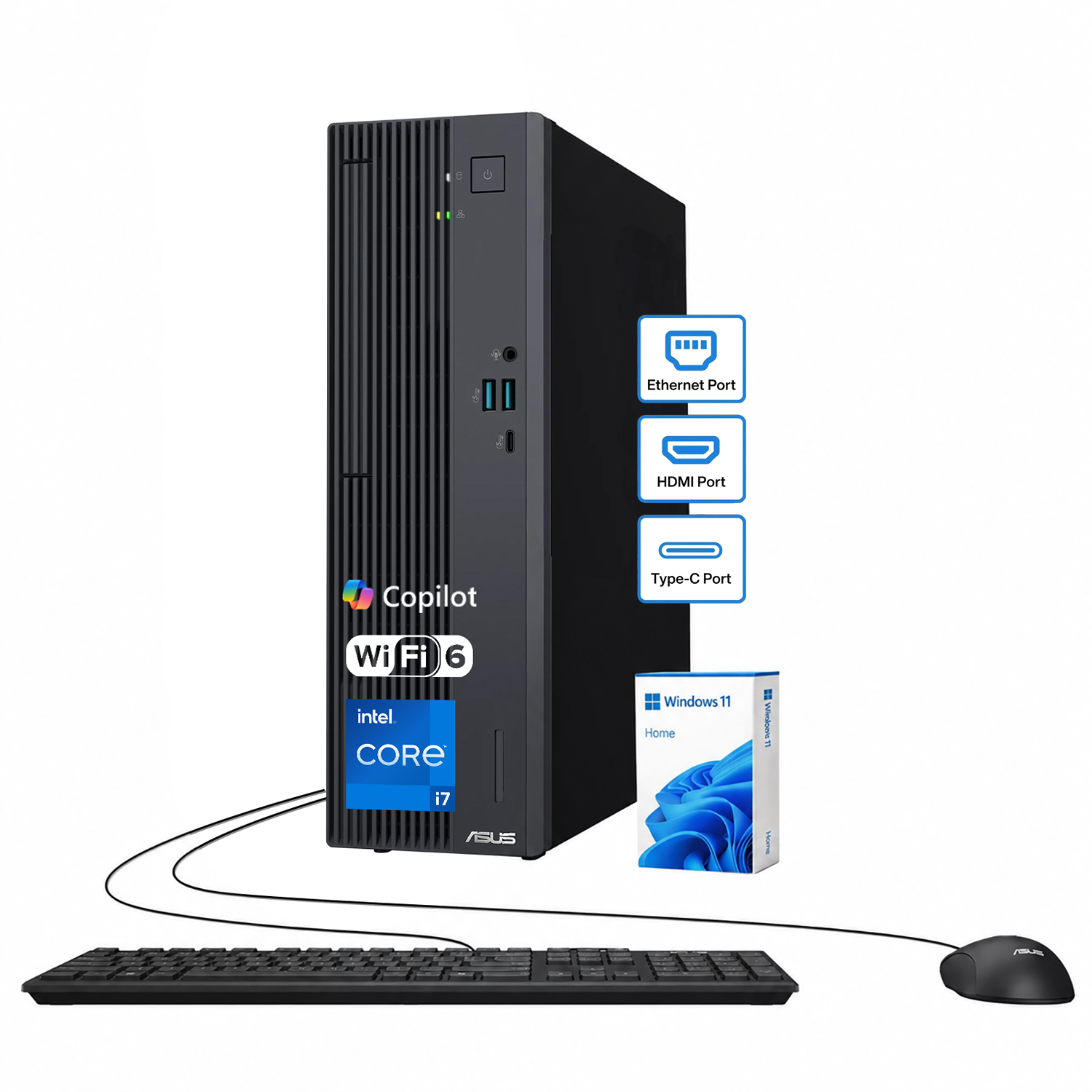
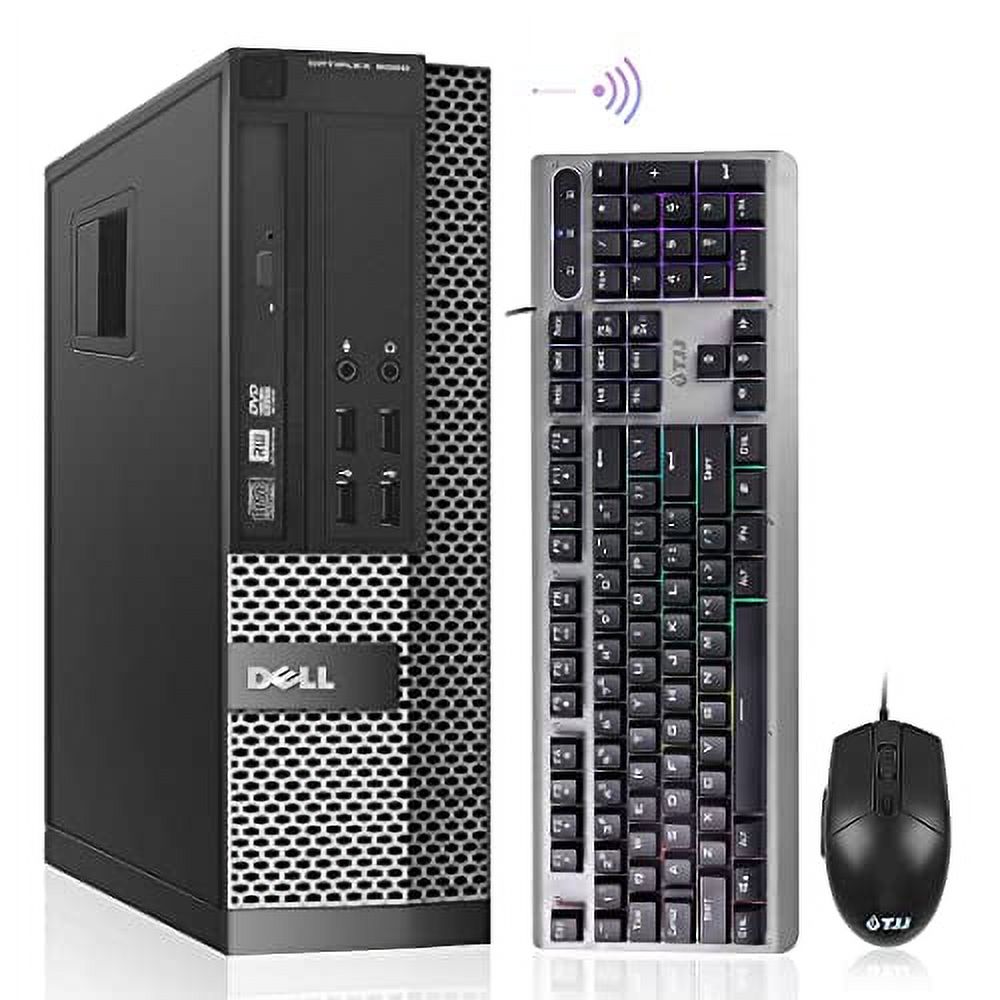
Dell OptiPlex 9020 SFF Desktop vs ASUS V500 Business Tower Desktop

The ASUS V500 is the better pick for most people. Its 13th-gen i7-13620H has 10 cores and far newer architecture than the OptiPlex 9020's 4th-gen i7-4770, and it ships with Windows 11, DDR5 memory and Wi-Fi 6. The OptiPlex 9020 is a refurbished-era office machine with DDR3 and Windows 10, but it is cheap to own, easy to service, and its small form factor and triple-monitor outputs suit a basic desk setup. Buy the ASUS for longevity and everyday speed; buy the Dell only if you want a simple, low-cost office box for browsing and documents.

  • Choose the Dell OptiPlex 9020 if you need a compact, low-cost office desktop for email, documents and web browsing and do not mind older hardware.
  • Choose the ASUS V500 if you want a current-generation processor, Windows 11 and DDR5 memory that will stay useful for years.

Prices

  • Dell OptiPlex 9020 SFF Desktop: $379.00 at Walmart (checked today)
  • ASUS V500 Business Tower Desktop: $1,649.99 at Newegg (checked today)
  • Difference: the Dell OptiPlex 9020 SFF Desktop is $1,270.99 cheaper than the ASUS V500 Business Tower Desktop today
Dell
Dell OptiPlex 9020 Desktop Computer

Dell OptiPlex 9020 SFF Desktop

Dell OptiPlex 9020 Desktop Computer

5(1 rating)
$379.00at WalmartChecked 1 h ago
See all prices and details
Visit Walmart
Pros
  • Compact small form factor fits tight desks
  • Three monitor outputs out of the box
  • DVD-RW drive included
  • Simple to open and service
  • Runs quiet for office work
Cons
  • 4th-gen processor is a decade old
  • DDR3 memory limits future upgrades
  • Ships with Windows 10, which is out of support
  • Integrated HD 4600 graphics are weak
  • No modern USB-C or Wi-Fi 6
ASUS
ASUS V500 Business Tower Desktop

ASUS V500 Business Tower Desktop

$1,649.99at NeweggChecked 40 min ago
See all prices and details
Visit Newegg

Store links may earn us a commission. Price via Klarna.

Pros
  • 10-core 13th-gen i7 is much faster
  • DDR5 memory and PCIe SSD storage
  • Windows 11 Home preinstalled
  • Wi-Fi 6 and Bluetooth
  • USB-C port and HDMI output
Cons
  • Only one DisplayPort and one HDMI
  • No optical drive
  • Windows 11 Home, not Pro
  • Fewer legacy ports than the Dell
  • Mid-tower takes more desk space

What separates them

Dell OptiPlex 9020 SFF DesktopASUS V500 Business Tower Desktop
Processor generationIntel Core i7-4770, 4th gen, 4 cores and 8 threadsIntel Core i7-13620H, 13th gen, 10 cores and 16 threads
Memory typeDDR3, up to 32 GBDDR5 SODIMM, expandable to 64 GB
Operating systemWindows 10 ProWindows 11 Home
WirelessWi-Fi 5 with 2.4 and 5 GHzWi-Fi 6 and Bluetooth
Display outputsTwo DisplayPort and one VGA, supports three monitorsOne DisplayPort and one HDMI
Form factor and weightSmall form factor, about 15 lbsMid-tower, about 11 to 13 lbs
Optical driveDVD-RW includedNone
Upgrade headroomOlder platform, limited to DDR3 and 4th-gen CPUsNewer platform with room for more RAM and faster SSD storage

Price history

  • ASUS V500 Business Tower Desktop: lowest $1,649.99 on Nov 26 at Newegg.

Prices at every store

Dell OptiPlex 9020 SFF Desktop

  • WalmartNew

    In stockSold by BargainRusReturns: Sold by a Walmart Marketplace seller; returns go to the seller under the seller's returns policy.

    $379.00Free shippingChecked 1 h ago
    Visit Walmart
  • WalmartRefurbished

    In stockSold by Refurbchoice

    $316.00Free shippingChecked Nov 10
    Visit Walmart
Prices and history →

ASUS V500 Business Tower Desktop

  • NeweggNew

    In stock

    $1,649.99Free shippingChecked 40 min ago
    Visit Newegg
  • WalmartNew

    Out of stockSold by PCOnline USReturns: Sold by a Walmart Marketplace seller; returns go to the seller under the seller's returns policy.

    $1,159.00Free shippingChecked 40 min ago
    Visit Walmart

Store links may earn us a commission. Some prices via Klarna.

All 2 stores and price history →

Specs compared

SpecDell OptiPlex 9020 SFF DesktopASUS V500 Business Tower Desktop
ProcessorIntel Core i7Intel Core i7-13620H
Proc. BrandIntel—
Graphic CardIntel HD—
Ram Memory32 GB, DDR3—
HD TypeSolid State—
HD Capacity1 TB—
Core Count4—
Proc. Speed3.6 GHz—
DisplayNo Display—
Max RAM32 GB—
Wireless TechnologyWi-Fi 5 GHz 2.4 GHz—
Has TouchscreenN—
Show all 35 specsShow fewer specs
SpecDell OptiPlex 9020 SFF DesktopASUS V500 Business Tower Desktop
Data Storage1 TB—
edition—32GB RAM | 1TB SSD
color—Black
Processor cores—10
Processor frequency—2.4 GHz
L3 cache—24 MB
Graphics—Intel UHD Graphics
RAM—16 GB
RAM generation—DDR5
Storage—512 GB

What reviewers say

Dell OptiPlex 9020 SFF Desktop

Owners of the OptiPlex 9020 generally describe it as a reliable, quiet office machine that is easy to set up and handles everyday work without complaint. Complaints center on its age: the older platform, weak integrated graphics and the end of Windows 10 support.

What people mention
  • PerformancePraisedOwners say the quad-core i7 keeps up with browsing, office apps and multitasking.
  • NoisePraisedReviewers describe it as quiet during normal office work.
  • SetupPraisedBuyers report it is easy to set up and get running.
  • GraphicsCriticisedThe integrated Intel HD 4600 is called out as too weak for gaming or serious editing.

Questions and answers

Which is better for everyday office work?
The ASUS V500. Its newer 10-core processor, DDR5 memory and SSD make Windows 11 and office apps feel much snappier than the OptiPlex 9020's 4th-gen hardware.
Which lasts longer?
The ASUS V500. It has a current-generation CPU, DDR5 slots and Windows 11 support, while the OptiPlex 9020 runs Windows 10 on a decade-old platform.
Can the Dell OptiPlex 9020 run three monitors?
Yes. It has two DisplayPort outputs and one VGA port, so it can drive three displays at once. The ASUS V500 has one DisplayPort and one HDMI, so two monitors without adapters.
Is the ASUS V500 worth stepping up to?
For most buyers, yes. The newer processor, DDR5 memory, Wi-Fi 6 and Windows 11 give it a much longer useful life than the OptiPlex 9020.
Does either include a keyboard and mouse?
Both listings include a wired keyboard and mouse, so you only need a monitor to get started.
Which is easier to upgrade?
The ASUS V500. It accepts up to 64 GB of DDR5 and faster M.2 SSD storage, while the OptiPlex 9020 is capped at 32 GB of older DDR3.

Ask our shopping agent

It checks today's price at every store, compares the alternatives and answers in about a minute.

Enter to send, Shift+Enter for a new line

More comparisons

  • Dell OptiPlex 7060 Tower Desktop Computer, Intel Core i7-8700, 32GB DDR4 RAM, 1TB SSD, Windows 11 Pro vs ASUS V500 Business Tower Desktop
  • STGAubron Gaming PC Desktop, Intel Core i7 up to 3.9G, 32G RAM, 1T SSD, RTX 3060Ti 8G, WiFi, BT 5.0, RGB Fan x6, W11H64 vs ASUS V500 Business Tower Desktop
  • Dell OptiPlex 9020 Desktop Computer vs Prebuilt Desktop PC, Intel Xeon E5 12-Core, Radeon R5 340 Graphics, 32GB RAM, 256GB SSD + 1TB HDD, WiFi 6, Bluetooth 5.4, Liquid Cooling, 9 RGB Fans, Windows 11, RGB Keyboard & Mouse
  • Evounic Prebuilt Gaming PC Desktop vs Dell OptiPlex 9020 Desktop Computer
  • Dell RGB Desktop Computer vs Dell OptiPlex 9020 Desktop Computer
  • Dell OptiPlex 7060 Tower Desktop Computer, Intel Core i7-8700, 32GB DDR4 RAM, 1TB SSD, Windows 11 Pro vs Dell OptiPlex 9020 Desktop Computer
  • STGAubron Gaming PC Desktop, Intel Core i7 up to 3.9G, 32G RAM, 1T SSD, RTX 3060Ti 8G, WiFi, BT 5.0, RGB Fan x6, W11H64 vs Dell OptiPlex 9020 Desktop Computer

Buying guides that pick them

  • Best desktop computers under $800 with 32GB RAM
Storage type—SSD
Form factor—mid-tower
Power supply—180
Weight—6.1 kg / 13.4 lbs
Connections—DisplayPort
Bluetooth—No
Windows Version—Windows 11 Home
SSD Size—4 TB
Hard Drive—SSD
Memory Type—DDR5
Type—Tower
Processor Model—13420H
Operating System—Windows