StoreDeal.ai store
Shop
  • Deals
  • Deal checker
  • Black Friday
  • Buying guides
  • Brands
  • Stores
Travel
  • Flight deals
  • Hotel deals
Company
  • Research
  • Press
  • Use in AI assistants
  • Contact
  • deal.ai apps
Black Friday 2026
  • Walmart
  • Best Buy
  • Target
  • TVs
  • Laptops
  • Headphones
  • Apple
  • Gaming
  • Vacuums
  • Kitchen
  • Toys
  • Smartwatches
  • Tablets
  • Furniture
  • Mattresses
© Deal.ai Inc.·2222 Ponce de Leon Blvd, Miami, FL 33134·support@deal.ai
TermsPrivacy
Deal.ai › Compare

Dell XPS 13 vs Samsung Galaxy Chromebook Plus

The Galaxy Chromebook Plus is the easier pick for most shoppers: a 15.6-inch screen, a full port set including HDMI and USB-A, and a 6-core Intel Core 3 make it a comfortable everyday machine for school, browsing and streaming. The XPS 13 is the better ultraportable when you want a small, light Windows laptop with a high-refresh touch display, but the base 8GB configuration is a real limit, and reviewers say to step up to 16GB. Build quality favors the XPS 13's all-aluminum chassis; owners of the Samsung praise its keyboard, trackpad and all-day battery.

  • Choose the Dell XPS 13 if you need Windows software, a compact 13-inch machine that weighs about 2.7 lb, and a sharp 120Hz touchscreen for travel and desk work.
  • Choose the Samsung Galaxy Chromebook Plus if your work lives in a browser and Android apps, and you want a larger 15.6-inch screen, a numpad and full-size ports without carrying a dongle.

Prices

  • Dell XPS 13: $329.99 at R3NEW (last seen Nov 10)
  • Samsung Galaxy Chromebook Plus: $649.99 at eBay (last seen Nov 19)
  • Difference: the Dell XPS 13 is $320.00 cheaper than the Samsung Galaxy Chromebook Plus at the latest prices (Nov 10 and Nov 19)
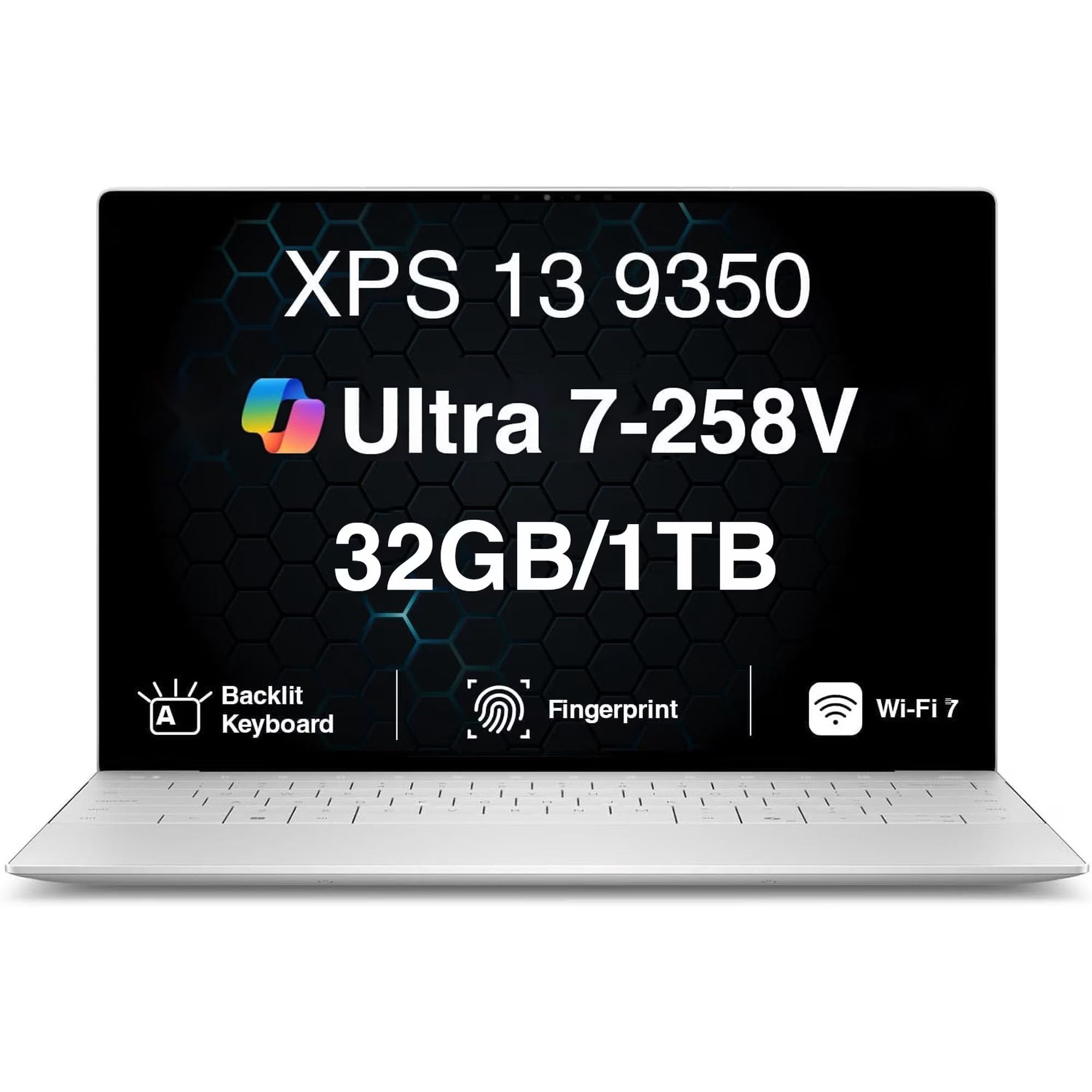
Dell
Dell XPS 13

Dell XPS 13

5(22 ratings)
$329.99at R3NEWChecked Nov 10
See all prices and details
Visit R3NEW
Pros
  • Light and compact at about 2.7 lb
  • High-refresh 120Hz touch display
  • All-aluminum build that reviewers rate highly
  • Fingerprint sign-in and Wi-Fi 7 on current models
Cons
  • Base 8GB RAM is tight for heavy multitasking
  • USB-C only, so most accessories need an adapter
  • Battery life falls short of the quoted 19 hours in real use
Samsung
Samsung Galaxy Chromebook Plus

Samsung Galaxy Chromebook Plus

4.8(378 ratings)
$649.99at eBayChecked 22 h ago
See all prices and details
Visit eBay

Store links may earn us a commission.

Pros
  • Large 15.6-inch screen with a numpad
  • Full port selection with no dongles
  • Owners report battery lasting a full day
  • Chrome OS is simple to manage and stays fast
Cons
  • Chrome OS cannot run most Windows desktop software
  • 60Hz non-touch panel on this configuration
  • No fingerprint reader

What separates them

Dell XPS 13Samsung Galaxy Chromebook Plus
Operating systemWindows 11, runs full desktop appsChrome OS, runs web apps and Android apps
Screen13.3-inch touch display, 120Hz, high resolution15.6-inch 1920x1080, 60Hz, non-touch on this configuration
PortabilityAbout 2.7 lb, 13-inch footprint15.6-inch chassis, heavier to carry daily
PortsUSB-C only, dongles needed for HDMI and USB-AUSB-A, USB-C, HDMI, headphone jack and microSD
Memory and storage8GB RAM base, 256GB or 512GB SSD depending on configuration8GB LPDDR5X, 256GB SSD
ProcessorSnapdragon X Elite or Intel quad-core depending on model, strong burst performanceIntel Core 3 100U, 6 cores, tuned for everyday tasks
KeyboardBacklit, no numpadBacklit with numpad
SecurityFingerprint readerNo fingerprint reader

Price history

$1,499.99$134.25
Oct 28Nov 20
  • Dell XPS 13: lowest $134.25 on Nov 9 at Interlight; $799.99 on Nov 20.
  • Samsung Galaxy Chromebook Plus: lowest $675.99 on Nov 7 at Best Buy; $675.99 on Nov 20.

Prices at every store

Dell XPS 13

  • InterlightNew

    In stock

    $134.25+ $14.30 shippingChecked Nov 9
    Visit Interlight
  • R3NEWNew

    In stock

    $329.99Checked Nov 10
    Visit R3NEW
  • MacrotronicsNew

    In stock

    $1,260.00Checked Nov 19
    Visit Macrotronics
  • AmazonNew

    Availability unknown

    As an Amazon Associate, Deal.ai earns from qualifying purchases.

    $799.99Free shippingChecked 8 h ago
    Visit Amazon

Also available at

  • WalmartCheck price at Walmart
  • eBayCheck price at eBay
  • Dell Home & Home OfficeCheck price at Dell Home & Home Office

Store links may earn us a commission.

All 20 stores and price history →

Samsung Galaxy Chromebook Plus

  • Best BuyNew

    In stock

    $675.99Free shippingChecked 8 h ago
    Visit Best Buy
  • SamsungNew

    In stock

    $774.99Checked 8 h ago
    Visit Samsung
  • eBayNew

    Availability unknownSold by kicks_4_you (99.9% positive, 6,800 ratings)Returns: Set by the eBay seller; the eBay Money Back Guarantee covers an item that doesn't arrive or isn't as described.

    $649.99Free shippingChecked 22 h ago
    Visit eBay
  • Best BuyNew

    Availability unknown

    $675.99Free shippingChecked Nov 10
    Visit Best Buy

Store links may earn us a commission.

All 21 stores and price history →

Specs compared

SpecDell XPS 13Samsung Galaxy Chromebook Plus
Operating SystemWindows OSChrome OS
Processor BrandIntel CPUIntel
TouchscreenYesNo
ColorSilverBlue
Screen Size13.3 inches15.6
Battery Life19 hours battery lifeUp to 13 hours
Refresh Rate120Hz60Hz
Screen TypeWVAAMOLED
Screen Resolution2880 x 18001920x1080 (Full HD)
Processor ModelSnapdragon X Elite100U
Storage TypeSSDeUFS, SSD
Backlit KeyboardtrueYes
Show all 40 specsShow fewer specs
SpecDell XPS 13Samsung Galaxy Chromebook Plus
SSD Size512 GB256 GB
Hard Drive TypeSSDSSD
WebcamYesYes
Processor Speed (GHz)3.41.2
Memory TypeLPDDR5XLPDDR5X
NumpadNoYes
Processor Cores126
OS VersionWindows 10 ProM56 beta (Chrome OS)
Main Storage256GB SSD256 GB SSD
Storage Interface

What reviewers say

Dell XPS 13

  • 5 / 522 ratings

Rated 5 out of 5 from 22 ratings. Owners like the light build, the screen and the battery life; the main complaints are the limited ports and the cost of higher configurations. Reviewers also call the XPS 13 the first real competitor to the MacBook Neo, while warning that the 8GB base configuration is a real limitation.

What people mention
  • PortabilityPraisedOwners say the 2.7 lb chassis is easy to carry all day.
  • DisplayPraisedThe InfinityEdge screen is called sharp and bright, with a smooth 120Hz option.
  • BatteryPraisedReviewers report all-day battery life on the Intel and Snapdragon builds.
  • PortsCriticisedBuyers complain that USB-C only means carrying adapters for USB-A and HDMI.
A reviewer's verdict
  • The Verge

    The XPS 13 is the first real competitor to the MacBook Neo and even the base model is excellent, though buyers should still opt for the 16GB version.

    Read the review

Samsung Galaxy Chromebook Plus

  • 4.8 / 5378 ratings

Owners rate it 4.8 out of 5 across 378 ratings, with praise centered on the big screen, the number pad and the port selection. Complaints are few and mostly about the non-touch 1080p panel and the modest processor.

What people mention
  • Screen sizePraisedOwners like the large 15.6-inch display for spreadsheets and split-screen work.
  • Number padPraisedThe full number pad and backlit keys are called out as useful for data entry.
  • PortsPraisedHDMI, USB-A, USB-C and microSD are all built in, so most people need no dongle.
  • Build and weightPraised
Reviews
  • The Dell XPS 13 is the first real competitor to the MacBook Neo
  • Dell XPS 13 (2026) review: we need to have a serious chat about RAM - The simple fact is that in the current age of computer software, 8GB o
  • Best Laptops of 2026: Top Picks Tested by CNET
  • The Best Ultraportable Laptops for 2026
  • The best laptops for graphic designers in 2026: Expert tested and reviewed - ZDNET
  • The Best Touch-Screen Laptops for 2026

Questions and answers

Which is better for schoolwork?
For browser-based assignments and Google Workspace, the Galaxy Chromebook Plus is simpler and has a bigger screen. If your courses require Windows-only software such as Excel with macros or CAD tools, get the XPS 13.
Which lasts longer?
The XPS 13 has a more premium aluminum build, but its battery is smaller and reviewers see less than the quoted figure. Galaxy Chromebook Plus owners commonly report a full day of use. Longevity also depends on the RAM you buy: 16GB on the XPS 13 ages better than 8GB.
Is the XPS 13 worth stepping up to over the Chromebook?
Yes if you need Windows apps, a sharper high-refresh touchscreen or a lighter bag. No if your work is web-based, where the Samsung's larger screen and ports matter more than raw power.
Can the Galaxy Chromebook Plus run Microsoft Office?
It runs the web and Android versions of Office, which cover most editing and viewing. The desktop Office suite with full offline features needs Windows, so that points to the XPS 13.
Which has the better keyboard?
The Samsung has a numpad and owners rate its keyboard and trackpad highly. The XPS 13 keyboard is backlit and comfortable but has no numpad, which matters if you enter numbers often.
Do I need 16GB of RAM on the XPS 13?
Reviewers recommend it. TechRadar found 8GB insufficient for complex or varied workloads, and some tests failed to complete. The Samsung's 8GB is fine for Chrome OS because the OS is lighter.

Ask our shopping agent

It checks today's price at every store, compares the alternatives and answers in about a minute.

Enter to send, Shift+Enter for a new line

More comparisons

  • Dell XPS 13 vs Dell Inspiron 15 Touchscreen Laptop
  • Dell XPS 13 vs MacBook Neo
  • Dell XPS 13 vs Acer Aspire 16 AI
  • Dell XPS 13 vs Dell Inspiron 14 2-in-1 (7445)
  • Dell XPS 13 vs HP Chromebook x360 14 inch FHD IPS Touch 2-in-1 Laptop
  • Dell XPS 13 vs Dell 16 Plus Laptop
  • Dell XPS 13 vs Acer Swift 16 AI
  • Dell XPS 13 vs Dell XPS 13 (2026)

Buying guides that pick them

  • Best laptops for everyday use
  • Best laptops under $1,100
  • Best everyday laptops
  • Best Chromebooks
  • Best laptops for college
NVMe
UFS
Battery Capacity52 Wh68 Wh
Battery Run Time12:3913 Hours
Battery TypeLithium Ion4-cell
Ports And InterfacesmicroSD card readerHDMI
Graphics Memory1792MB (shared)8 GB VRAM
Number Of Processor Cores42 (Performance Cores)
Integrated GPUYesYes
Processor Clock Speed1.3 GHz5 GHz
Graphics Memory TechGDDR5LPDDR5X
Max Turbo Speed3.9 GHz4.7 GHz
Highlighted Performance FeaturesFast PCIe-SSDFaster processors (Chromebook Plus models)
Processor ChipsetIce Lake-URaptor Lake chip
Cache12 MB10 MB
ProcessorIntel Core Ultra 7Intel Core 3
Tested Battery Life (HoursMinutes) 21:51Minutes) 16:20
Resolution3840 x 2160—
Drive TypeSolid State Drive—
Number Of CoresQuad Core—
The 0.46-inch chassis is described as thin and light for a 15.6-inch laptop.
Best everyday laptops for home and school
  • Best budget laptops for students
  • Best laptops under $1000 for everyday use