StoreDeal.ai store
Shop
  • Deals
  • Deal checker
  • Black Friday
  • Buying guides
  • Brands
  • Stores
Travel
  • Flight deals
  • Hotel deals
Company
  • Research
  • Press
  • Use in AI assistants
  • Contact
  • deal.ai apps
Black Friday 2026
  • Walmart
  • Best Buy
  • Target
  • TVs
  • Laptops
  • Headphones
  • Apple
  • Gaming
  • Vacuums
  • Kitchen
  • Toys
  • Smartwatches
  • Tablets
  • Furniture
  • Mattresses
© Deal.ai Inc.·2222 Ponce de Leon Blvd, Miami, FL 33134·support@deal.ai
TermsPrivacy
Deal.ai › Compare

GATATOL iPad Pencil vs GATATOL iPad Pencil

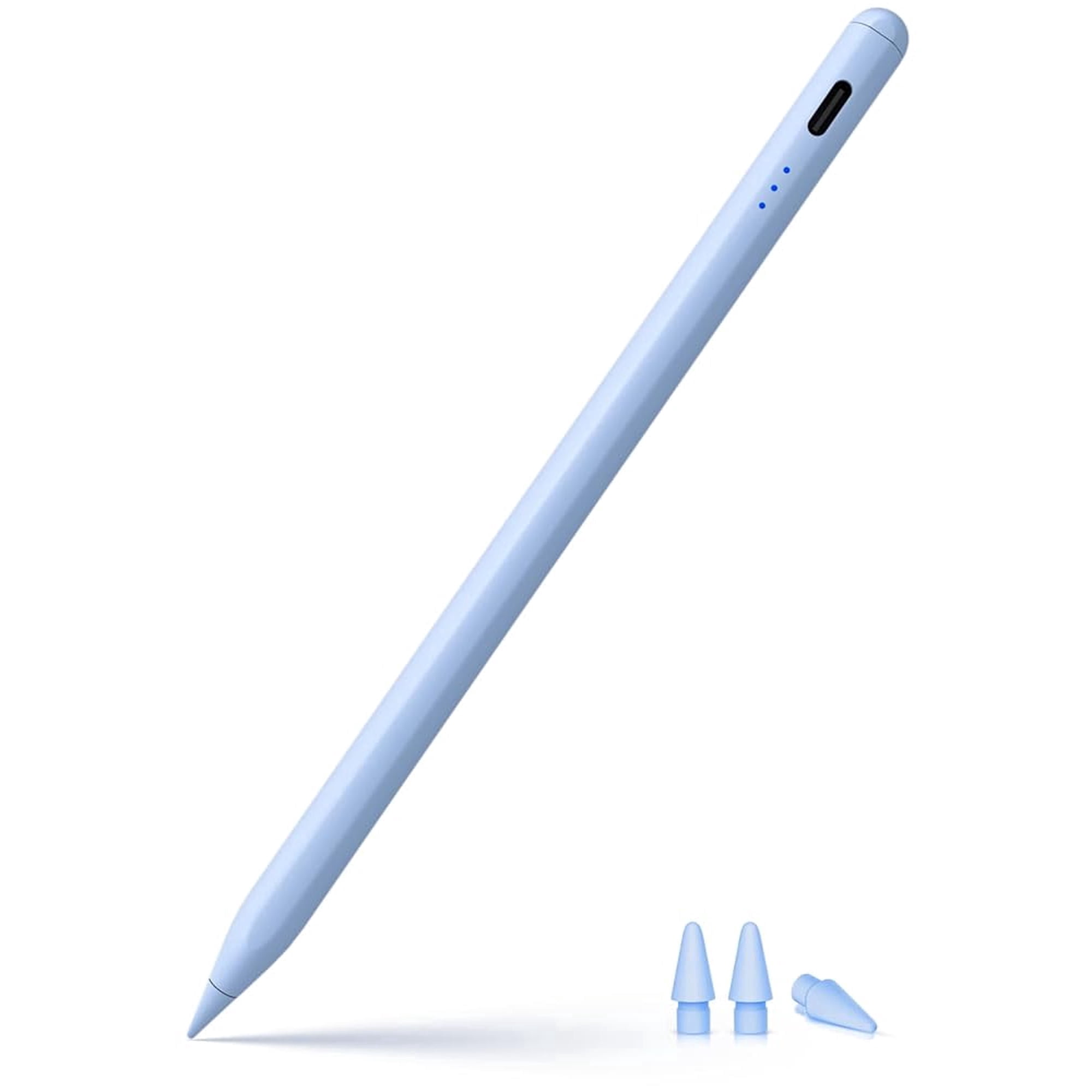
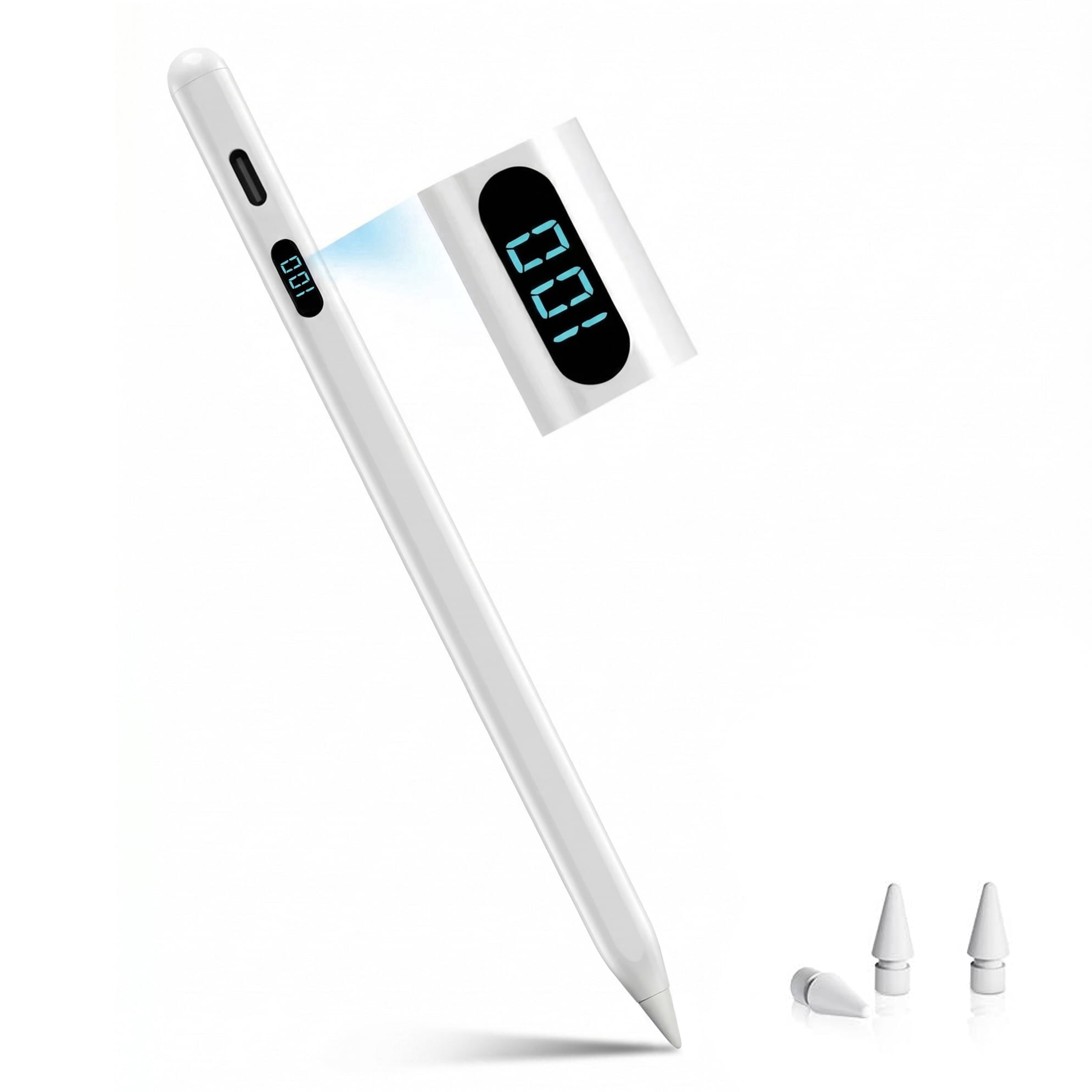
Both are GATATOL iPad styluses with the same core features: tilt sensitivity, palm rejection, USB-C charging, magnetic attach and a 5-minute auto-sleep. The main split is battery life and color: the iPad Pencil is white and rated for 10 hours, while the No Bluetooth Needed model is blue and rated for 12 hours. Neither supports pressure sensitivity, so if you need real pressure curves for drawing, step up to an Apple Pencil instead. Buyers rate both well, with the white model slightly higher on fewer ratings.

  • Choose the GATATOL iPad Pencil if you want the white finish, a slightly higher rating, and a listed 10-hour battery with a digital LED battery display.
  • Choose the No Bluetooth Needed iPad Pencil if you prefer blue, want the longer 12-hour battery claim, and are fine with a slightly lower rating from more owners.

Prices

  • GATATOL iPad Pencil: $11.63 at Walmart (last seen Nov 23)
  • GATATOL iPad Pencil: $12.91 at Walmart (last seen Nov 23)
  • Difference: the GATATOL iPad Pencil is $1.28 cheaper than the GATATOL iPad Pencil at the latest prices (Nov 23)
GATATOL
GATATOL iPad Pencil

GATATOL iPad Pencil

4.8(74 ratings)
$11.63at WalmartChecked Nov 23
See all prices and details
Visit Walmart
Pros
  • White finish matches most iPad colors
  • Digital LED battery display shows charge level
  • Higher owner rating
  • Ships with 3 extra tips
  • Magnetic attach and auto-sleep
Cons
  • No pressure sensitivity
  • Shorter rated battery life than B
  • Not compatible with iPhones or Android
GATATOL
No Bluetooth Needed iPad Pencil, Stylus Pen for iPad 2026-2018 (11th A16/10/9/8/7/6), USB-C Fast Charging, Tilt Sensitive Palm Rejection for iPad Pro/iPad Air/iPad Mini

GATATOL iPad Pencil

No Bluetooth Needed iPad Pencil, Stylus Pen for iPad 2026-2018 (11th A16/10/9/8/7/6), USB-C Fast Charging, Tilt Sensitive Palm Rejection for iPad Pro/iPad Air/iPad Mini

4.6(169 ratings)
$12.91at WalmartChecked Nov 23
See all prices and details
Visit Walmart
Pros
  • Longer rated battery life at 12 hours
  • More owner ratings to judge from
  • 20-minute USB-C charge
  • Tilt sensitivity and palm rejection
  • Ships with 3 replaceable tips
Cons
  • No pressure sensitivity
  • No battery display listed
  • Lower owner rating than A

What separates them

GATATOL iPad PencilGATATOL iPad Pencil
ColorWhiteBlue
Rated battery life10 hours12 hours
ChargingUSB-C, about 20–30 minutesUSB-C, about 20 minutes
Battery indicatorDigital LED battery displayNot listed
Pressure sensitivityNot supportedNot supported
Tilt and palm rejectionBoth includedBoth included
Extra tips3 extras included3 replaceable tips included
Owner rating4.8 from 74 ratings4.6 from 169 ratings

Prices at every store

GATATOL iPad Pencil

  • WalmartNew

    In stockSold by Haoyi HKReturns: Sold by a Walmart Marketplace seller; returns go to the seller under the seller's returns policy.

    $11.63Checked Nov 23
    Visit Walmart
Prices and history →

GATATOL iPad Pencil

  • WalmartNew

    In stockSold by Huiwei-SelectedReturns: Sold by a Walmart Marketplace seller; returns go to the seller under the seller's returns policy.

    $12.91Checked Nov 23
    Visit Walmart
Prices and history →

Specs compared

SpecGATATOL iPad PencilGATATOL iPad Pencil
colorWhiteBlue
actual_colorWhiteBlue
Battery life10 hours—
Charging time30-minute USB-C charge—
Charging portUSB-C—
Tilt sensitivityTilt sensitivity—
Palm rejectionPalm Rejection—
Magnetic attachMagnetic Attach—
ConnectivityBluetooth—
Auto-sleepAuto-sleep after 5 minutes—
Extra tips3 extras included—
iPad compatibilityiPad 6th–11th Gen—

What reviewers say

GATATOL iPad Pencil

  • 4.8 / 574 ratings

With 74 ratings averaging 4.8 out of 5, owners are largely positive. They praise smooth writing, palm rejection and the battery display for the money. Complaints center on the lack of pressure sensitivity and the manual power button.

What people mention
  • Writing feelPraisedOwners describe smooth, low-lag writing that suits notes and handwriting.
  • Palm rejectionPraisedReviewers say they can rest their hand on the screen without stray marks.
  • BatteryPraisedThe LED display and long runtime are called out as convenient.
  • Pressure sensitivityCriticisedBuyers note it cannot vary line weight by pressing harder, unlike the Apple Pencil.

GATATOL iPad Pencil

  • 4.6 / 5169 ratings

Rated 4.6 out of 5 from 169 ratings. Buyers treat it as a low-cost Apple Pencil alternative that works without pairing and holds a charge well. The main complaint is the lack of pressure sensitivity.

What people mention
  • SetupPraisedOwners like that it turns on with a tap and needs no Bluetooth pairing.
  • BatteryPraisedReviewers say a short USB-C charge lasts many hours of use.
  • PressureCriticisedBuyers note there is no pressure sensitivity, so strokes do not vary with force.
  • Palm rejectionPraised

Questions and answers

Which is better for note-taking?
Either works. Both have palm rejection, tilt sensitivity and low lag, and neither has pressure sensitivity. Pick the white one if you want the battery display; pick the blue one if you want the longer rated battery.
Which lasts longer on a charge?
The blue No Bluetooth Needed pencil is rated for 12 hours against 10 hours for the white iPad Pencil. Both auto-sleep after 5 minutes idle, so real-world use depends on how often you write.
Do either support pressure sensitivity?
No. Both list tilt sensitivity only, and the blue model's description says pressure sensitivity is not supported. For pressure curves in drawing apps, you need an Apple Pencil.
Is the white one worth stepping up to?
There is no step up in features; they are near-identical. The white model adds a digital LED battery display and a higher rating, while the blue model claims two more hours of battery.
Will either work with my iPad?
Both cover iPads from 2018 onward, including iPad 6th–11th Gen, iPad Air 3rd Gen and later, iPad Pro 11-inch and 12.9-inch, iPad Mini 5th Gen and later, and M4 models. Neither works with iPhones, Android tablets or older iPads.
Do they need Bluetooth or an app?
No. Both pair-free designs power on by double-tapping the top, and neither needs an app. That also means no pressure or shortcut features tied to Apple Pencil software.

Ask our shopping agent

It checks today's price at every store, compares the alternatives and answers in about a minute.

Enter to send, Shift+Enter for a new line

More comparisons

  • Logitech Crayon for iPad (USB-C) vs GATATOL iPad Pencil
  • Logitech Crayon for iPad (USB-C) vs No Bluetooth Needed iPad Pencil, Stylus Pen for iPad 2026-2018 (11th A16/10/9/8/7/6), USB-C Fast Charging, Tilt Sensitive Palm Rejection for iPad Pro/iPad Air/iPad Mini

Buying guides that pick them

  • Best budget styluses for iPad A16 under $70
Users report the screen ignores their resting hand while writing.