StoreDeal.ai store
Shop
  • Deals
  • Deal checker
  • Black Friday
  • Buying guides
  • Brands
  • Stores
Travel
  • Flight deals
  • Hotel deals
Company
  • Research
  • Press
  • Use in AI assistants
  • Contact
  • deal.ai apps
Black Friday 2026
  • Walmart
  • Best Buy
  • Target
  • TVs
  • Laptops
  • Headphones
  • Apple
  • Gaming
  • Vacuums
  • Kitchen
  • Toys
  • Smartwatches
  • Tablets
  • Furniture
  • Mattresses
© Deal.ai Inc.·2222 Ponce de Leon Blvd, Miami, FL 33134·support@deal.ai
TermsPrivacy
Deal.ai › Compare

HP E27u G5 QHD USB-C Monitor vs Lenovo ThinkVision M14

Buy the HP E27u G5 if you want a full-size desk monitor for work. Buy the Lenovo ThinkVision M14 if you need a second screen that fits in a bag. The Lenovo gives up screen size, resolution and an HDMI port, but it travels and runs off a laptop over USB-C. The HP is a 27-inch QHD IPS panel with 99% sRGB and an HDMI input; the Lenovo is a 14-inch portable rated 4.4 out of 5 from 15 ratings.

  • Choose the HP E27u G5 if you sit at one desk all day and want a 27-inch QHD IPS screen with 99% sRGB and an HDMI input.
  • Choose the Lenovo ThinkVision M14 if you travel or hot-desk and need a 14-inch USB-C screen that weighs about 4 lb and runs off a laptop.

Prices

  • Lenovo ThinkVision M14: $259.99 at Walmart (checked today)
HP
HP E27u G5 QHD USB-C Monitor

HP E27u G5 QHD USB-C Monitor

5(1 rating)
See all prices and details
Pros
  • Sharp QHD IPS panel at 109 ppi with 178° viewing angles
  • 99% sRGB coverage suits photo and design work
  • 350 nits is bright enough for a lit office
  • HDMI input connects game consoles and older laptops
  • USB-C single-cable connection to a laptop
Cons
  • No G-Sync or FreeSync, and 75 Hz is modest for gaming
  • 5 ms response time is fine for work, not for fast shooters
  • Full-size footprint needs a real desk
  • No HDMI on the Lenovo side means you may need a dongle for some sources
Lenovo
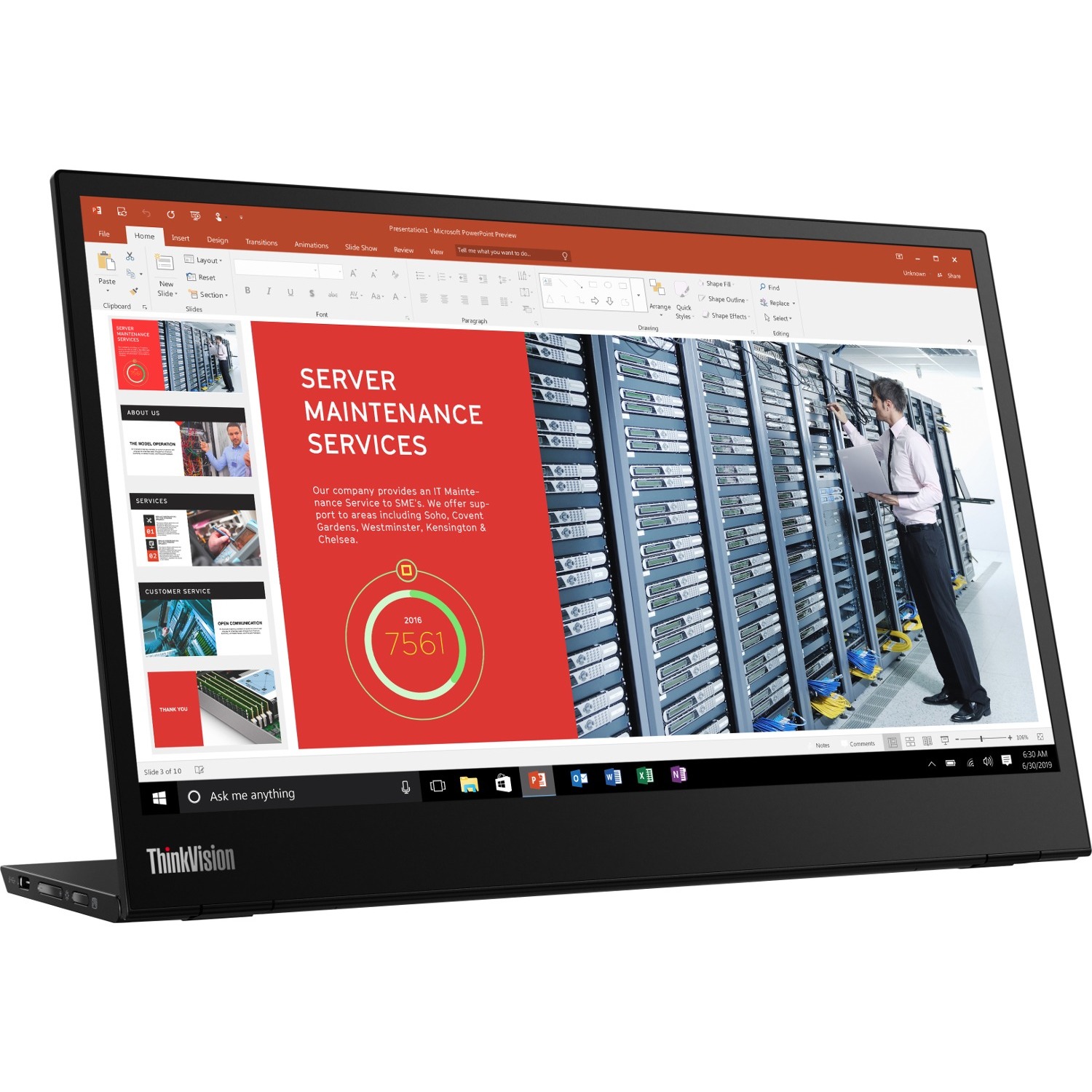
Lenovo ThinkVision M14

Lenovo ThinkVision M14

4.4(15 ratings)
$259.99at WalmartChecked 1 h ago
See all prices and details
Visit Walmart
Pros
  • Folds flat and weighs about 4 lb, so it travels easily
  • Two USB-C ports let you pass power through
  • High pixel density makes text crisp at 14 inches
  • Energy Star and EPEAT certified
  • Rated 4.4 out of 5 from 15 ratings
Cons
  • 1920 x 1200 on a 14-inch screen is cramped for spreadsheets and side-by-side windows
  • 300 nits is dim outdoors and in bright rooms
  • No HDMI port
  • 6 ms response time and 60 Hz are basic
  • Small screen suits a second display, not a primary one

What separates them

HP E27u G5 QHD USB-C MonitorLenovo ThinkVision M14
Screen size27-inch class14 inches
Resolution2560 x 1440 (QHD)1920 x 1200 (WUXGA)
Pixel density109 ppiAbout 162 ppi
Refresh rate75 Hz60 Hz
Brightness350 nits300 nits
PortsUSB-C plus 1 HDMI2 USB-C, no HDMI
PortabilityDesk monitor, needs a stand4 lb, 2.5 in thick, built-in kickstand
Adaptive syncNone (no G-Sync or FreeSync)None listed
Panel and colorIPS, 8-bit, 99% sRGB, 178° anglesLCD, 178° angles, contrast listed at 3,000,000:1
CertificationsNone listedEnergy Star and EPEAT certified

Price history

$364.00$90.00
Nov 5Nov 26
  • HP E27u G5 QHD USB-C Monitor: lowest $305.00 on Nov 13.
  • Lenovo ThinkVision M14: lowest $90.00 on Nov 9; $259.99 on Nov 26.

Prices at every store

HP E27u G5 QHD USB-C Monitor

No priced offers right now.

Prices and history →

Lenovo ThinkVision M14

  • WalmartNew

    In stock

    $259.99Checked 1 h ago
    Visit Walmart
Prices and history →

Specs compared

SpecHP E27u G5 QHD USB-C MonitorLenovo ThinkVision M14
ResolutionQHDWUXGA (1920 x 1200)
HD FormatQHDFHD, 1080p
Horizontal Resolution25601920
Vertical Resolution14401080
Response Time5 ms6 ms
GTG Response Time5 ms6ms (overdrive)
Display TypeLCDLED
Maximum Refresh Rate75 Hz60 Hz
Aspect Ratio16:916:9
Panel TypeIPSIPS
Backlight TechnologyEdge LEDWLED
Display Highlights99% sRGB color gamutLow blue light mode
Show all 40 specsShow fewer specs
SpecHP E27u G5 QHD USB-C MonitorLenovo ThinkVision M14
Display Viewing Angle178°178(H)/178(V)
Horizontal Viewing Angle178°178 º
Vertical Viewing Angle178°178 º
Color Support8 bit (Color depth)16.7 million colors
Pixel Density109 ppi157 pixel-per-inch (ppi)
Pixel Per Inch109 ppi157 ppi
Display ModesWQHDReading, HP Enhance+, Low Blue Light, Multimedi…
Max Brightness350 Nit300 cd/m ²
Connector TypeUSB-CUSB-C, USB Type-C

What reviewers say

Lenovo ThinkVision M14

  • 4.4 / 515 ratings

Owners rate it 4.4 out of 5 across 15 ratings. They like the light build and the one-cable USB-C setup. Complaints center on brightness and the plastic stand.

What people mention
  • PortabilityPraisedOwners say it slips into a laptop bag and adds little weight.
  • USB-C setupPraisedA single cable carries both power and video on compatible laptops.
  • BrightnessCriticised300 nits is fine indoors but washes out near windows or outside.
  • StandMixedThe kickstand works but feels plastic and limited in tilt.

Questions and answers

Which is better for office work?
The HP E27u G5. Its 27-inch QHD panel shows far more of a document or spreadsheet at once, and 99% sRGB helps with color work. The Lenovo M14 is better as a second screen on the road.
Which is better for travel?
The Lenovo ThinkVision M14. It weighs about 4 lb, is 2.5 in thick and runs over USB-C from a laptop. The HP is a desk monitor that needs a stand and a power outlet.
Can either one game well?
Neither is a gaming monitor. The HP runs 75 Hz with a 5 ms response time and no adaptive sync. The Lenovo runs 60 Hz at 6 ms. Both are fine for casual play, not competitive shooters.
Do both connect over USB-C?
Yes. The HP E27u G5 has USB-C and one HDMI port. The Lenovo M14 has two USB-C ports and no HDMI, so HDMI-only sources need an adapter.
Which has the sharper image?
The Lenovo M14 has higher pixel density, about 162 ppi versus 109 ppi on the HP, so text looks crisper up close. The HP wins on overall size, resolution and brightness.
Is the HP worth stepping up to?
For a primary desk screen, yes. You get roughly twice the screen area, QHD resolution, 350 nits and an HDMI port. If you only need a portable second display, the Lenovo is the better fit.
Which lasts longer?
Neither maker publishes a lifespan figure. The HP is a fixed desk unit with a stand and HDMI, so it has fewer parts to wear from packing and unpacking. The Lenovo's folding hinge and portable build take more handling over time.

Ask our shopping agent

It checks today's price at every store, compares the alternatives and answers in about a minute.

Enter to send, Shift+Enter for a new line

More comparisons

  • HP E27u G5 QHD USB-C Monitor vs BenQ GW2791 27" FHD IPS Monitor
  • LG UltraFine 27 4K UHD IPS Monitor with USB-C (27UP850N-W) vs HP E27u G5 QHD USB-C Monitor
  • LG UltraFine 27 4K UHD IPS Monitor with USB-C (27UP850N-W) vs Lenovo ThinkVision M14
  • BenQ GW2791 27" FHD IPS Monitor vs Lenovo ThinkVision M14
Number Of HDMI Ports10
3.5 mm In (AUX)NoNo
Memory Card ReaderNoNo
DisplayPortYesYes
HDRNoNo
TiltableYesYes
VGA PortsNoNo
Pixel Size (mm)0.2330.1611
Curved ScreenNoNo
USBYesYes
USB TypeUSB-CUSB-C
ColorBlackBlack
Screen Size (")27.014 in
VGANoNo
Refresh Rate (Hz)7560
Contrast (:1)1000700
DVINoNo
EthernetNoNo
Surface TreatmentMatteMatte