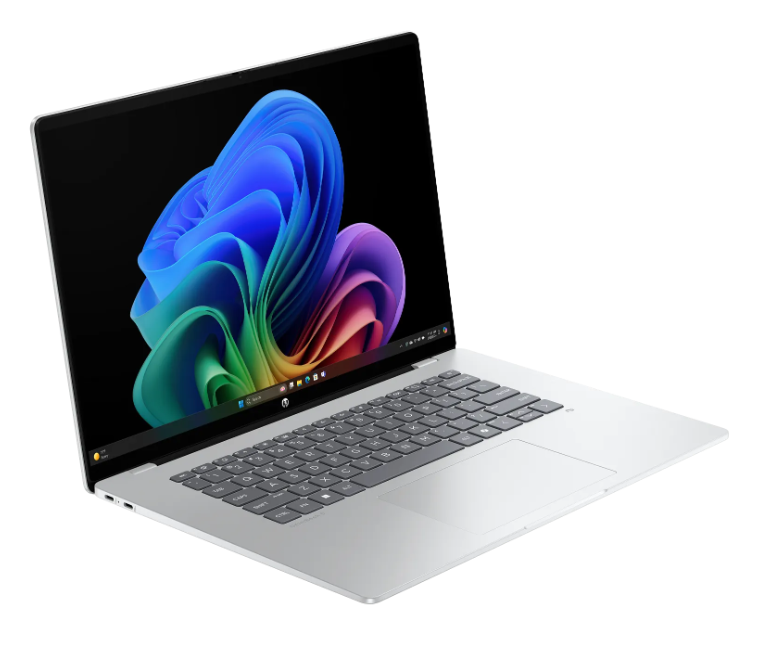
- Which is better for taking notes in class?
- The Lenovo. Its 360-degree hinge lets you fold it flat and write on the touchscreen, and the fingerprint reader speeds up logins. The HP is a standard clamshell, so you would type instead.
- Which has the better screen?
- The HP. Its 16-inch OLED panel gives deeper blacks and higher contrast than the Lenovo's 14-inch LCD, and it is larger. Both are 1920 x 1200 at 60Hz.
- Which lasts longer on a charge?
- The HP, on paper. HP claims up to 34 hours, helped by the efficient Snapdragon X Plus, though that figure is for a non-touch OLED configuration. Lenovo does not state a battery life figure for the IdeaPad 5 2-in-1 14.
- Will all my Windows software run on the HP?
- Mostly, but not always. The Snapdragon X Plus is an Arm chip, so some x86 apps and games run through emulation or not at all. The Lenovo's Intel Core Ultra 5 runs them natively.
- Which is easier to carry?
- The HP weighs 3.5 lb, and the Lenovo's weight is not stated. The Lenovo's 14-inch body is smaller, so it should fit in more bags, but check the exact weight before buying.
- Is the HP worth stepping up to?
- Step up only if you want the bigger OLED screen and long battery life. The HP is well equipped for an OLED 16-inch laptop, but the Lenovo covers more use cases with its convertible hinge and native x86 chip.
- What do owners say about the HP?
- Reviewers describe the OmniBook 5 14 as well-built, fast and reliable, with an excellent screen and strong battery life. One notes BIOS time issues, and another finds the battery indicator unhelpful.
- Does the HP have a number pad?
- Yes. The HP OmniBook 5 14 includes a numpad, which helps with spreadsheets and data entry. Lenovo does not list one for the IdeaPad 5 2-in-1 14.
- Which has the better webcam?
- The HP lists a 1080p FHD IR camera, which supports Windows Hello face sign-in. Lenovo does not state a webcam resolution for the IdeaPad, which instead uses a fingerprint reader for sign-in.
- Can the HP's memory be upgraded later?
- No. The OmniBook 5 14 uses LPDDR5X memory soldered onboard, so pick the 32 GB configuration up front if you need it. The Lenovo uses DDR5, which is more commonly socketed, but confirm the slot layout for the exact model.