StoreDeal.ai store
Shop
  • Deals
  • Deal checker
  • Black Friday
  • Buying guides
  • Brands
  • Stores
Travel
  • Flight deals
  • Hotel deals
Company
  • Research
  • Press
  • Use in AI assistants
  • Contact
  • deal.ai apps
Black Friday 2026
  • Walmart
  • Best Buy
  • Target
  • TVs
  • Laptops
  • Headphones
  • Apple
  • Gaming
  • Vacuums
  • Kitchen
  • Toys
  • Smartwatches
  • Tablets
  • Furniture
  • Mattresses
© Deal.ai Inc.·2222 Ponce de Leon Blvd, Miami, FL 33134·support@deal.ai
TermsPrivacy
Deal.ai › Compare

Lenovo Slim 3 Chromebook vs Lenovo Chromebook Plus 15.3

Buy the Slim 3 if you want a light, touchscreen 14-inch Chromebook for browsing, schoolwork and streaming on the couch. Buy the Chromebook Plus 15.3 if you want a bigger screen, more RAM and an Intel chip for heavier multitasking. The Slim 3 wins on portability and touch input; the Plus wins on memory, storage and screen size. Owners of the Slim 3 praise its screen and battery, but 4 GB of RAM is tight once you open many tabs.

  • Choose the Lenovo Slim 3 Chromebook if you want a 2.9 lb touchscreen laptop with a 1080p IPS display and long battery life for light everyday use.
  • Choose the Lenovo Chromebook Plus 15.3 if you want a larger 15.3-inch screen, 8 GB of RAM and a 128 GB SSD for more tabs and heavier web apps.

Prices

  • Lenovo Slim 3 Chromebook: $259.99 at Best Buy (last seen Nov 12)
  • Lenovo Chromebook Plus 15.3: $217.00 at Walmart (checked today)
  • Difference: the Lenovo Chromebook Plus 15.3 is $42.99 cheaper than the Lenovo Slim 3 Chromebook at the latest prices (Nov 12 and Nov 14)
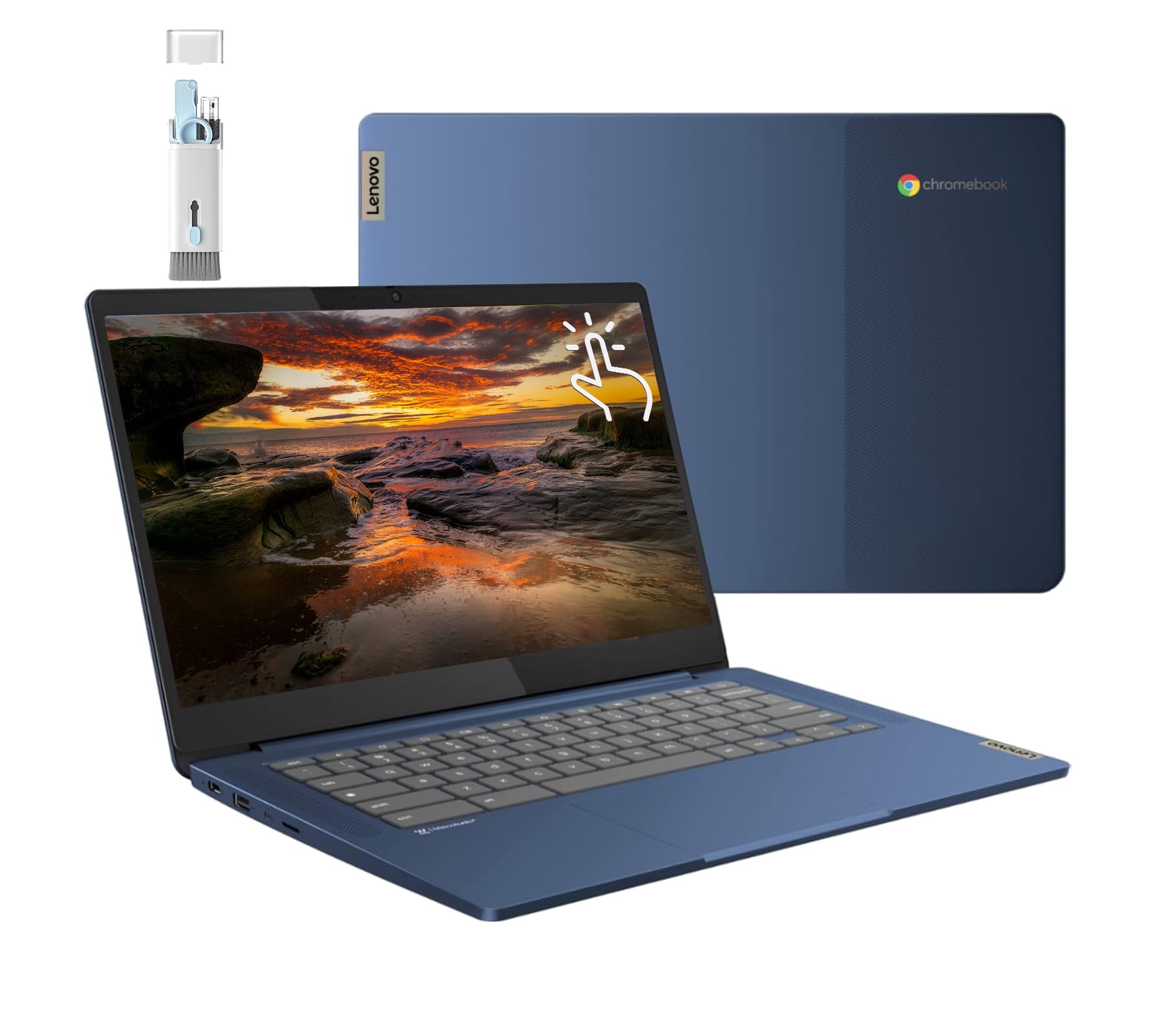
Lenovo
Lenovo Slim 3 Chromebook Laptop

Lenovo Slim 3 Chromebook

Lenovo Slim 3 Chromebook Laptop

4.9(20 ratings)
$259.99at Best BuyChecked Nov 12
See all prices and details
Visit Best Buy

Store links may earn us a commission. Price via Klarna.

Pros
  • Light at about 2.9 lb
  • Sharp 1080p IPS touchscreen
  • Long rated battery life
  • Full port set including HDMI and headphone jack
  • Wi-Fi 6
Cons
  • 4 GB RAM limits heavy multitasking
  • eMMC storage is slower than an SSD
  • MediaTek chip is fine for light use only
Lenovo
Lenovo Chromebook Plus 15.3-inch Laptop

Lenovo Chromebook Plus 15.3

Lenovo Chromebook Plus 15.3-inch Laptop

$217.00at WalmartChecked 2 h ago
See all prices and details
Visit Walmart

Store links may earn us a commission. Price via Klarna.

Pros
  • 8 GB RAM handles more tabs
  • 128 GB SSD is faster and roomier
  • Bigger 15.3-inch screen
  • Intel Core 3 N355 is the stronger CPU
Cons
  • Heavier and bulkier to carry
  • No touchscreen listed
  • Fewer ports listed

What separates them

Lenovo Slim 3 ChromebookLenovo Chromebook Plus 15.3
Screen size and type14-inch IPS touchscreen, 1920x108015.3-inch, non-touch per listing
Memory4 GB LPDDR4X (8 GB option)8 GB standard
Storage64 GB eMMC (128 GB option)128 GB SSD
ProcessorMediaTek Kompanio 500, 8 cores up to 2.05 GHzIntel Core 3 N355
WeightAbout 2.9 lbHeavier 15-inch chassis
PortsUSB-A, USB-C, HDMI, 3.5 mm jackFewer listed ports
BatteryRated up to about 14 hoursNot specified
BuildSlim plastic chassis, blue finishLarger plastic chassis

Price history

$259.99$217.00
Nov 11Nov 14
  • Lenovo Slim 3 Chromebook: lowest $259.99 on Nov 12 at Best Buy.
  • Lenovo Chromebook Plus 15.3: lowest $217.00 on Nov 11 at Walmart; $217.00 on Nov 14.

Prices at every store

Lenovo Slim 3 Chromebook

  • Best BuyNew

    In stock

    $259.99Free shippingChecked Nov 12
    Visit Best Buy
  • WalmartNew

    In stockSold by Best ElectronicsReturns: Sold by a Walmart Marketplace seller; returns go to the seller under the seller's returns policy.

    $264.99Free shippingChecked Nov 12
    Visit Walmart
  • AmazonNew

    Availability unknown

    As an Amazon Associate, Deal.ai earns from qualifying purchases.

    $339.99Free shippingChecked Nov 11
    Visit Amazon

Store links may earn us a commission. Some prices via Klarna.

All 3 stores and price history →

Lenovo Chromebook Plus 15.3

  • WalmartNew

    In stock

    $217.00Free shippingChecked 2 h ago
    Visit Walmart

Store links may earn us a commission. Price via Klarna.

Prices and history →

Specs compared

SpecLenovo Slim 3 ChromebookLenovo Chromebook Plus 15.3
Screen Size14 inches15.3
ProcessorMediaTekIntel Core 3
SSD Size128 GB128 GB
SeriesLenovo Chromebook, Lenovo SlimLenovo Chromebook
RAM4 GB8 GB
edition4GB| 64GB—
colorBlue—
Resolution1920 x 1080—
Operating SystemChrome OS—
TouchscreenYes—
Drive TypeSolid State Drive—
Number Of CoresOcta Core—
Show all 26 specsShow fewer specs
SpecLenovo Slim 3 ChromebookLenovo Chromebook Plus 15.3
Available PortsUSB-A, USB-C, HDMI, 3.5 mm Jack—
Weight2.9 lb—
Drive Capacity64 GB drive, 128 GB drive—
Installed Memory4 GB RAM, 8 GB RAM—
Processor Speed2 GHz CPU—
Battery Life14 hours battery life—
Screen Resolution1920x1080 (Full HD)—
WebcamYes—
Battery Life (h)13.5—
Wi-Fi Standard

What reviewers say

Lenovo Slim 3 Chromebook

  • 4.9 / 520 ratings

Owners rate it highly, with 4.9 out of 5 from 20 ratings. Buyers tend to praise the screen, weight and battery life for everyday Chrome OS use.

What people mention
  • DisplayPraisedOwners like the sharp 1920x1080 IPS panel and the touchscreen.
  • BatteryPraisedBuyers report it lasting through a day of browsing and streaming.
  • WeightPraisedAt under 3 lb it is easy to carry between classes or rooms.
  • MemoryCriticisedThe 4GB base model slows down when many tabs are open.

Questions and answers

Which is better for schoolwork and web browsing?
Both handle Chrome OS, Docs and video calls. The Chromebook Plus 15.3 is better if you keep many tabs open, because 8 GB of RAM and an SSD keep it smoother. The Slim 3 is enough for one or two tabs at a time.
Which one lasts longer?
The Slim 3 is rated at up to about 14 hours, helped by its low-power MediaTek chip. Lenovo does not publish a battery figure for the Chromebook Plus 15.3, and its larger screen and Intel chip draw more power.
Is the touchscreen worth it on the Slim 3?
Yes if you use Android apps, draw or scroll a lot. The Chromebook Plus 15.3 does not list a touchscreen, so you give that up for the bigger display.
Is the Chromebook Plus 15.3 worth stepping up to?
Step up if you multitask heavily or want a larger screen for spreadsheets and streaming. Stay with the Slim 3 if portability and touch matter more than raw power.
Can I upgrade the RAM later?
No. Chromebook RAM is soldered, so pick 8 GB up front if you can. The Slim 3 offers a 4 GB or 8 GB configuration; the Chromebook Plus 15.3 comes with 8 GB.
Which is easier to carry around?
The Slim 3 at about 2.9 lb and 0.73 inches thick is clearly the more portable of the two. The 15.3-inch Chromebook Plus is a desk and couch machine.

Ask our shopping agent

It checks today's price at every store, compares the alternatives and answers in about a minute.

Enter to send, Shift+Enter for a new line

More comparisons

  • Lenovo Chromebook Plus 14 vs Lenovo Slim 3 Chromebook Laptop
  • Lenovo Chromebook Plus 14 vs Lenovo Chromebook Plus 15.3-inch Laptop
Wi-Fi 6 (802.11ax)
—
Screen TypeIPS—
Max. RAM Supported—8 GB
Hard Drive Type—SSD
Processor Model—N355