StoreDeal.ai store
Shop
  • Deals
  • Deal checker
  • Black Friday
  • Buying guides
  • Brands
  • Stores
Travel
  • Flight deals
  • Hotel deals
Company
  • Research
  • Press
  • Use in AI assistants
  • Contact
  • deal.ai apps
Black Friday 2026
  • Walmart
  • Best Buy
  • Target
  • TVs
  • Laptops
  • Headphones
  • Apple
  • Gaming
  • Vacuums
  • Kitchen
  • Toys
  • Smartwatches
  • Tablets
  • Furniture
  • Mattresses
© Deal.ai Inc.·2222 Ponce de Leon Blvd, Miami, FL 33134·support@deal.ai
TermsPrivacy
Deal.ai › Compare

Samsung Essential S3 27" Curved Monitor vs KOORUI 24N5CA 24-inch Curved Monitor

Buy the Samsung S3 if you want a larger 27-inch curved screen with built-in speakers, VGA input and TÜV-certified eye comfort. Buy the KOORUI 24N5CA if desk space is tight and a 24-inch curved panel is all you need. Both are 1080p VA panels at 100Hz, so motion and contrast are close; the Samsung adds size, sound and a more established support network, while the KOORUI is the smaller, simpler pick. Owners of the Samsung rate it well for everyday work and casual play; the KOORUI has far fewer ratings, so its long-term record is thinner.

  • Choose the Samsung S3 if you want a 27-inch curved screen with built-in speakers and a VGA port for an older PC.
  • Choose the KOORUI 24N5CA if you have a small desk and only need a 24-inch 1080p curved display over HDMI.

Prices

  • Samsung Essential S3 27" Curved Monitor: $39.99 at pr3sea1n (checked today)
  • KOORUI 24N5CA 24-inch Curved Monitor: $79.99 at Walmart (checked today)
  • Difference: the Samsung Essential S3 27" Curved Monitor is $40.00 cheaper than the KOORUI 24N5CA 24-inch Curved Monitor today
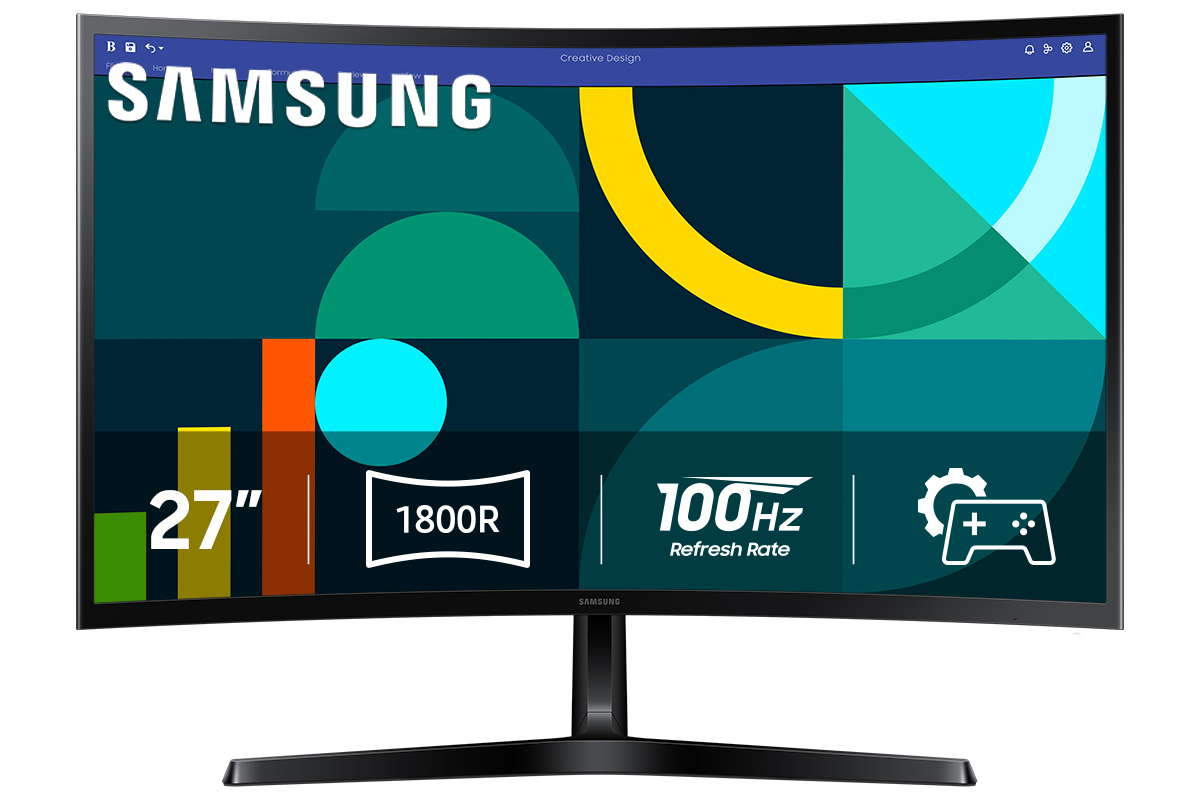
Samsung
Samsung 27" Essential S3 (S36GD) FHD 100Hz Curved Monitor

Samsung Essential S3 27" Curved Monitor

Samsung 27" Essential S3 (S36GD) FHD 100Hz Curved Monitor

4.4(2,811 ratings)
$39.99at pr3sea1nChecked 2 h ago
See all prices and details
Visit pr3sea1n
Pros
  • 27-inch 1800R curve gives a wider, more immersive view
  • 100Hz refresh with 4ms response cuts motion blur
  • Built-in speakers save desk clutter
  • HDMI plus VGA covers older PCs and laptops
  • TÜV-certified flicker-free, low blue light mode
Cons
  • 1080p at 27 inches looks less sharp than at 24
  • VA panel shows smearing in fast dark scenes
  • Stand has limited adjustment
  • No DisplayPort
KOORUI
KOORUI 24N5CA 24-inch Curved

KOORUI 24N5CA 24-inch Curved Monitor

KOORUI 24N5CA 24-inch Curved

$79.99at WalmartChecked 2 h ago
See all prices and details
Visit Walmart
Pros
  • Compact 24-inch curved panel fits small desks
  • 100Hz refresh for smoother scrolling and casual games
  • 1080p density is crisp at 24 inches
  • Simple HDMI setup
Cons
  • No speakers, VGA or eye-comfort certification stated
  • Response time not published
  • Few ratings, so long-term reliability is less proven
  • Smaller screen is less immersive for video

What separates them

Samsung Essential S3 27" Curved MonitorKOORUI 24N5CA 24-inch Curved Monitor
Screen size27 inches24 inches
Curvature1800R curve stated by SamsungCurved VA panel, radius not stated
Resolution and refresh1920x1080 at 100Hz1920x1080 at 100Hz
Panel typeVAVA
Response time4msNot stated
InputsHDMI and VGA (D-sub)HDMI
SpeakersBuilt inNot stated
Eye comfortTÜV-certified low blue light and flicker reductionNot stated

Price history

$179.99$97.99
Nov 10Nov 27
  • Samsung Essential S3 27" Curved Monitor: lowest $97.99 on Nov 21 at Amazon; $98.00 on Nov 27.
  • KOORUI 24N5CA 24-inch Curved Monitor: lowest $179.99 on Nov 20 at Newegg; $179.99 on Nov 27.

Prices at every store

Samsung Essential S3 27" Curved Monitor

  • pr3sea1nNew

    In stockReturn policy

    $39.99Checked 2 h ago
    Visit pr3sea1n
  • qingguo-djonlineNew

    In stockReturn policy

    $39.99Checked 2 h ago
    Visit qingguo-djonline
  • jiangfNew

    In stockReturn policy

    $39.99Checked 2 h ago
    Visit jiangf
  • ubsnmlo shopNew

    In stockReturn policy

    $39.99Checked 2 h ago
    Visit ubsnmlo shop
All 19 stores and price history →

KOORUI 24N5CA 24-inch Curved Monitor

  • WalmartNew

    In stockSold by KOORUI MONITORReturns: Sold by a Walmart Marketplace seller; returns go to the seller under the seller's returns policy.

    $79.99Checked 2 h ago
    Visit Walmart
  • NeweggNew

    In stock

    $179.99Free shippingChecked 2 h ago
    Visit Newegg

Store links may earn us a commission. Some prices via Klarna.

All 2 stores and price history →

Specs compared

SpecSamsung Essential S3 27" Curved MonitorKOORUI 24N5CA 24-inch Curved Monitor
Refresh Rate (Hz)100100
Screen Size (")27.024.0
HDMIYesYes
Resolution1920x1080 (Full HD)1920x1080 (Full HD)
Panel TypeVAVA
colorBlack—
Display TypeLED—
With SpeakersYes—
Connector TypeHDMI, VGA—
HD Format1080p—
CurvedYes—
Size27 in, 32 in—
Show all 14 specsShow fewer specs
SpecSamsung Essential S3 27" Curved MonitorKOORUI 24N5CA 24-inch Curved Monitor
Maximum Refresh Rate100 Hz—
Response Time4 milliseconds—

What reviewers say

Samsung Essential S3 27" Curved Monitor

  • 4.4 / 52,811 ratings

Owners rate it well as a budget everyday monitor, praising the smooth 100Hz panel and the immersive curve for the money. Complaints center on pixel density at 27 inches and the limited stand.

What people mention
  • Refresh ratePraisedOwners say the 100Hz panel feels noticeably smoother than 60Hz for scrolling and games.
  • CurveMixedMany like the wrap-around immersion, but some find the curve awkward for documents and straight-line work.
  • SharpnessCriticisedReviewers note that 1080p stretched over 27 inches looks soft, especially for text.
  • Eye comfortPraisedThe flicker-free, low blue light mode is credited with reducing strain in long sessions.

Questions and answers

Which is better for gaming?
Both run 1080p at 100Hz on VA panels, so they are close. The Samsung adds a stated 4ms response time and Game Mode, which makes it the safer pick for fast games. Neither is a high-refresh esports monitor.
Is 27 inches too big for 1080p?
At 27 inches, 1080p pixels are larger and text looks softer than on a 24-inch screen. If sharp text matters most, the KOORUI's 24-inch panel is denser. If immersion matters more, the Samsung wins.
Does the Samsung have speakers?
Yes, the Samsung S3 has built-in speakers. The KOORUI 24N5CA does not list speakers, so plan on external speakers or headphones.
Can I connect an older PC?
The Samsung has both HDMI and VGA, so older desktops work directly. The KOORUI lists HDMI only, so you may need an adapter for a VGA-only machine.
Which is easier on the eyes for long work days?
The Samsung carries TÜV certification for low blue light and reduced flicker. The KOORUI does not state eye-comfort features, so the Samsung is the better choice for long sessions.
Is the KOORUI worth stepping up from?
Step up to the Samsung if you want a bigger screen, speakers or VGA. Stay with the KOORUI if your desk is small and HDMI is all you need.

Ask our shopping agent

It checks today's price at every store, compares the alternatives and answers in about a minute.

Enter to send, Shift+Enter for a new line

More comparisons

  • Samsung 27" Essential S3 (S36GD) FHD 100Hz Curved Monitor vs LG 27 inch IPS Gaming Monitor FHD 155Hz 1ms G-Sync FreeSync, 27G41WB
  • Gawfolk 27-Inch Curved Monitor vs KOORUI 24N5CA 24-inch Curved
  • Samsung 27" Essential S3 (S36GD) FHD 100Hz Curved Monitor vs Dell SE2426H 24-Inch FHD 144Hz IPS Monitor
  • Gawfolk 27-Inch Curved Monitor vs Samsung 27" Essential S3 (S36GD) FHD 100Hz Curved Monitor
  • Samsung Odyssey G3 Gaming Monitor vs Samsung 27" Essential S3 (S36GD) FHD 100Hz Curved Monitor
  • Samsung 27" Essential S3 (S36GD) FHD 100Hz Curved Monitor vs Sceptre 24 Inch Curved 75Hz C248W-1920RN
  • Samsung 27" Essential S3 (S36GD) FHD 100Hz Curved Monitor vs Dell UltraSharp 27 Monitor - U2724D
  • Samsung 27" Essential S3 (S36GD) FHD 100Hz Curved Monitor vs TUF GAMING VG27AQ5AZ 27" QHD Gaming Monitor

Buying guides that pick them

  • Best computer monitors under $120
  • Best curved monitors for work and gaming
  • Best curved monitors under $100