
X4 Laser Engraver vs Ortur Laser Master 3 Diode Laser Engraver & Cutter
Buy the Mecpow X4 if you want more laser power (22W vs 20W) and a slightly larger bed for less money. Buy the Ortur Laser Master 3 if you value Ortur's polished firmware, WebUi control and the included air pump. The X4 has a 3.8 rating from 4 ratings; the Ortur has a 5 from 1 rating, so neither rating is a reliable signal.
Ask our shopping agent
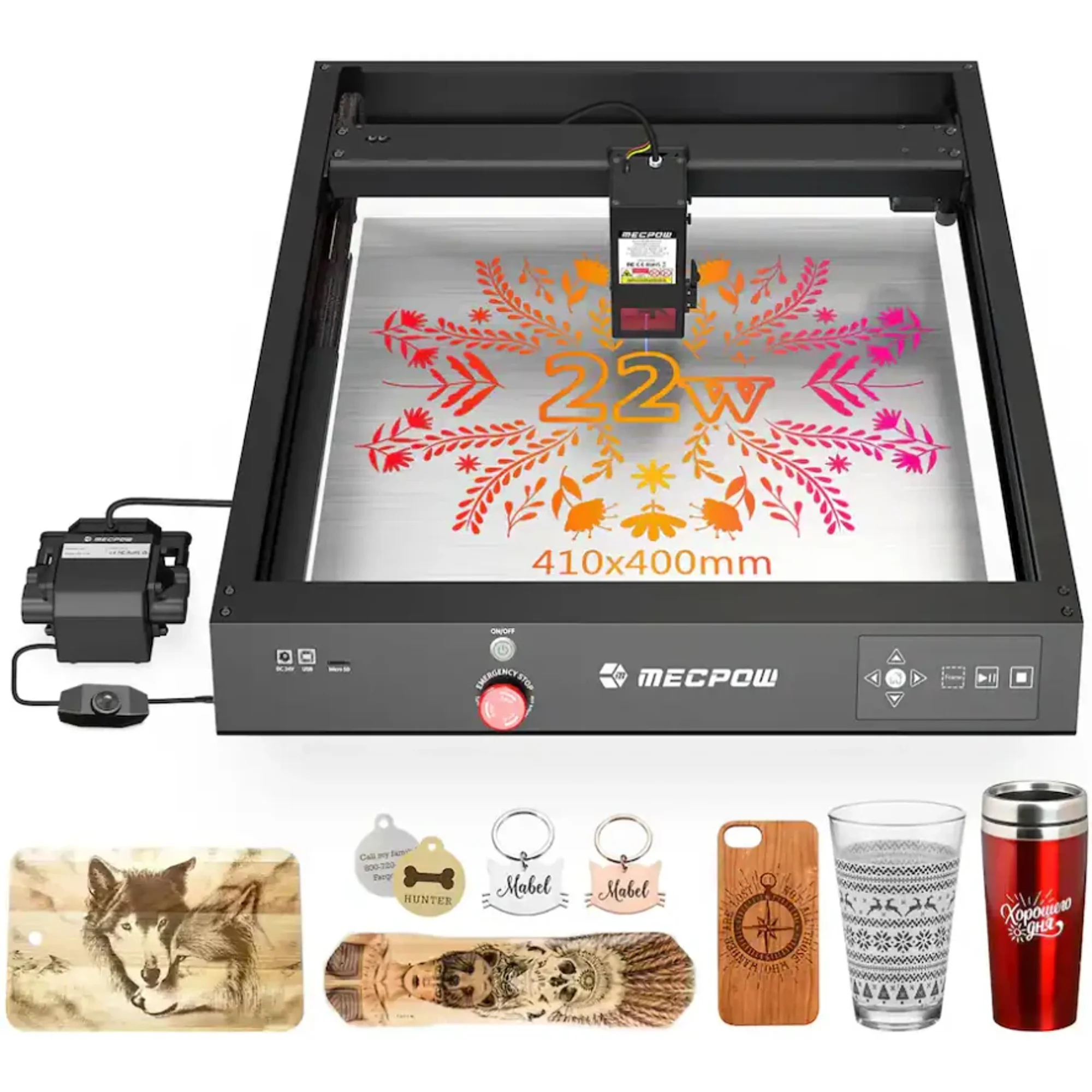
X4 Laser Engraver
3.8Choose the Mecpow X4 if you want the most cutting power and the largest work area at the lowest price.
- 22W gives more cutting headroom on thick wood and dark acrylic
- 410 x 400mm bed fits slightly larger projects
- 22,000mm/min is the faster top speed of the two
- Runs on Windows, Mac and Linux
- Lighter at 7.5 kg, easier to move
- Air pump is not included
- Rectangular 0.08 x 0.1mm spot is less square than the Ortur's
- Only 4 ratings at 3.8, so quality is hard to judge
What separates them
| X4 Laser Engraver | Ortur Laser Master 3 Diode Laser Engraver & Cutter | |
|---|---|---|
| Laser power | 22W optical | 20W optical |
| Work area | 410 x 400mm | 400 x 400mm |
| Max speed | 22,000mm/min | 20,000mm/min |
| Spot size | 0.08 x 0.1mm rectangle | 0.08 x 0.08mm square |
| Air assist | 30L/min pump, sold separately | Ortur Air Pump 1.0 included |
| Connectivity | USB, WiFi, TF card | 2.4G WiFi, USB, SD card, FTP, WebUi |
| Software | MKSLaser app, LaserGRBL, LightBurn | Ortur app, LightBurn, LaserGRBL |
| Weight |
Price history
- X4 Laser Engraver: lowest $447.04 on Nov 2 at geekbuying.com.
- Ortur Laser Master 3 Diode Laser Engraver & Cutter: lowest $299.99 on Nov 2 at Ortur.net.
Prices at every store
X4 Laser Engraver
- WalmartCheck price at Walmart
- geekbuying.comCheck price at geekbuying.com
Ortur Laser Master 3 Diode Laser Engraver & Cutter
- Ortur.netCheck price at Ortur.net
- orturlaser.comCheck price at orturlaser.com
- WalmartCheck price at Walmart
Specs compared
| Spec | X4 Laser Engraver | Ortur Laser Master 3 Diode Laser Engraver & Cutter |
|---|---|---|
| Input Voltage | DC 24V | 100-240V ~ 50/60Hz |
| Laser Power | 22W | — |
| Max. Engraving Area | 410 x 400mm | — |
| Max. Engraving Speed | 22000mm/min | — |
| Spot Size | 0.08 x 0.1mm | — |
| Air Pump Velocity | 30L/min | — |
| Rated Power | 144W | — |
| Data Transmission | USB Wired/ WIFI Wireless/ TF Card | — |
| Software Support | MKSLaser APP/ LaserGRBL/ LightBurn | — |
| System Support | Windows/ Mac/ Linux |
What reviewers say
X4 Laser Engraver
Reception is limited: just 4 ratings averaging 3.8 out of 5. That is too few to draw firm conclusions about reliability or support.
- Power for the price class
- Too few reviews to judge consistency
Ortur Laser Master 3 Diode Laser Engraver & Cutter
Owner feedback on the Laser Master 3 line is generally positive, with users praising speed, detail and the included air assist. Complaints center on assembly, focus setup and software connection issues.
- Fast engraving with clean, fine detail
- Air assist noticeably reduces scorch marks
- Solid build and large work area for the price
- Good results on wood, leather and coated metal
Questions and answers
- Which cuts thicker wood?
- The Mecpow X4, on paper. Its 22W head has more optical power than the Ortur's 20W, so it should cut deeper in one pass on plywood and hardwood.
- Is the Ortur worth the extra money?
- Only if you want the included air pump and WebUi control. The X4 is cheaper and more powerful, but you would buy an air pump separately.
- Which is better for stainless steel color marking?
- The Ortur. It is rated for 380+ colors on stainless steel and its square spot gives more even color fills.
- Do both work with LightBurn?
- Yes. Both list LightBurn and LaserGRBL support, so you are not locked into either brand's app.
- Which is easier to set up?
- The Ortur, because the air pump and tubing come in the box. The X4 needs a separate pump and hose before air assist works.
- Which has the larger engraving area?
- The X4 at 410 x 400mm, just 10mm wider than the Ortur's 400 x 400mm. The difference is minor in practice.