StoreDeal.ai store
Shop
  • Deals
  • Deal checker
  • Black Friday
  • Buying guides
  • Brands
  • Stores
Travel
  • Flight deals
  • Hotel deals
Company
  • Research
  • Press
  • Use in AI assistants
  • Contact
  • deal.ai apps
Black Friday 2026
  • Walmart
  • Best Buy
  • Target
  • TVs
  • Laptops
  • Headphones
  • Apple
  • Gaming
  • Vacuums
  • Kitchen
  • Toys
  • Smartwatches
  • Tablets
  • Furniture
  • Mattresses
© Deal.ai Inc.·2222 Ponce de Leon Blvd, Miami, FL 33134·support@deal.ai
TermsPrivacy
Deal.ai › Compare

xTool F1 Ultra Laser Engraver vs xTool M2 Laser Cutter & Engraver

Buy the F1 Ultra if you engrave metal, especially jewelry and charms, and want a fiber laser in a small footprint. Its 0.03 mm fiber spot and 16MP camera give sharp detail on bare metal, and owners praise the fast setup and phone-based workflow. Buy the M2 if you mostly work in wood, leather and acrylic and want a larger bed, enclosed Class 1 safety and optional full-color printing. The M2 is a diode machine, so metal marking needs the add-on IR head and is slower and lighter than the F1 Ultra's fiber laser.

  • Choose the xTool F1 Ultra if your work is metal-first — charms, tags, permanent jewelry — and you need fine fiber marking in a machine that fits on a table.
  • Choose the xTool M2 if you cut and engrave wood, leather and acrylic at larger sizes and want an enclosed, expandable machine with optional color printing.

Prices

  • xTool F1 Ultra Laser Engraver: $2,184.05 at Amazon (checked today)
  • xTool M2 Laser Cutter & Engraver: $474.00 at Amazon (checked today)
  • Difference: the xTool M2 Laser Cutter & Engraver is $1,710.05 cheaper than the xTool F1 Ultra Laser Engraver today
xTool
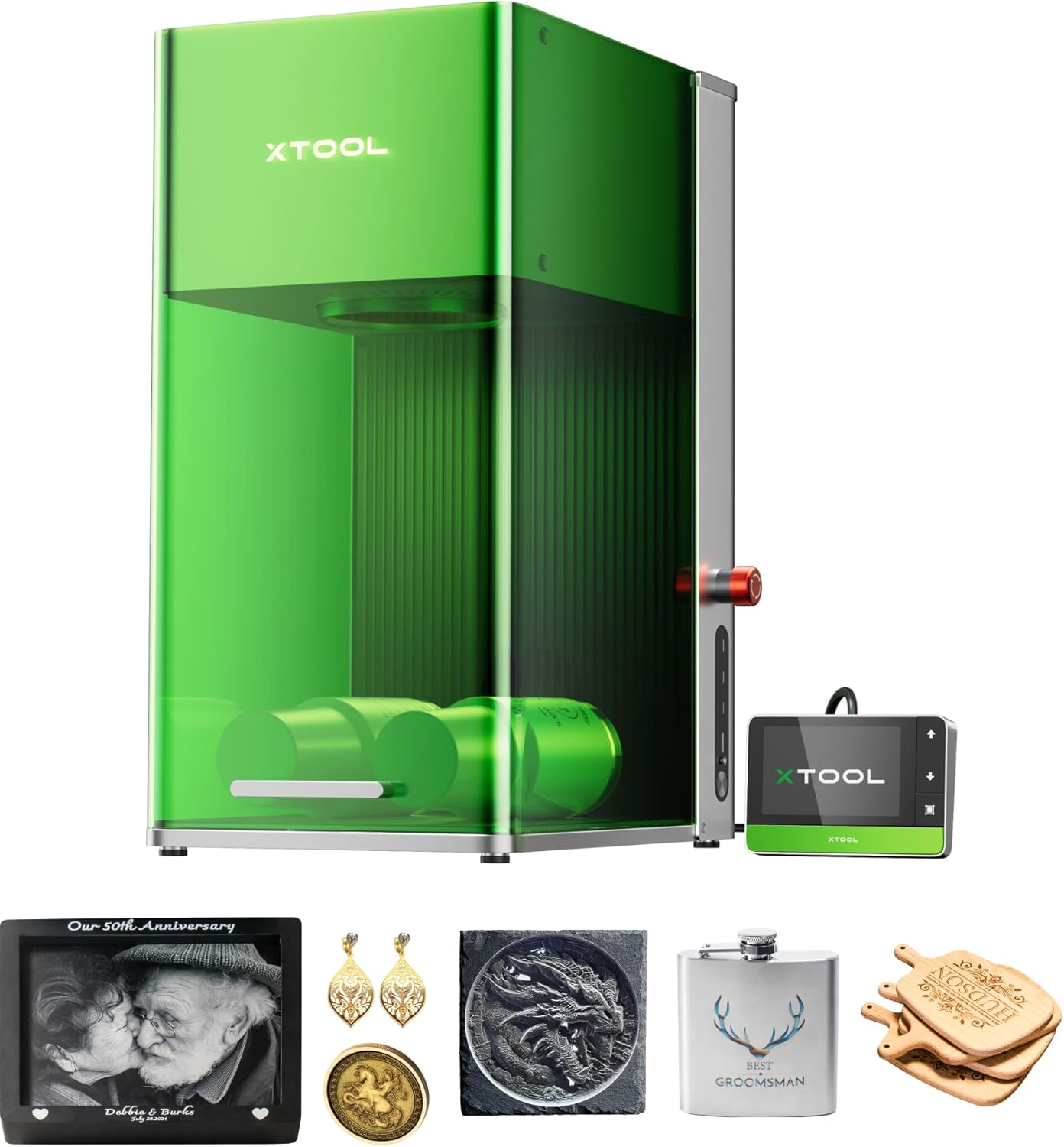
xTool F1 Ultra 20W Fiber & Diode Laser Engraver

xTool F1 Ultra Laser Engraver

xTool F1 Ultra 20W Fiber & Diode Laser Engraver

1(1 rating)
$2,184.05at AmazonChecked 1 h ago
See all prices and details
Visit Amazon

Store links may earn us a commission. As an Amazon Associate, Deal.ai earns from qualifying purchases.

Pros
  • Fiber laser marks bare metal without spray or marking compound
  • Very fine 0.03 mm spot for small text and photos on metal
  • 16MP camera makes placement and preview quick
  • Compact and light enough to move to pop-ups
  • Fast processing speeds up to 10,000 mm/s
Cons
  • Small 220 x 220 mm bed limits large flat work
  • Not fully enclosed like a Class 1 machine
  • No color printing option
  • Diode side is weaker than a dedicated diode cutter for thick wood
xTool
xTool M2 Color Craft Laser Cutter & Engraver

xTool M2 Laser Cutter & Engraver

xTool M2 Color Craft Laser Cutter & Engraver

4.9(503 ratings)
$474.00at AmazonChecked 14 min ago
See all prices and details
Visit Amazon

Store links may earn us a commission. As an Amazon Associate, Deal.ai earns from qualifying purchases.

Pros
  • Large 426 x 320 mm working area
  • Fully enclosed Class 1 design
  • Optional CMYK module adds full-color printing
  • Swappable laser heads from 10W to 40W plus IR and rotary
  • High owner rating and dual-camera placement
Cons
  • Diode laser struggles on bare metal without the IR add-on
  • Cutting depth around 10 mm, less than the F1 Ultra's 145 mm clearance
  • Base bundle does not include the color module
  • Larger footprint takes real desk space

What separates them

xTool F1 Ultra Laser EngraverxTool M2 Laser Cutter & Engraver
Laser sourceFiber plus diode in one unit; fiber handles bare metal directlyDiode only; metal marking needs the optional 3W IR head
Spot size and detail0.03 x 0.03 mm fiber spot for very fine marksDiode spot is coarser; fine metal detail is limited
Working area220 x 220 mm426 x 320 mm, roughly 2.8x the area
Enclosure and safety classLight protection cover and password lock, but open-frame styleFully enclosed Class 1 laser cutter
Color printingEngraving onlyOptional CMYK inkjet module for full-color prints with print-then-cut
Camera and positioning16MP smart camera for preview and placementDual cameras with ACS Lite one-click WYSIWYG placement plus 1080P monitoring
Max material thicknessUp to 145 mmCutting depth around 10 mm on the 20W model
ModularityFixed dual-laser headSwappable 10W/20W/40W diode heads, IR head and rotary add-on

Price history

$2,420.00$474.00
Nov 2Nov 24
  • xTool F1 Ultra Laser Engraver: lowest $2,184.05 on Nov 22 at Amazon; $2,184.05 on Nov 24.
  • xTool M2 Laser Cutter & Engraver: lowest $474.00 on Nov 24 at Amazon.

Prices at every store

xTool F1 Ultra Laser Engraver

  • MakeLab | Make It RealNew

    In stockShips from Greece · duties may apply

    $2,096.00Checked 1 h ago
    Visit MakeLab | Make It Real
  • All American Print SupplyNew

    In stock

    $2,299.00Checked 1 h ago
    Visit All American Print Supply
  • AmazonNew

    Availability unknown

    As an Amazon Associate, Deal.ai earns from qualifying purchases.

    $2,184.05Free shippingChecked 1 h ago
    Visit Amazon
  • MatterHackersNew

    Availability unknown

    $2,299.00Checked 14 min ago
    Visit MatterHackers

Also available at

  • WalmartCheck price at Walmart

Store links may earn us a commission.

All 27 stores and price history →

xTool M2 Laser Cutter & Engraver

  • WalmartNew

    In stockSold by MakeblockReturns: Sold by a Walmart Marketplace seller; returns go to the seller under the seller's returns policy.

    $499.00Free shippingChecked 14 min ago
    Visit Walmart
  • xToolNew

    In stockReturn policy

    $499.00Checked 14 min ago
    Visit xTool
  • Swing DesignNew

    In stockReturn policy

    $529.00Checked 1 h ago
    Visit Swing Design
  • AmazonNew

    Availability unknown

    As an Amazon Associate, Deal.ai earns from qualifying purchases.

    $474.00Free shippingChecked 14 min ago
    Visit Amazon

Store links may earn us a commission.

All 6 stores and price history →

Specs compared

SpecxTool F1 Ultra Laser EngraverxTool M2 Laser Cutter & Engraver
Compatible MaterialPaper, Fabric, Leather, Plastic, MetalLeather, Metal
Working area220 mm × 220 mm × 145 mm426 x 320 mm
BrandXTOOLxTool
ColorBlack, Blue—
Size493 mm × 253 mm × 373 mm—
Max processing speed10,000 mm/s—
Input power24 V – 25 V max. 10 A—
Connection modeWi-Fi, USB, IP—
Diode spot size0.08mm * 0.1mm—
Fiber spot size0.03mm*0.03mm—
Max material thickness145mm—
Storage memory7G—
Show all 39 specsShow fewer specs
SpecxTool F1 Ultra Laser EngraverxTool M2 Laser Cutter & Engraver
Camera16MP Smart Camera—
actual_colorF1 Ultra Basic—
Dual laserfiber for metal, diode for wood, acrylic, and l…—
Engraver typeEngravers—
Rec. useMetal—
FeaturesAdjustable Speed—
Power typeCorded Electric—
Assembled product height19 in—
MaterialSteel—
Product line

What reviewers say

xTool M2 Laser Cutter & Engraver

  • 4.9 / 5503 ratings

Owners rate the M2 highly, praising the enclosed build, camera alignment and the print-then-cut workflow. Complaints center on the limits of a diode laser and the extra cost of the color module.

What people mention
  • Camera alignmentPraisedOwners say the dual cameras make placing designs and repeating jobs quick and accurate.
  • Print and cutPraisedThe CMYK module plus blade cutting is what buyers single out for stickers and tattoos.
  • Cutting powerMixedThe 40W cuts thick basswood well, but diode limits show on clear acrylic and very thick stock.
  • EnclosurePraisedThe enclosed Class 1 build is valued for home and small-shop use.
Reviews
  • Testing the Best Laser Cutters and Engravers Is One of the Best Parts of My Job - CNET

Questions and answers

Which is better for engraving metal jewelry?
The F1 Ultra. Its fiber laser marks bare metal directly with a 0.03 mm spot, which suits charms, tags and permanent jewelry. The M2 needs the optional 3W IR head for metal, and results are lighter and slower.
Which has the bigger work area?
The M2, at 426 x 320 mm versus 220 x 220 mm on the F1 Ultra. For large signs, panels or batch layouts, the M2 fits far more per run.
Can the M2 print in color?
Yes, with the optional CMYK inkjet module, which pairs with print-then-cut contour cutting. The base bundle does not include it, and the F1 Ultra has no color printing at all.
Which is safer to run at home?
The M2 is a fully enclosed Class 1 laser cutter. The F1 Ultra has a light protection cover and password lock but is not a fully enclosed Class 1 machine, so keep it in a controlled space.
Is the F1 Ultra worth stepping up to over the M2?
Only if metal is your main material. The fiber laser and fine spot are the reason to pay more. If you cut wood and acrylic and want color, the M2 covers more ground.
Which lasts longer?
Both are steel-framed xTool machines with 1-year warranties. Diode tubes dim with hours of cutting; fiber sources hold power far longer, so heavy metal work favors the F1 Ultra.

Ask our shopping agent

It checks today's price at every store, compares the alternatives and answers in about a minute.

Enter to send, Shift+Enter for a new line

More comparisons

  • xTool F1 Ultra 20W Fiber & Diode Laser Engraver vs AtomStack Swift Laser Engraver
  • xTool F1 Ultra 20W Fiber & Diode Laser Engraver vs xTool S1 (40W diode)
  • xTool F1 Ultra 20W Fiber & Diode Laser Engraver vs xTool M2 Color Craft Laser Cutter Engraver 20W
  • Acmer S1 3.5W Laser Engraver for Wood & Metal vs xTool F1 Ultra 20W Fiber & Diode Laser Engraver
  • xTool M2 10W Laser Engraver vs xTool F1 Ultra 20W Fiber & Diode Laser Engraver
  • xTool S1 (40W diode) vs xTool M2 Color Craft Laser Cutter & Engraver

Buying guides that pick them

  • Best laser engravers and cutters
  • Best laser engravers
xTool F1 Ultra
—
Has nrtl listing certificationY—
Manufacturer‎Makeblock Co., Ltd.—
ModelF1 Ultra—
Color categoryGray—
Weight14.7 kg.—
Output Power (W)—20
Model Number—P0101000470
Laser Type—Diode
Laser Power—20 watts
Maximum Laser Speed—23.6 inches per second
Maximum Cutting Depth—10
Product Height—7.09 inches
Product Width—22.4 inches
Product Depth—24.02 inches
Warranty - Parts—1 year
Warranty - Labor—1 year
Cutter Type—Die-cut