Apple Pencil (1st Generation) with USB-C to Pencil Adapter
Where to buy
No store is showing a current price right now. The stores below sell it; ask the agent to check today's prices.
Prices are checked against each store and labelled with when.
Check today's price at PzDealsAsk our agent about this product
It checks today's price at every store, compares the alternatives and answers in about a minute.
In stock now from Apple


Our take on the Apple Pencil (1st Generation) with USB-C to Pencil Adapter
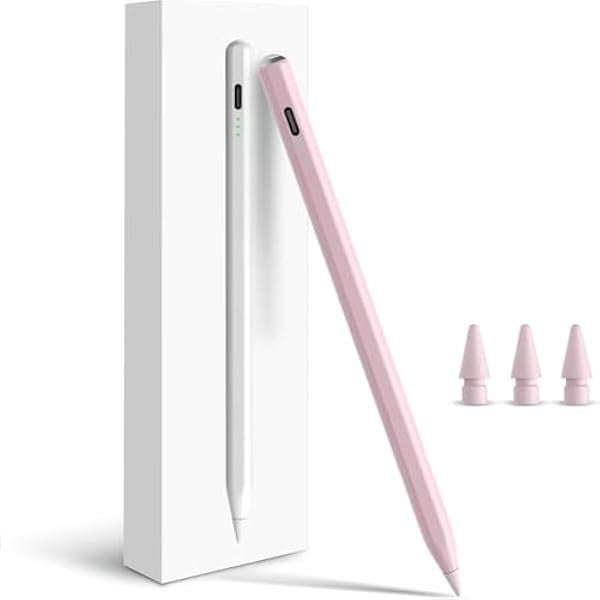
The first-generation Apple Pencil is a pressure- and tilt-sensitive stylus for older iPad models that use a Lightning port. It charges by plugging into the iPad's Lightning port or through the included USB-C to Pencil adapter, which lets you pair and charge it from a USB-C cable or a newer iPad. It suits note-takers, sketchers and students on a budget who already own a compatible iPad. Against the USB-C and second-generation Pencils it lacks magnetic charging, a flat side and the hover and squeeze features, but it keeps the same low-latency drawing and palm rejection that made the line popular.
- Pressure and tilt sensitivity for natural drawing
- Low latency and palm rejection
- Charges from the iPad or the included USB-C adapter
- Works with a wide range of older iPad models
- No pairing menus: plug in to pair
Apple Pencil (1st Generation) with USB-C to Pencil Adapter prices at every store
- PzDealsCheck price at PzDeals
What reviewers say
Owners and reviewers rate the first-generation Pencil highly for drawing feel and accuracy, and many call it the best stylus for older iPads. The most common complaints are the plug-in charging design and the lack of magnetic storage.
- Drawing feelPraisedReviewers say lines are accurate and pressure and tilt respond naturally in drawing apps.
- ChargingCriticisedOwners dislike plugging the Pencil into the iPad's Lightning port, calling it awkward and easy to damage.
- LatencyPraisedUsers report very little lag when writing and sketching.
Questions and answers
- Which iPads work with the first-generation Apple Pencil?
- It works with iPad models that have a Lightning port, including several standard iPad generations, the iPad Air 3, iPad mini 5 and older iPad Pro 9.7, 10.5 and 12.9-inch models. Check your iPad's model before buying, since USB-C iPads need a different Pencil.
- How do you pair and charge it?
- Plug the Pencil into the iPad's Lightning port to pair it, or use the included USB-C to Pencil adapter with a USB-C cable. The adapter also lets you charge from a USB-C port on newer devices.
- Does it support pressure and tilt?
- Yes. It senses pressure and tilt, so drawing apps can vary line weight and shading. It does not support hover, squeeze or barrel roll, which are limited to newer Pencils and iPads.
- Is it worth it over the USB-C Apple Pencil?
- If your iPad has a Lightning port, the first-generation Pencil is the one that pairs and charges natively. The USB-C Pencil suits USB-C iPads but lacks pressure sensitivity, so artists should stay with this model where it fits.
- What is in the box?
- The box contains the Apple Pencil and a USB-C to Pencil adapter. A charging cable and power adapter are not included.
- Can I use it with a screen protector?
- Yes, it works with most screen protectors, though thick tempered glass can slightly change the feel. Matte protectors add friction that some note-takers prefer.