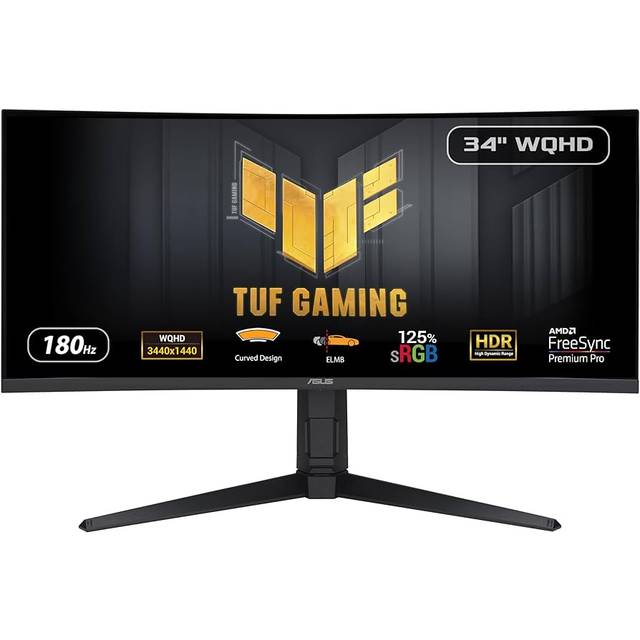
Asus ROG Strix XG32AQ 32" WQHD IPS LED Gaming Monitor
Where to buy
No store is showing a current price right now. The stores below sell it; ask the agent to check today's prices.
Prices are checked against each store and labelled with when.
Check today's price at PzDealsAsk our agent about this product
It checks today's price at every store, compares the alternatives and answers in about a minute.
In stock now from ASUS

Our take on the Asus ROG Strix XG32AQ 32" WQHD IPS LED Gaming Monitor
The Asus ROG Strix XG32AQ is a 32-inch WQHD (2560x1440) IPS gaming monitor aimed at players who want a big, sharp screen without stepping up to 4K. It pairs a fast refresh rate and low response time with IPS color and wide viewing angles, so it works for games and color-sensitive work alike. Against 27-inch 1440p rivals it trades pixel density for screen size, and against 4K monitors it is easier to drive at high frame rates. Reviewers generally rate ROG Strix build and gaming features highly, while some note that at this size 1440p looks less crisp than smaller panels.
- 32-inch WQHD IPS panel with wide viewing angles
- Fast refresh rate and low response time for gaming
- Good color coverage for games and creative work
- ROG Strix gaming features and sturdy stand
- Easier to drive than a 4K panel of the same size
Asus ROG Strix XG32AQ 32" WQHD IPS LED Gaming Monitor prices at every store
- PzDealsCheck price at PzDeals
What reviewers say
Owners and reviewers tend to praise the big 1440p IPS picture, smooth gaming motion and solid ROG build. Common complaints center on pixel density at 32 inches, backlight bleed and limited HDR.
- Picture qualityPraisedOwners like the bright, colorful IPS image and wide viewing angles.
- Pixel densityMixedSome find 1440p spread over 32 inches less sharp for text and fine detail.
- Gaming motionPraisedReviewers say fast refresh and low response make action feel smooth.
Questions and answers
- Is 1440p sharp enough on a 32-inch screen?
- It is usable and many owners are happy, but pixel density is lower than a 27-inch 1440p panel, so text and fine detail look slightly softer.
- Is it good for competitive gaming?
- Yes. The fast refresh rate and low response time suit fast-paced games, though serious esports players often prefer smaller, higher-refresh panels.
- Does it work well for creative work?
- The IPS panel gives good color and wide viewing angles for photo and video work, but it is not a calibrated professional display.
- How does it compare with a 4K monitor?
- It is less sharp than 4K but much easier to drive at high frame rates, which suits gamers with mid-to-high-end graphics cards.
- What connections does it have?
- It offers DisplayPort and HDMI inputs plus a headphone jack, enough for a PC and a console.