- Is 300Hz at 1440p worth it over 240Hz?
- The jump from 240Hz to 300Hz is small and mostly felt by highly competitive players. If you already own a good 240Hz QHD panel, the upgrade is marginal; coming from 144Hz or 165Hz, the difference is large.
- What GPU do I need to hit 300Hz at 1440p?
- You need a high-end current GPU and DisplayPort to reach 300Hz at 2560x1440. In demanding titles you will run well below the panel's ceiling, so Adaptive Sync matters more than the peak number.
- Does it support G-Sync and FreeSync?
- It uses Adaptive Sync, which works with compatible AMD and NVIDIA cards over DisplayPort. Check that your GPU and cable support the refresh rate you want.
- Is the HDR any good?
- HDR support is entry-level on this class of IPS panel. It accepts an HDR signal but lacks the brightness and dimming for a real HDR experience, so treat it as a bonus.
- Does it have speakers and what ports does it use?
- Yes, it has built-in speakers. Connectivity is centered on DisplayPort and HDMI, with no USB-C, so plan cabling around those inputs.
- Is a 27-inch 1440p screen sharp enough?
- At 27 inches, 2560x1440 gives roughly 109 pixels per inch, which is sharp for gaming and desktop work. Text is crisp without the scaling issues of 4K.
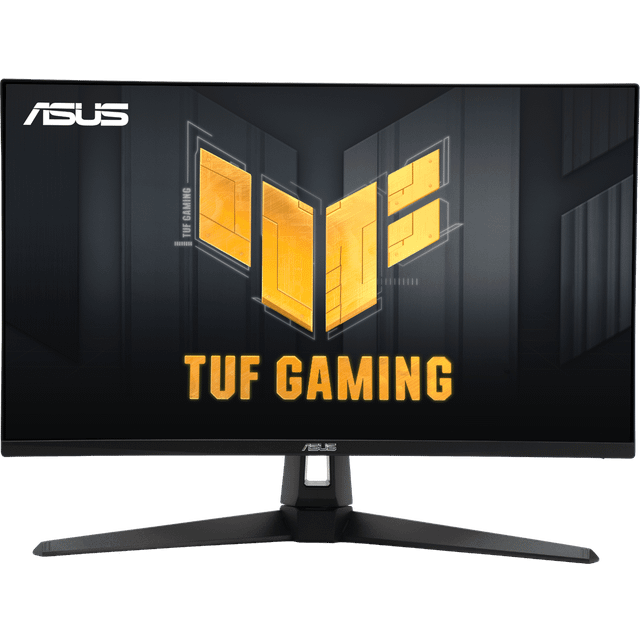
- Where is the ASUS VG27AQM5A TUF Gaming 27 1440P Monitor (VG27AQM5A) - QHD (2560x1440), 300Hz, Fast IPS, Extreme Low Motion Blur Sync, 0.3ms, Speaker, 95% DCI-P3, Shadow Boost, DisplayWidget Center, 3 yr warranty 27-inch cheapest?
- At BAUDER SARE, for $56.99, as of our latest check.
- Where can I buy the ASUS VG27AQM5A TUF Gaming 27 1440P Monitor (VG27AQM5A) - QHD (2560x1440), 300Hz, Fast IPS, Extreme Low Motion Blur Sync, 0.3ms, Speaker, 95% DCI-P3, Shadow Boost, DisplayWidget Center, 3 yr warranty 27-inch?
- 2 stores we checked sell it, including BAUDER SARE, Westend Enterprises Unlimited, Inc..