- Will this fit my laptop?
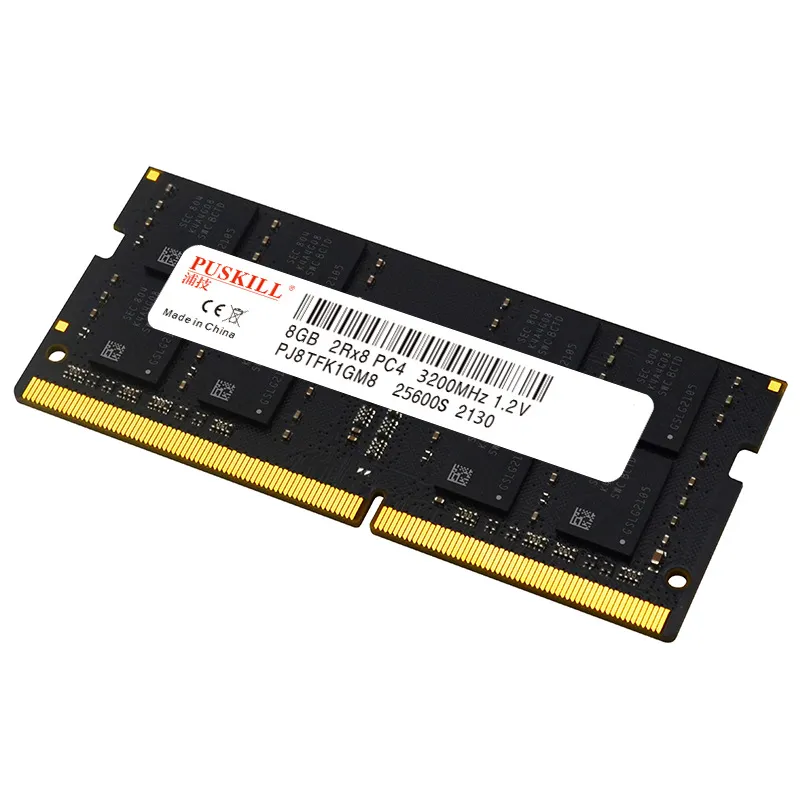
- It is a 260-pin DDR4 SO-DIMM, the standard laptop format. Your laptop must use DDR4 memory, not DDR3 or DDR5, and have a free or replaceable SO-DIMM slot. Check your model's spec sheet before buying.
- Which speed should I pick?
- Match the speed of the module already installed, or the maximum your laptop's CPU supports. A 3200 module usually runs slower in a 2666 system, and mixing speeds can force both modules to the lower rate.
- Can I add it alongside my existing RAM?
- Yes, if the existing module is DDR4 SO-DIMM and you have a second slot. For best performance, pair it with a module of the same capacity and speed so the laptop runs in dual channel.
- Is 32GB worth it over 16GB?
- Only if you run many browser tabs, virtual machines or large photo and video projects. For everyday browsing, office work and light gaming, 16GB is usually enough and leaves money for other upgrades.
- What is in the box?
- One memory module. No tools, screws or anti-static packaging extras are listed, so have a small screwdriver ready for the laptop's service panel.
- Does it work in a desktop?
- No. It is a 260-pin SO-DIMM for notebooks. Desktops take longer 288-pin DIMMs, which will not fit this slot.
- Where is the DDR4 Notebook Memory Module cheapest?
- At Deal.ai, for $44.99, as of our latest check.