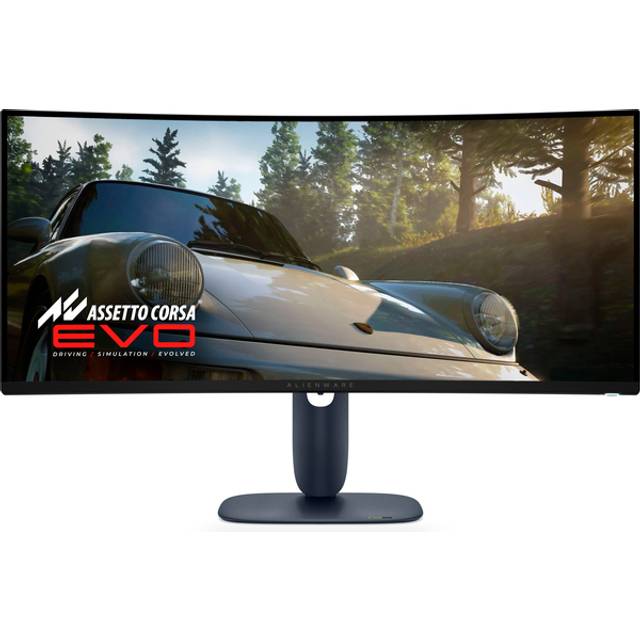
Dell Alienware AW3425DW
Last price we saw
Prices change often: ask the agent below to check today's price at every store.
Prices differ by screen size, and this one may be for a smaller size: check the size at the store.
Prices are checked against each store and labelled with when.
Ask our agent about this product
It checks today's price at every store, compares the alternatives and answers in about a minute.
In stock now from Dell
Our take on the Dell Alienware AW3425DW
The Alienware AW3425DW is a 34-inch curved ultrawide gaming monitor built on a QD-OLED panel with a 3440x1440 resolution. It stands out for OLED contrast, fast pixel response and a 175 Hz refresh rate, with HDMI 2.1 and DisplayPort 1.4 for modern consoles and PCs. It suits gamers who want deep blacks and wide immersion, and it competes with other 34-inch QD-OLED ultrawides that offer similar panels but fewer or different ports. Reviewers praise the picture and motion clarity while noting OLED burn-in risk and the need for careful desktop use.
- QD-OLED panel gives near-infinite contrast and vivid color
- 175 Hz refresh with very fast response for smooth motion
- 3440x1440 ultrawide wraps the view without a huge desk footprint
- HDMI 2.1 supports high refresh on current consoles
- Height-adjustable stand and VESA mounting
What reviewers say
Owners and reviewers rate the AW3425DW highly for its QD-OLED picture, contrast and gaming motion. Common complaints center on burn-in worry, softer text and limited connectivity.
- Picture qualityPraisedOwners describe deep blacks, strong contrast and vivid color from the QD-OLED panel.
- Gaming motionPraisedReviewers say the high refresh and fast pixel response make fast games feel smooth.
- Burn-inCriticisedBuyers worry about static taskbars and icons leaving marks over long desktop sessions.
Questions and answers
- Is the AW3425DW good for both PC and console gaming?
- Yes. It handles high-refresh PC gaming over DisplayPort and supports HDMI 2.1 for current consoles at high frame rates.
- Should I worry about OLED burn-in?
- There is a real long-term risk with static elements like taskbars. Vary content, use screensavers and keep brightness moderate for mixed desktop work.
- How does it compare with other 34-inch QD-OLED monitors?
- It uses the same class of QD-OLED panel, so picture and motion are close. Differences come down to ports, stand design and firmware features.
- Does it have USB-C or a headphone jack?
- No. It offers HDMI 2.1, DisplayPort 1.4 and USB-A ports, but no USB-C video input and no headphone output.
- Can I mount it on a monitor arm?
- Yes. It has a VESA mount and the stand offers height and tilt adjustment, though it does not pivot to portrait.
- What do buyers say about the Dell Alienware AW3425DW?
- Rated 4.4 out of 5 from 2 ratings.