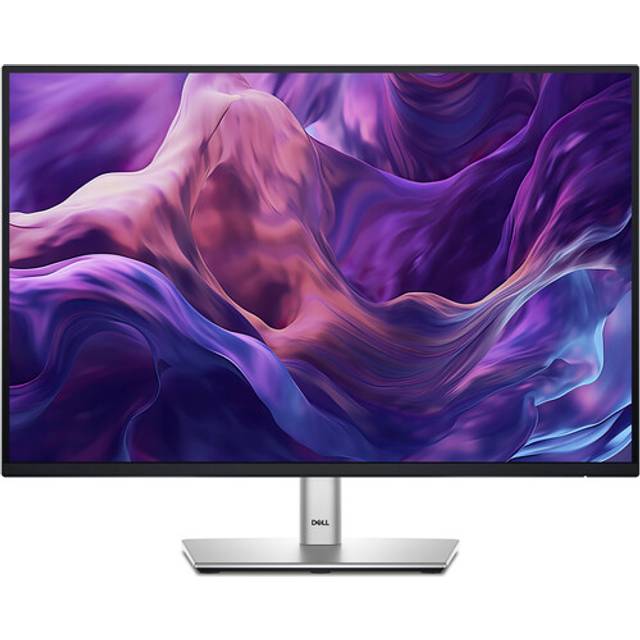
Dell UltraSharp 4K UHD 120Hz 5ms IPS Freesync Monitor (U3225QE)
Where to buy
No store is showing a current price right now. The stores below sell it; ask the agent to check today's prices.
Prices are checked against each store and labelled with when.
Check today's price at PzDealsIn stock now from Dell


Our take on the Dell UltraSharp 4K UHD 120Hz 5ms IPS Freesync Monitor (U3225QE)
The Dell UltraSharp U3225QE is a 32-inch 4K UHD monitor built on an IPS panel with a 120Hz refresh rate, 5ms response time and AMD FreeSync. It sits in Dell's business-and-creator UltraSharp line, so it pairs high pixel density with smoother motion than the 60Hz 4K monitors it competes with. The 120Hz panel makes it more versatile than standard 4K office displays, though it is not a dedicated gaming monitor. It suits people who want one large, sharp screen for work and some play.
- 32-inch 4K UHD gives dense, crisp text and images
- 120Hz refresh rate is smoother than typical 60Hz 4K panels
- AMD FreeSync reduces tearing in games
- IPS panel offers wide viewing angles and even color
- 5ms response is adequate for casual gaming
Dell UltraSharp 4K UHD 120Hz 5ms IPS Freesync Monitor (U3225QE) prices at every store
- PzDealsCheck price at PzDeals
About the Dell UltraSharp 4K UHD 120Hz 5ms IPS Freesync Monitor (U3225QE)
The Dell UltraSharp U3225QE is a 32-inch monitor with a 4K UHD resolution. It uses an IPS panel with a 120Hz refresh rate and a 5ms response time.
The monitor supports FreeSync.
- Display size
- 32 inches
- Resolution
- 4K UHD
- Panel type
- IPS
- Refresh rate
- 120Hz
- Response time
- 5ms
- Adaptive sync
- FreeSync
- Model
- U3225QE
Ask our agent about this product
It checks today's price at every store, compares the alternatives and answers in about a minute.
Questions and answers
- Is the U3225QE good for gaming?
- It handles casual and mid-tier gaming well thanks to 120Hz and FreeSync. Competitive players will want a faster panel with a lower response time than 5ms.
- What do I need to drive 4K at 120Hz?
- You need a GPU and cable that support 4K at 120Hz over DisplayPort or HDMI 2.1. Older laptops and HDMI 2.0 ports will cap the refresh rate.
- How does it compare with 60Hz 4K monitors?
- It offers the same 4K sharpness but twice the refresh rate, so scrolling and motion look smoother. The trade-off is a higher demand on your graphics hardware.
- Is a 32-inch 4K screen too big for a desk?
- At typical desk depth, 32 inches fills your field of view and gives very sharp text at 4K. Check that your desk and mount can take the panel's size and weight.
- Does it have FreeSync with an Nvidia card?
- FreeSync is AMD's adaptive sync standard. Many Nvidia cards now support it over DisplayPort, but check your GPU's compatibility before relying on it.