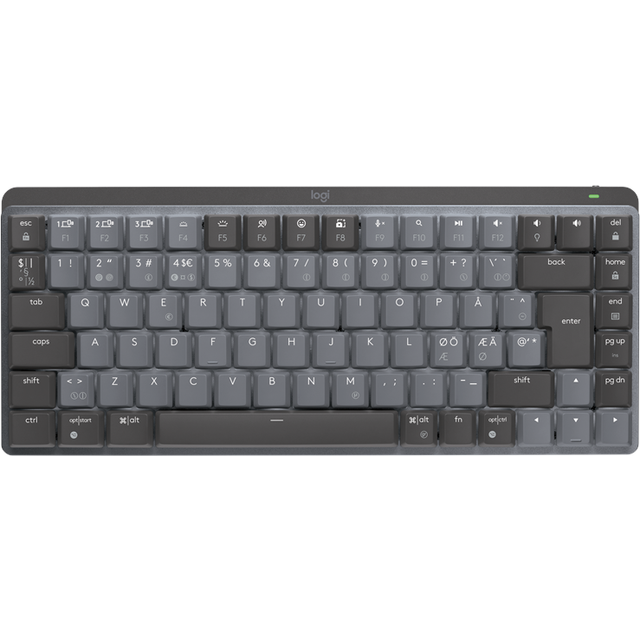
- Is the MX Mechanical Mini Linear good for typing?
- Yes, it is designed for comfortable typing with low-profile linear switches that are smooth and quiet. Many reviewers find it excellent for long typing sessions.
- How does it compare to the MX Keys?
- The MX Mechanical Mini has a mechanical feel with more key travel, while the MX Keys is a membrane keyboard with a flatter, quieter feel. The Mini is more compact and lacks a numpad.
- Can I connect it to multiple devices?
- Yes, it can pair with up to three devices via Bluetooth or the included Logi Bolt receiver, and you can switch between them with a button.
- Does it have a backlight?
- Yes, it has a single-color white backlight that automatically adjusts brightness based on ambient light. It can be turned off to save battery.
- What is in the box?
- The box includes the keyboard, a Logi Bolt USB receiver, a USB-C charging cable, and documentation.
- Is it compatible with Mac?
- Yes, it works with macOS and Windows, and includes keycaps for both layouts. You can switch between layouts using Logitech Options+ software.
- Where is the Logitech MX Mechanical Mini Linear cheapest?
- At Newegg, for $132.99, 17% under what the other stores charge, as of our latest check.
- What do buyers say about the Logitech MX Mechanical Mini Linear?
- Rated 4.4 out of 5 from 632 ratings.
- Where can I buy the Logitech MX Mechanical Mini Linear?
- 7 stores we checked sell it, including Newegg, Best Buy, Walmart, Staples, Dell Home & Home Office.