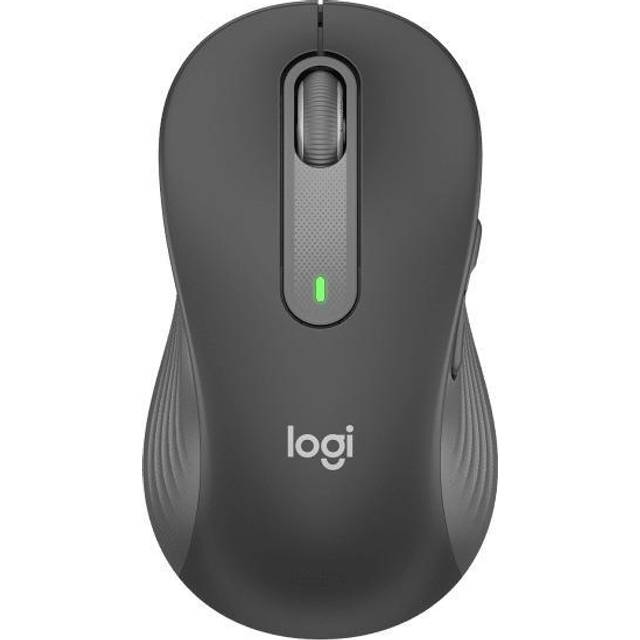
- Is the M650 for Business good for everyday office work?
- Yes. It is quiet, comfortable for long sessions and has side buttons for browsing. It is not built for fast gaming.
- How does it connect?
- It connects either through the included Logi Bolt USB receiver or over Bluetooth. You can pair it with more than one device and switch between them.
- Is it suitable for left-handed users?
- The body is shaped for the right hand, and the two side buttons sit under the right thumb. Left-handers can use it, but without the side buttons.
- Does it have a rechargeable battery?
- No. It runs on a standard AA battery, which Logitech rates for many months of use.
- What is in the box?
- The mouse, a Logi Bolt USB receiver, one AA battery and documentation. A USB-C to USB-A adapter is not included.
- How does it compare with the MX Master series?
- It is smaller, lighter and quieter, but lacks the MX Master's thumb wheel, gesture button and rechargeable battery. It suits simpler office tasks better.
- Where is the Logitech Signature M650 for Business Graphite cheapest?
- At Best Buy, for $35.99, as of our latest check.
- What do buyers say about the Logitech Signature M650 for Business Graphite?
- Rated 4.5 out of 5 from 28 ratings.
- Where can I buy the Logitech Signature M650 for Business Graphite?
- 6 stores we checked sell it, including Best Buy, Newegg, Staples, Office Depot, Quill.