MSI MPG 322URX QD-OLED Gaming Monitor
Last price we saw
Prices change often: ask the agent below to check today's price at every store.
Prices differ by screen size, and this one may be for a smaller size: check the size at the store.
Prices are checked against each store and labelled with when.
Ask our agent about this product
It checks today's price at every store, compares the alternatives and answers in about a minute.
In stock now from MSI


Our take on the MSI MPG 322URX QD-OLED Gaming Monitor
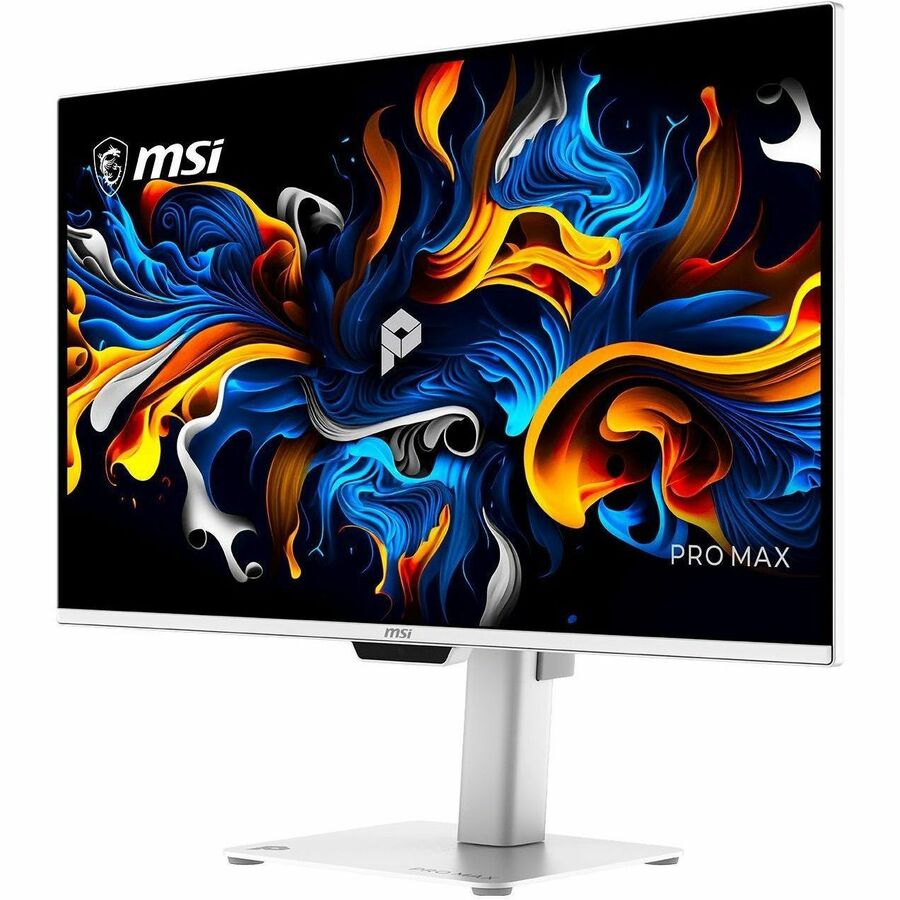
The MSI MPG 322URX is a 32-inch 4K QD-OLED gaming monitor with a 240Hz refresh rate and DisplayPort 2.1, so it can run 4K at high refresh without compression on the right graphics card. QD-OLED gives near-instant pixel response, deep blacks and wide color, and the matte coating cuts glare better than the glossy panels on some rivals. It suits high-end PC gamers and mixed work-and-play setups; it is a big step up from 27-inch 1440p OLEDs in sharpness, but it costs more and needs a strong GPU to feed 4K at 240Hz.
- 4K QD-OLED at up to 240Hz with fast pixel response
- DisplayPort 2.1 for full-bandwidth 4K high refresh
- Matte coating handles bright rooms well
- Height, tilt and 90-degree pivot adjustment plus VESA mount
- Two HDMI 2.1 ports for consoles and a second PC
What reviewers say
Owners and reviewers rate the 322URX highly for its sharp 4K QD-OLED picture, fast response and matte finish. Common complaints are the thin USB connectivity and the need for a top-tier GPU to use the refresh rate.
- Picture qualityPraisedOwners call the 4K QD-OLED image sharp and vivid, with deep blacks and strong color.
- MotionPraisedReviewers note very low blur and fast response at high refresh rates.
- Matte coatingPraisedBuyers like that the matte finish keeps reflections down in bright rooms.
Questions and answers
- Is the MSI MPG 322URX good for 4K gaming?
- Yes. It pairs a 4K QD-OLED panel with up to 240Hz and very fast pixel response, which makes it one of the sharper, quicker gaming displays at this size. You need a strong GPU to push high frame rates at 4K.
- Does it need DisplayPort 2.1?
- DisplayPort 2.1 gives full bandwidth for 4K at high refresh without compression. HDMI 2.1 also works, but check your graphics card and cable support to get the most out of it.
- Is the screen glossy or matte?
- It has a matte coating. That reduces reflections compared with glossy QD-OLED panels, at a slight cost in perceived contrast in dark rooms.
- Can I mount it on a monitor arm?
- Yes. It has a VESA mount, and the stand also offers height, tilt and 90-degree pivot adjustment.
- Does it have built-in speakers or a USB hub?
- No speakers. There is a headphone out and a single USB port, but no full hub and no Ethernet, so plan for external audio and a separate hub if you need one.
- Should I worry about OLED burn-in?
- QD-OLED can retain static images over long periods. For mostly gaming and video it is low risk; for all-day static desktop work, use screen savers and pixel-shift features.