StoreDeal.ai store
Shop
  • Deals
  • Deal checker
  • Black Friday
  • Buying guides
  • Brands
  • Stores
Travel
  • Flight deals
  • Hotel deals
Company
  • Research
  • Press
  • Use in AI assistants
  • Contact
  • deal.ai apps
Black Friday 2026
  • Walmart
  • Best Buy
  • Target
  • TVs
  • Laptops
  • Headphones
  • Apple
  • Gaming
  • Vacuums
  • Kitchen
  • Toys
  • Smartwatches
  • Tablets
  • Furniture
  • Mattresses
© Deal.ai Inc.·2222 Ponce de Leon Blvd, Miami, FL 33134·support@deal.ai
TermsPrivacy

Free shipping on everything·10% off your first order·No account needed · Buy 2, save 10% · 3+, save 15%

Deal.ai › Store › Tech & Gadgets › Cables & Parts
O
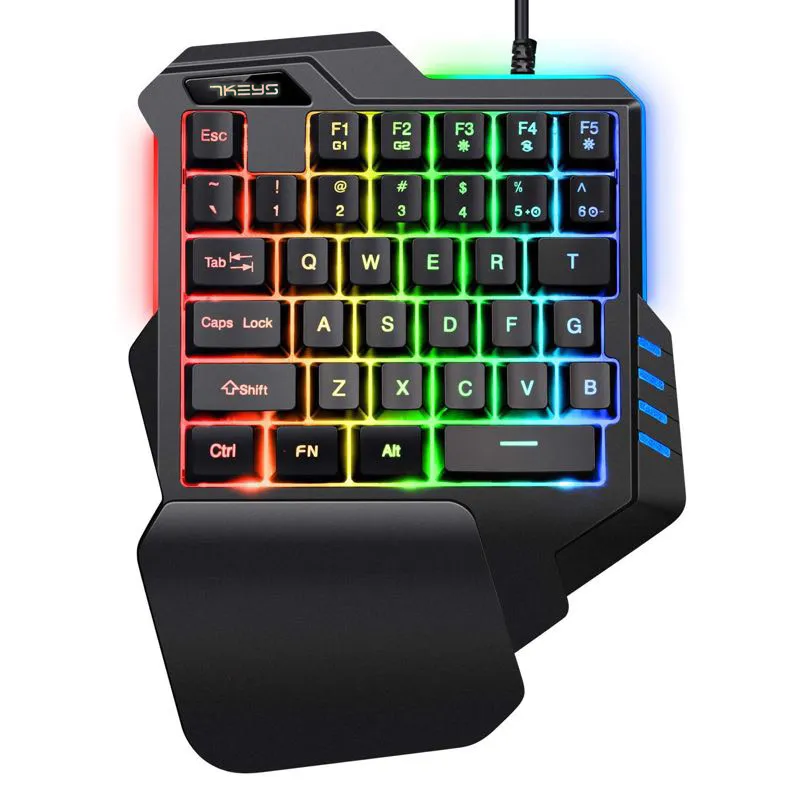
One-Handed RGB Mechanical Gaming Keypad

One-Handed RGB Mechanical Gaming Keypad

Sold and shipped by Deal.ai

$25.99Free shipping

Buy 2, save 10% · 3+, save 15%

Extra 10% off your first order

Color: Mixed color version

Arrives about Nov 23 – Dec 3, from a warehouse in China

How many?
1

30-day full refund: if you're not happy with it for any reason, or it never arrives, tell us within 30 days and we refund you in full. Shipping and refunds

Ask our agent about this product

It checks today's price at every store, compares the alternatives and answers in about a minute.

Enter to send, Shift+Enter for a new line

Price facts

  • Lowest price today: $25.99 at Deal.ai (checked Nov 16, 2026).

Our take on the One-Handed RGB Mechanical Gaming Keypad

This is a one-handed mechanical gaming keypad with RGB backlighting and dedicated macro recording keys. It's designed for gamers who want programmable controls in a compact layout, and it works with PCs, Android, and Linux. Compared to full keyboards, it saves desk space and puts macros within easy reach, but it lacks the build quality and polish of premium brands.

Best forMobile and laptop gamersPlayers who use macrosThose with limited desk space
Pros
  • Mechanical keys for tactile feedback
  • Two dedicated macro recording keys
  • Seven RGB colors and multiple lighting effects
  • Wide OS compatibility including Android and Linux
Cons
  • Build quality feels plasticky and light
  • Macro setup can be confusing without instructions
  • Software is basic and not user-friendly
  • Key legends may wear off over time

What reviewers say

Owners appreciate the mechanical feel and the convenience of macro keys for gaming, but many complain about flimsy construction and a steep learning curve for programming macros.

What people mention
  • Build qualityCriticisedReviewers say the plastic housing feels flimsy and lightweight.
  • Macro functionalityMixedSome find the macro keys useful, but many struggle with the recording procedure.
  • Mechanical feelPraisedUsers like the tactile response of the mechanical switches.
  • LightingPraisedThe RGB lighting is often described as vibrant and easy to cycle through.
  • NoiseCriticisedA few owners note that the keys are louder than expected.

About the One-Handed RGB Mechanical Gaming Keypad

This is a one-handed mechanical gaming keypad with RGB backlighting. It connects by USB. It suits mobile gaming and notebook gamers, and it has a mechanical key feel.

Two macro keys, F1 and F2, record and replay key sequences. To record, hold FN+ESC for about 3 seconds until the backlight flashes, enter the sequence, then press FN+F1 to save. Press FN+F1 again to play it back. F2 works the same way. To clear a macro, press FN+ESC after the light flashes, then press FN+F1 or FN+F2.

The backlight offers 7 single colors and one mixed-color mode. FN+F3 cycles through them. FN+F4 switches between a wave effect (the default) and a colorful cycle mode. FN+F5 turns the backlight off or on. FN+5 speeds up the light effect and FN+6 slows it down.

Interface
USB
Dimensions
227 x 170 x 36 mm
Backlight
RGB, 7 single colors plus 1 mixed-color mode
Macros
2 macro recording keys (F1 and F2)
Compatibility
Windows 2000, XP, ME, Vista, 7, 8, Android, Linux, Apple
Certifications
CE, FCC, KCC
In the box
One-handed gaming keyboard, manual
Questions and answers

Is this keypad compatible with Mac?
The description lists support for Apple operating systems, but some users report limited functionality on Mac. It works best with Windows.
Can I use it for typing, not just gaming?
It's designed for gaming, but you can type on it. The one-handed layout takes time to learn for regular typing.
How do I record a macro?
Press and hold FN+ESC until the backlight flashes, enter your sequence, then press FN+F1 to save. Press FN+F1 to play it back.
Does it require software?
No, macros are recorded directly on the keypad using the FN key combinations. No additional software is needed.
What's in the box?
The package includes the keypad and a user manual. A mouse may be included depending on the variant.
Where is the One-Handed RGB Mechanical Gaming Keypad cheapest?
At Deal.ai, for $25.99, as of our latest check.

More in Cables & Parts

  • A
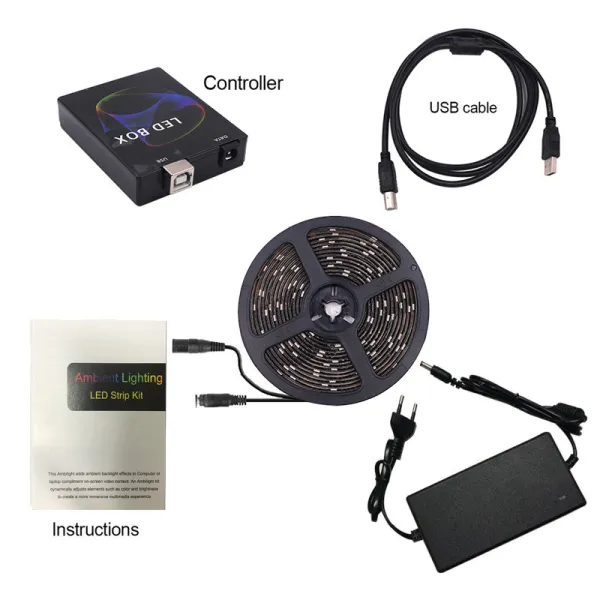
    Ambient Sync LED Strip Light Kit
    Ambient Sync LED Strip Light Kit
  • L
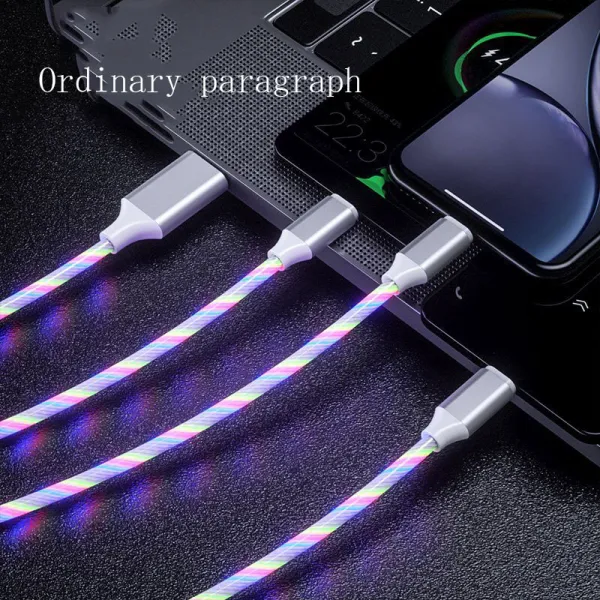
    LED Flowing Light Charging Cable
    LED Flowing Light Charging Cable
  • U
    USB-C Hub with HDMI and Ethernet
    USB-C Hub with HDMI and Ethernet
  • F
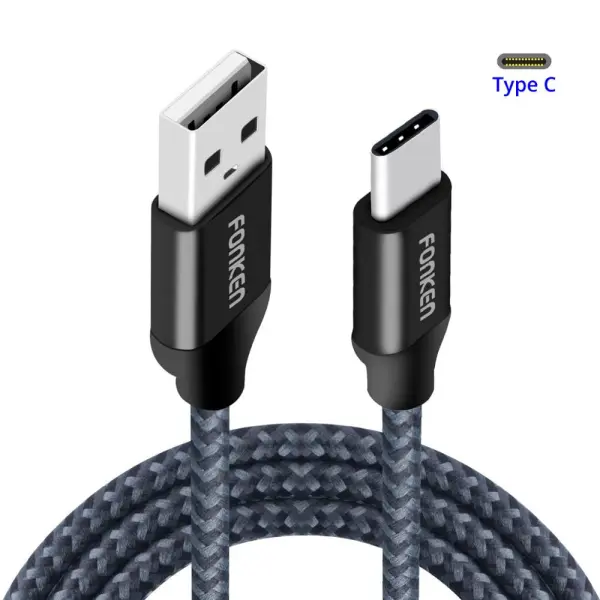
    Fonken Braided USB to Type-C Cable
    Fonken Braided USB to Type-C Cable
  • U
    USB 3.0 Hub and Card Reader
    USB 3.0 Hub and Card Reader
  • W
    Waterproof USB Endoscope Inspection Camera
    Waterproof USB Endoscope Inspection Camera
  • M
    Mcdodo Right-Angle Braided USB-C Cable
    Mcdodo Right-Angle Braided USB-C Cable
  • R
    Right Angle Magnetic Charging Cable
    Right Angle Magnetic Charging Cable
All 95 in Cables & Parts →