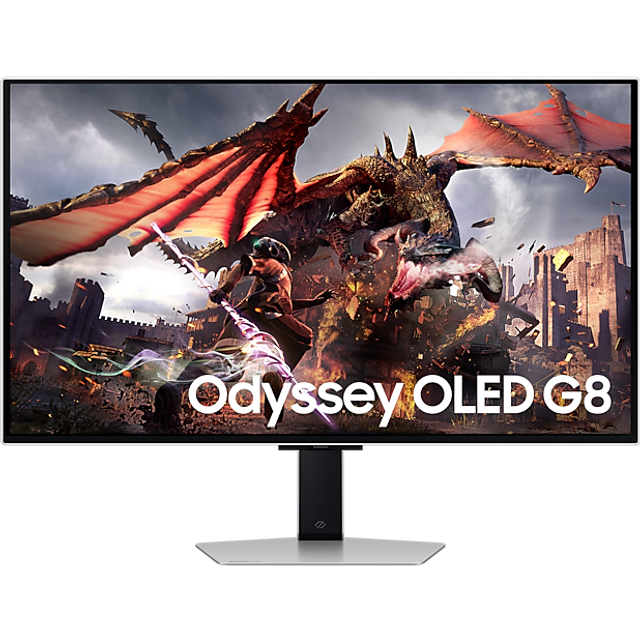
Samsung Odyssey G8 32" 4K UHD 240Hz OLED Gaming Monitor
Where to buy
No store is showing a current price right now. The stores below sell it; ask the agent to check today's prices.
Prices are checked against each store and labelled with when.
In stock now from Samsung


Our take on the Samsung Odyssey G8 32" 4K UHD 240Hz OLED Gaming Monitor
The Samsung Odyssey G8 is a 32-inch 4K OLED gaming monitor with a 240Hz refresh rate. It pairs the deep blacks and fast pixel response of OLED with a sharp 4K panel, so both fast games and HDR video look strong. It suits gamers who want one screen for competitive play and media, and it competes with 32-inch 4K OLED rivals from Alienware and MSI on refresh rate and design rather than on price.
- 4K resolution at 240Hz suits both detail and fast play
- OLED panel gives deep blacks and near-instant pixel response
- 32-inch size fits a desk without dominating it
- Strong HDR performance for games and video
- OLED can suffer permanent burn-in from static HUDs and desktop icons
Samsung Odyssey G8 32" 4K UHD 240Hz OLED Gaming Monitor prices at every store
- PzDealsCheck price at PzDeals
About the Samsung Odyssey G8 32" 4K UHD 240Hz OLED Gaming Monitor
The Samsung Odyssey G8 is a 32-inch gaming monitor with a 4K UHD resolution and a 240Hz refresh rate. It uses an OLED panel.
The monitor is built for gaming and for watching media.
- Brand
- Samsung
- Display size
- 32 inches
- Resolution
- 4K UHD
- Refresh rate
- 240Hz
- Panel type
- OLED
Ask our agent about this product
It checks today's price at every store, compares the alternatives and answers in about a minute.
Questions and answers
- Is 4K at 240Hz worth it over 1440p at 360Hz?
- For image detail and mixed use, yes. 4K gives much sharper text and textures, and 240Hz is fast enough for most players. A 1440p 360Hz panel only wins for esports players chasing the highest possible frame rate.
- Does OLED burn-in affect this monitor?
- OLED pixels dim unevenly over time, so static elements like a HUD, taskbar or channel logo can leave marks. Vary content and use the built-in screen protection features to reduce the risk.
- What do I need to drive it at 4K 240Hz?
- A top-tier graphics card with DisplayPort 2.1 or HDMI 2.1 output. Many older cards cap 4K output at 120Hz, so check your GPU and cable before buying.
- How does it compare with the Alienware 32 4K OLED?
- Both use a 32-inch 4K OLED panel at 240Hz with similar picture quality. The Samsung adds its smart TV interface and gaming hub, while the Alienware focuses on a plainer monitor experience.
- Is the stand adjustable?
- The Odyssey G8 stand supports height, tilt and swivel adjustment, and the panel is also VESA mountable for an arm or wall bracket.
- Does it have built-in speakers?
- No. It has no speakers, so plan on headphones or a separate sound system.