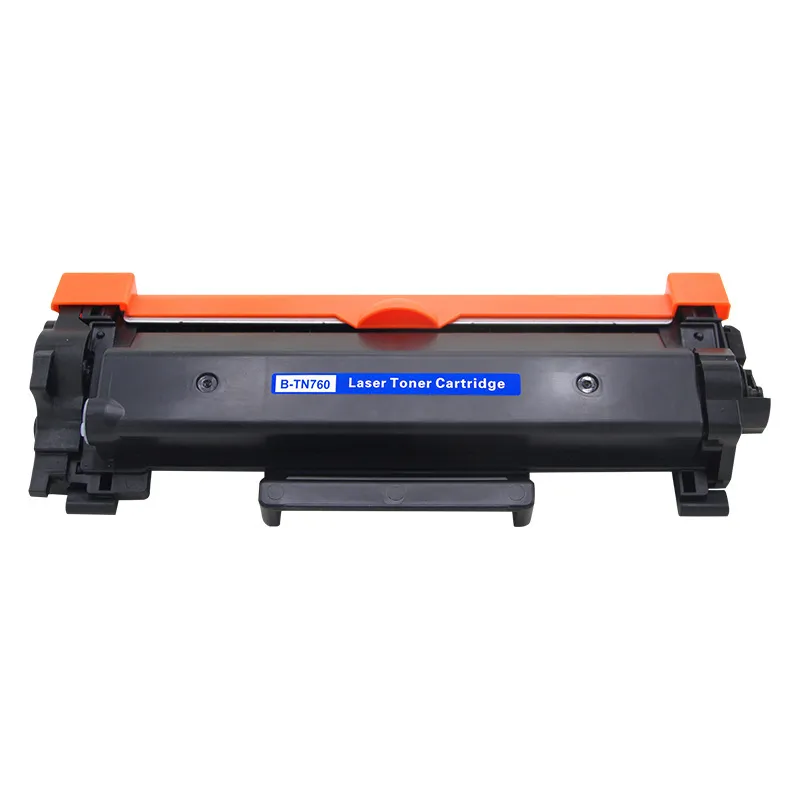
This is a compatible laser toner cartridge for Brother TN760. The rectangular body is black plastic with an orange cover piece along the top. Blue labels sit on the front face, and dark end caps with mounting tabs extend at both sides; two screws are visible on the front, with a small tab at the bottom edge.
To install it, open the printer's top cover and remove the used cartridge. Clean visible toner and paper scraps from the printer with a vacuum cleaner or a soft cloth. Unpack the new cartridge, remove the bubble bag and black plastic bag, and shake it 5-6 times in parallel to loosen the toner. Place it on a flat surface with the protective cover facing up, remove the protective paper while the seal is horizontal, and pull the seal straight out along the horizontal direction; a small amount of toner may come out, which is normal and not a leak.
Put the cartridge into the printer, close the printer cover, and turn on the power. Do not touch or rotate the photosensitive drum. If the first prints are blurred or show periodic white lines, print several text pages to clear the issue. If the cartridge has been unused for a long time, shake it evenly before use.
- Type
- Compatible toner cartridge
- Compatible model
- Brother TN760
- Style
- TN760
- Weight
- 2.2 lb (1000 g)
- Warranty
- 24 months
- In the box
- Toner cartridge in bubble bag and black plastic bag
- Drum care
- Do not touch or rotate the photosensitive drum
- Before use
- Shake 5-6 times if unused for a long time