StoreDeal.ai store
Shop
  • Deals
  • Deal checker
  • Black Friday
  • Buying guides
  • Brands
  • Stores
Travel
  • Flight deals
  • Hotel deals
Company
  • Research
  • Press
  • Use in AI assistants
  • Contact
  • deal.ai apps
Black Friday 2026
  • Walmart
  • Best Buy
  • Target
  • TVs
  • Laptops
  • Headphones
  • Apple
  • Gaming
  • Vacuums
  • Kitchen
  • Toys
  • Smartwatches
  • Tablets
  • Furniture
  • Mattresses
© Deal.ai Inc.·2222 Ponce de Leon Blvd, Miami, FL 33134·support@deal.ai
TermsPrivacy

Free shipping on everything·10% off your first order·No account needed · Buy 2, save 10% · 3+, save 15%
Deal.ai › Store › Tech & Gadgets › Cables & Parts
T
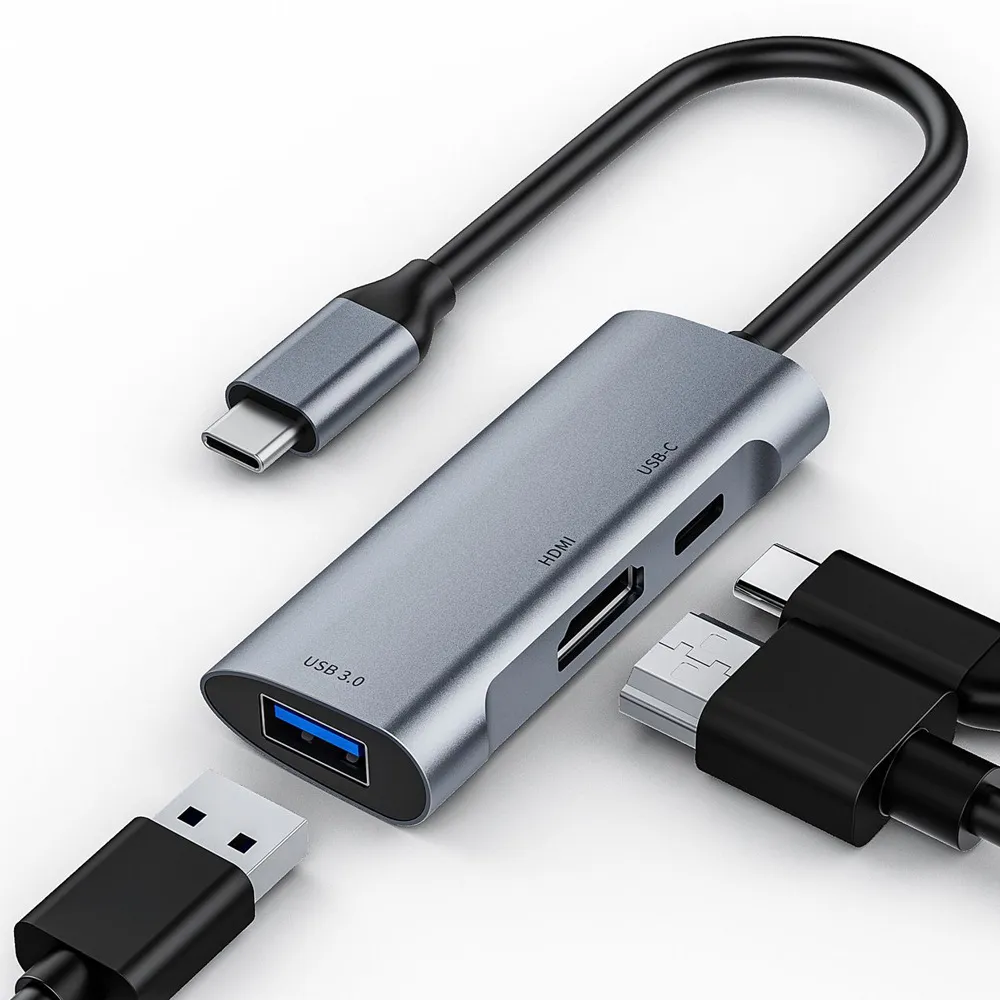
Type-C 3-in-1 HDMI USB 3.0 Expansion Dock

Type-C 3-in-1 HDMI USB 3.0 Expansion Dock

Sold and shipped by Deal.ai

$27.99Free shipping

$25.19 with 10% off your first order

Buy 2, save 10% · 3+, save 15%

Number Of Interfaces: 3 In 1
How many?
1
  • 30-day money-back guarantee
  • Secure checkout

Arrives about Dec 3–13, from a warehouse in China

30-day full refund: if you're not happy with it for any reason, or it never arrives, tell us within 30 days and we refund you in full. Shipping and refunds
Ask our agent about this product

It checks today's price at every store, compares the alternatives and answers in about a minute.

Enter to send, Shift+Enter for a new line

Price facts

  • Last seen at $27.99 at Deal.ai on Nov 25.

Our take on the Type-C 3-in-1 HDMI USB 3.0 Expansion Dock

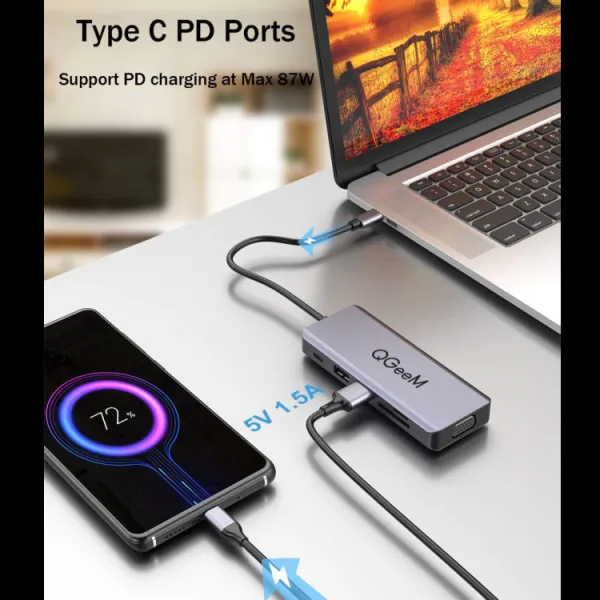
A small gray aluminum-style hub with a short captive USB-C cable and three ports: HDMI, USB 3.0 and USB-C PD pass-through. It is the simplest way to add a display output and a full-size USB port to a laptop or tablet that has only USB-C. Against bigger 5-in-1 and 7-in-1 docks it trades ports for size, so it suits people who need one screen and one peripheral, not a full desktop setup. The HDMI port is the main draw; the USB-C port is for charging pass-through, not for data or a second display.

Best forLaptop owners with only USB-C portsAdding a second screen for presentationsTravel and small desk setupsCharging a phone or laptop while using HDMI
Pros
  • Three ports in a body small enough to leave on a cable
  • HDMI output for an external monitor or projector
  • USB 3.0 port for a flash drive, mouse or keyboard
  • USB-C PD port lets you charge while the hub is in use
  • Short attached cable means nothing extra to lose
Cons
  • Only one USB-A port, so no room for several peripherals
  • USB-C port is for power only, not data or video
  • No Ethernet, SD card reader or audio jack
  • HDMI output is limited to a single display
  • Bus-powered design may not drive power-hungry drives

About the Type-C 3-in-1 HDMI USB 3.0 Expansion Dock

This is a Type-C 3-in-1 expansion dock that adds three ports through a single USB-C connection. Its short attached cable ends in a USB-C plug that goes into the host device.

The body carries an HDMI port, a USB 3.0 port and a USB-C PD port, each labeled on the housing. The dock comes with its own Type-C hub.

Ports
HDMI, USB-C (PD), USB 3.0
Interfaces
3 in 1
Connector
Type-C
In the box
Type-C hub x1

Specifications

Type
Type-C 3-in-1 expansion dock
Ports
HDMI, PD, USB 3.0
Number of interfaces
3 in 1
In the box
Type-C hub x1

Questions and answers

Can I connect a monitor through the HDMI port?
Yes. The HDMI port carries video to an external monitor, TV or projector. It drives one display, so it is not a dual-monitor dock.
Does the USB-C port transfer data?
No. The USB-C port is a PD pass-through for charging your laptop or phone while the hub is in use. Use the USB 3.0 port for data devices.
Will it work with a MacBook or an iPad?
It works with USB-C devices that support video over USB-C, which includes most recent MacBooks and USB-C iPads. Check that your device supports DisplayPort Alt Mode for HDMI output.
What comes in the box?
One Type-C hub with its attached cable. No HDMI cable, charger or power adapter is included.
Can it charge a laptop while I use the HDMI port?
Yes, if your laptop charges over USB-C. Plug your laptop's charger into the hub's USB-C port and the hub passes power through while the other ports stay in use.
Does it need a power adapter to work?
No. It draws power from the host device for HDMI and USB 3.0. The USB-C port is only needed if you want to charge the host at the same time.
Where is the Type-C 3-in-1 HDMI USB 3.0 Expansion Dock cheapest?
At Deal.ai, for $27.99, as of our latest check.

More in Cables & Parts

  • U
    USB-A to USB-C Fast Charging Cable
    USB-A to USB-C Fast Charging Cable
  • U
    USB-A to USB-C 6A Fast Charging Cable
    USB-A to USB-C 6A Fast Charging Cable
  • L
    Lightning Splitter Adapter and Charging Cable
    Lightning Splitter Adapter and Charging Cable
  • B
    Braided USB-A Fast Charging Cable
    Braided USB-A Fast Charging Cable
  • M
    Micro USB OTG Four-Port Adapter
    Micro USB OTG Four-Port Adapter
  • M
    Micro USB to USB-C OTG Data Cable
    Micro USB to USB-C OTG Data Cable
  • 1
    100W USB to Type-C Braided Charging Cable
    100W USB to Type-C Braided Charging Cable
  • 5
    5A USB-A to USB-C Braided Charging Cable
    5A USB-A to USB-C Braided Charging Cable
All 1482 in Cables & Parts →

More usb hubs

  • 6
    6-Port USB Hub with SD/TF Card Reader
    6-Port USB Hub with SD/TF Card Reader
  • 9
    9-in-1 USB-C Hub with 4K HDMI
    9-in-1 USB-C Hub with 4K HDMI
  • M
    Multi-Port USB-C and Lightning Hub
    Multi-Port USB-C and Lightning Hub
  • A
    Aluminum 4-Port USB Hub Splitter
    Aluminum 4-Port USB Hub Splitter
  • 3
    3-Port USB Hub with Micro USB Connector
    3-Port USB Hub with Micro USB Connector
  • 2
    2-in-1 USB-C and USB-A 4-Port Hub
    2-in-1 USB-C and USB-A 4-Port Hub
  • U
    USB 1-to-4 Port Hub Splitter
USB 1-to-4 Port Hub Splitter
  • 7
    7-Port USB 2.0 Hub with Stand
    7-Port USB 2.0 Hub with Stand