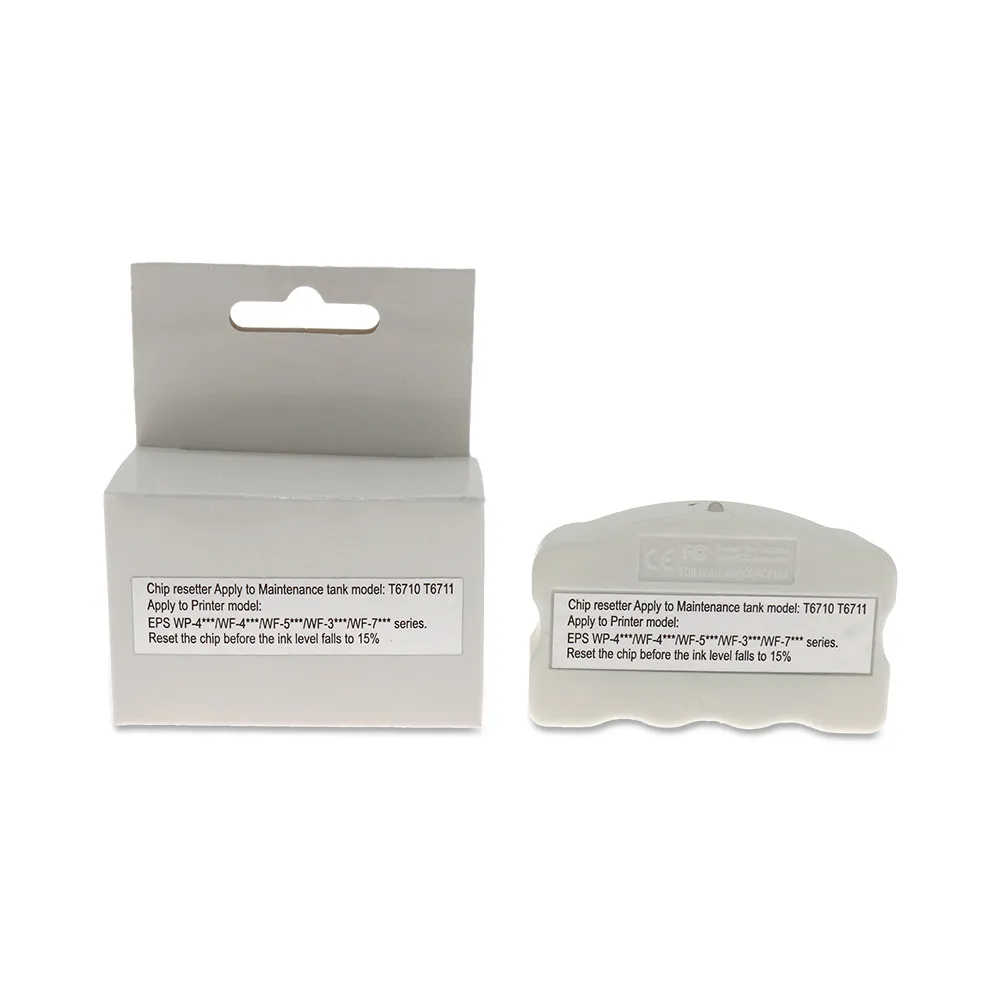
The Waste Ink Tank Chip Resetter resets the chip on an original waste ink tank, also called a maintenance box. It works with T6710, T6711, and PXMB9 boxes and with WP-4545, WorkForce Pro WP-4000/4500/M4000/M4500, WF-3000/3500/3600/4600/5100/5600/7100/7200/7600/7700, and PX-B/S/M series printers.
Use it when the tank shows 5%-15% remaining. After about 5 seconds, the red contact light turns green and the printer shows the tank at 50% full. Resetting is ineffective if the tank reads empty or zero.
The resetter has a white plastic contoured body, a recessed groove with a row of metal pins, and a small round button at one end. To reset a chip, align it with the groove, press the parts together, and wait for the green light.
- Type
- Waste ink tank chip resetter
- Function
- Decodes and resets original waste ink tank chips
- Maintenance box compatibility
- T6710, T6711, PXMB9
- Printer compatibility
- WP-4545; WorkForce Pro WP-4000/4500/M4000/M4500 series; WF-3000/3500/3600/4600/5100/5600/7100/7200/7600/7700 series; PX-B/S/M series
- Reset threshold
- 5%-15% remaining ink
- After reset
- Displays 50% full
- Reset time
- Approximately 5 seconds
- Indicator lights
- Red for contact, green for reset complete
- Body
- White plastic, contoured
- Contact area
- Recessed groove with metal pins
- Control
- Small round button at one end
- Empty tank warning
- Reset is ineffective when the tank reads empty or zero
- Weight
- 0.26 lb (120 g)
- In the box
- Waste ink tank resetter