StoreDeal.ai store
Shop
  • Deals
  • Deal checker
  • Black Friday
  • Buying guides
  • Brands
  • Stores
Travel
  • Flight deals
  • Hotel deals
Company
  • Research
  • Press
  • Use in AI assistants
  • Contact
  • deal.ai apps
Black Friday 2026
  • Walmart
  • Best Buy
  • Target
  • TVs
  • Laptops
  • Headphones
  • Apple
  • Gaming
  • Vacuums
  • Kitchen
  • Toys
  • Smartwatches
  • Tablets
  • Furniture
  • Mattresses
© Deal.ai Inc.·2222 Ponce de Leon Blvd, Miami, FL 33134·support@deal.ai
TermsPrivacy
Deal.ai › XP-Pen
XP-PEN
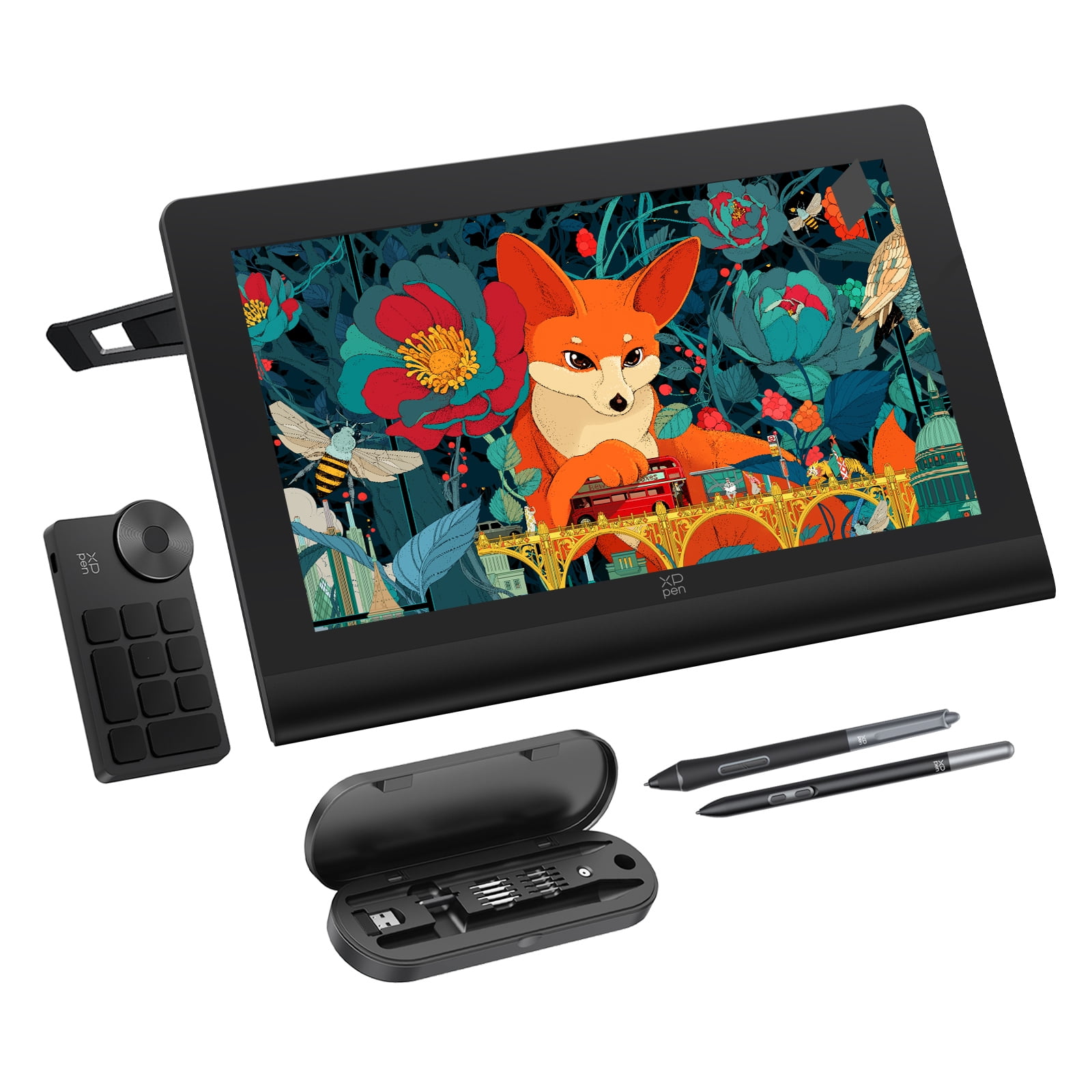
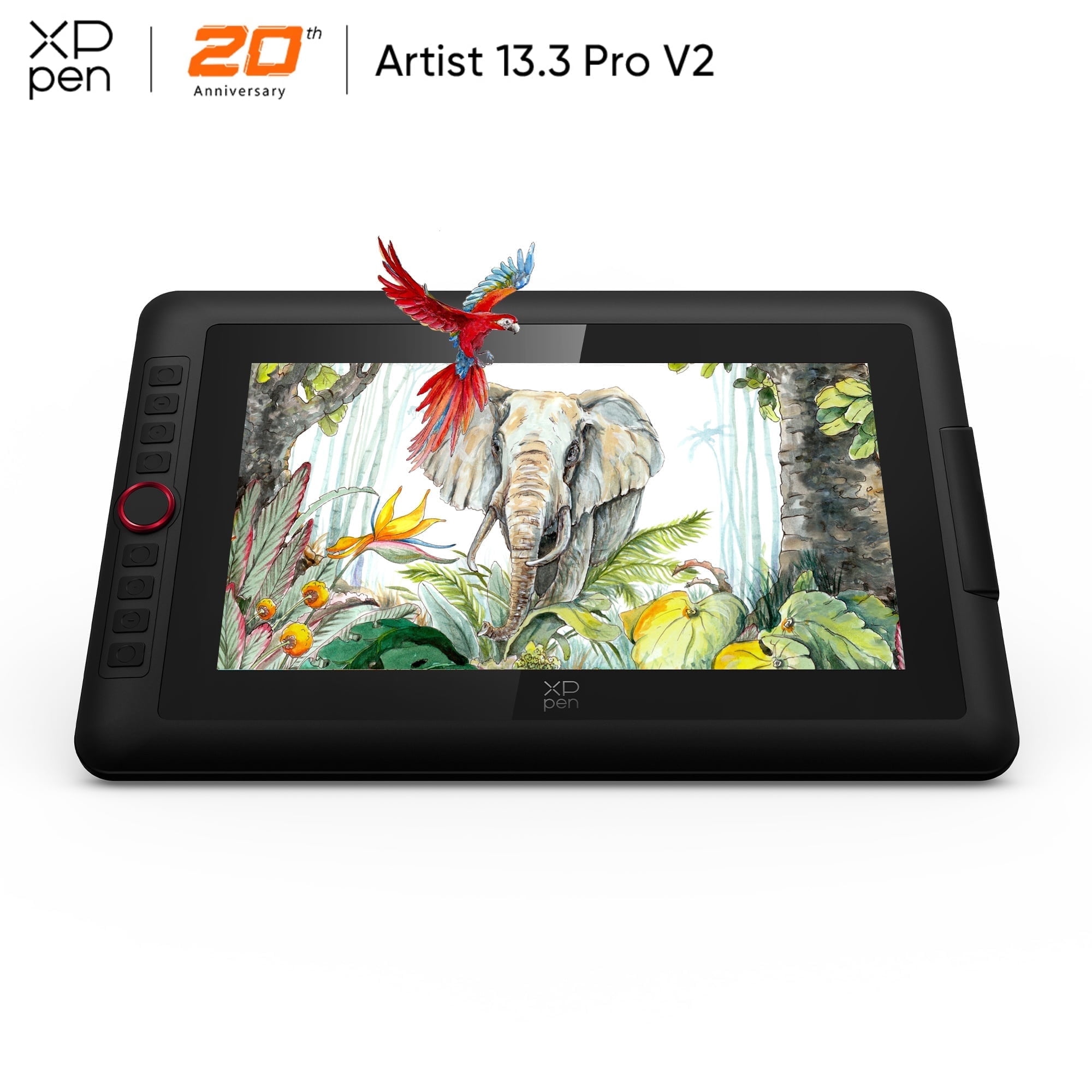
XP-PEN Artist 13.3 Pro V2 Drawing Tablet with Screen

XP-PEN Artist 13.3 Pro V2 Drawing Tablet with Screen

Best price now

$55.99at My StoreChecked Nov 23

Prices are checked against each store and labelled with when.

Visit My Store

Price facts

  • Last seen at $55.99 at My Store on Nov 23.

Our take on the XP-PEN Artist 13.3 Pro V2 Drawing Tablet with Screen

The XP-PEN Artist 13.3 Pro V2 is a 13.3-inch pen display with a 1920x1080 fully laminated screen, so the cursor sits close to the pen tip with little parallax. Its X3 Pro chip stylus is battery-free and reaches 16,384 pressure levels, double the common 8,192, with a low activation force and an eraser on the tail. The screen covers 99% sRGB, 89% Adobe RGB and 95% P3, which suits color work. A single full-featured USB-C cable connects to compatible Mac, Windows, Chromebook and Android devices, while older HDMI setups need a separate 3-in-1 cable. It competes with 13-inch pen displays from Wacom and Huion on color coverage and pressure resolution rather than on build or driver maturity.

Best forDigital art students on a budgetManga and line-art illustratorsAnimators sketching on the goRemote educators who annotate live
Pros
  • 16,384 pressure levels with a low activation force
  • Fully laminated screen reduces parallax
  • Wide color coverage: 99% sRGB, 89% Adobe RGB, 95% P3
  • Single USB-C cable to compatible computers
  • Battery-free stylus with a tail eraser
Cons
  • HDMI setups need a 3-in-1 cable sold separately
  • USB-C direct connection requires USB 3.1 with DisplayPort 1.2
  • 13.3-inch 1080p panel is modest for detailed work
  • No touch input or express keys on the screen bezel

XP-PEN Artist 13.3 Pro V2 Drawing Tablet with Screen prices at every store

  • My StoreNew

    In stockReturn policy

    $55.99Checked Nov 23
    Visit My Store

What reviewers say

Owners of the Artist 13.3 line praise the laminated screen, accurate color and responsive pen, and call it strong value against bigger-name pen displays. Complaints center on cable and port requirements and on driver setup.

What people mention
  • Pen pressurePraisedOwners say the 16K stylus gives smooth, controlled strokes with a light touch.
  • ParallaxPraisedThe laminated screen keeps the cursor close to the pen tip, which helps fine line work.
  • ColorPraisedReviewers find the wide gamut accurate enough for illustration and photo work.
  • ConnectivityMixedSingle-cable USB-C works well on supported ports, but some setups need the separate 3-in-1 cable.
  • DriversCriticisedSome owners report fiddly driver installation and occasional reconfiguration.
  • BrightnessCriticisedA few users find the display dim in strongly lit rooms.

About the XP-PEN Artist 13.3 Pro V2 Drawing Tablet with Screen

The XP-PEN Artist 13.3 Pro V2 is a drawing tablet with a built-in 13.3-inch 1920 x 1080 FHD screen. It works connected to a computer, laptop, Chromebook or Android device and is not a standalone drawing tablet.

The screen is fully laminated, removing the air gap between the glass and the LCD. It shows 16.7 million display colors with 99% sRGB, 89% Adobe RGB and 95% P3 coverage, and a pre-applied anti-glare film gives the surface a textured drawing resistance. The back panel is rigid metal.

The battery-free stylus uses an X3 Pro smart chip and reads 16,384 pressure levels, with center accuracy of ±0.4 mm and a digital eraser on the tail. A red roller dial and 8 customizable express keys handle zoom, brush size and undo, and the tablet switches between Pen Display mode and Pen Tablet mode with the screen turned off.

Screen
13.3 in, 1920 x 1080 FHD, fully laminated
Display colors
16.7 million
Color gamut
99% sRGB, 89% Adobe RGB, 95% P3
Pressure levels
16,384
Accuracy
±0.4 mm (center)
Stylus
Battery-free, X3 Pro smart chip, digital eraser on tail
Shortcut keys
8 customizable express keys
Dial
Red roller dial
Back panel
Metal
Modes
Pen Display, Pen Tablet
Ports
Full-featured USB-C; legacy port for HDMI setups
Connection
Single full-featured USB-C cable (included); requires USB 3.1 DP 1.2

Ask our agent about this product

It checks today's price at every store, compares the alternatives and answers in about a minute.
Enter to send, Shift+Enter for a new line

Questions and answers

Does it work with a single USB-C cable?
Yes, on devices with a full-featured USB-C port supporting USB 3.1 and DisplayPort 1.2. The included cable handles power, video and data in one run.
Can I use it with an HDMI-only computer?
Yes, but you need XP-PEN's 3-in-1 cable, which is sold separately. The tablet keeps a legacy port for that setup.
Does the pen need charging or a battery?
No. The X3 Pro stylus is battery-free and draws power from the tablet, so there is nothing to charge.
Is the screen good enough for color-critical work?
It covers 99% sRGB, 89% Adobe RGB and 95% P3, which is solid for illustration and design. For print-critical proofing, calibrate it first.
How does it compare with 8,192-level pen displays?
It doubles the pressure resolution to 16,384 levels and adds a lower activation force, so light strokes register more easily. The panel itself is a standard 1080p 13.3-inch display.
Does it have touch or shortcut keys?
No touch input. Shortcut keys are on the tablet's bezel rather than the screen, so you press them with your non-drawing hand.
Where is the XP-PEN Artist 13.3 Pro V2 Drawing Tablet with Screen cheapest?
At My Store, for $55.99, as of our latest check.

More from XP-Pen

  • X
    XP-Pen Artist 12 (3rd Gen) 11.9" Drawing Display Tablet
    XP-Pen Artist 12 (3rd Gen) 11.9" Drawing Display Tablet
  • X
    XP-Pen G430 OSU Tablet Ultrathin Graphic Tablet
    XP-Pen G430 OSU Tablet Ultrathin Graphic Tablet
  • X
    XPPen Pro Artist 4K Drawing Tablet with 15.6 inch OLED Screen
    XPPen Pro Artist 4K Drawing Tablet with 15.6 inch OLED Screen
  • X
    XP-Pen Artist 12 (2nd Gen) Pen Display
    XP-Pen Artist 12 (2nd Gen) Pen Display
  • X
    XP-Pen Artist 10 (2nd Gen) Pen Display
    XP-Pen Artist 10 (2nd Gen) Pen Display
Compatibility
Windows, macOS, Chrome OS, Android, Linux
Software
Photoshop, Illustrator, Blender, Clip Studio Paint, SAI
Left-handed use
180° driver rotation
In the box
Full-featured USB-C cable, foldable stand, pen holder with 8 replacement nibs, artist glove
X
XP-Pen Artist 12 2nd Graphics Display
  • X
    XP-Pen Graphic Tablet 12 Inch 1080P
    XP-Pen Graphic Tablet 12 Inch 1080P
  • X
    XP-Pen Artist Pro Drawing Tablet
    XP-Pen Artist Pro Drawing Tablet
  • All XP-Pen deals and products →

    More drawing tablets

    • U
      Ultralight Graphic Drawing Tablet with Battery-Free Pen
      Ultralight Graphic Drawing Tablet with Battery-Free Pen
    • D
      Drawing Tablet with Stylus and Touch Keys
      Drawing Tablet with Stylus and Touch Keys
    • C
      Crayola Ultimate Light Board
      Crayola Ultimate Light Board
    • W
      Wacom Movink 13 OLED Tablet
      Wacom Movink 13 OLED Tablet
    • X
      XPPen Artist Ultra 16 4K OLED Touchscreen Drawing Tablet 15.6" Drawing Monitor
      XPPen Artist Ultra 16 4K OLED Touchscreen Drawing Tablet 15.6" Drawing Monitor
    • T
      Temu Led Light-up Drawing Writing Doodle Board
      Temu Led Light-up Drawing Writing Doodle Board
    • H
      Huion Inspiroy Giano G930L Drawing Tablet
      Huion Inspiroy Giano G930L Drawing Tablet
    • U
      ugee 14.25" Trio Pad UT3
      ugee 14.25" Trio Pad UT3