StoreDeal.ai store
Shop
  • Deals
  • Deal checker
  • Black Friday
  • Buying guides
  • Brands
  • Stores
Travel
  • Flight deals
  • Hotel deals
Company
  • Research
  • Press
  • Use in AI assistants
  • Contact
  • deal.ai apps
Black Friday 2026
  • Walmart
  • Best Buy
  • Target
  • TVs
  • Laptops
  • Headphones
  • Apple
  • Gaming
  • Vacuums
  • Kitchen
  • Toys
  • Smartwatches
  • Tablets
  • Furniture
  • Mattresses
© Deal.ai Inc.·2222 Ponce de Leon Blvd, Miami, FL 33134·support@deal.ai
TermsPrivacy
Deal.ai › Compare

Dell UltraSharp U2723QE 27" 4K Monitor vs Samsung Odyssey G7 G70D 32" 4K Gaming Monitor

Buy the Dell U2723QE for office work, coding, photo and video editing, or any desk where one USB-C cable should carry video, data and wired network to a laptop. Its IPS Black panel, 1.07 billion colors, 163 ppi density and built-in Ethernet hub are the reasons reviewers rate it so highly. Buy the Samsung Odyssey G7 G70D for gaming and mixed entertainment: 144 Hz, 1 ms GtG, FreeSync Premium, HDR and Smart TV apps are things the Dell cannot match at 60 Hz. The Dell wins on color depth, connectivity and ergonomics for work; the Samsung wins on motion, size and built-in streaming.

  • Choose the Dell UltraSharp U2723QE if you work at a desk all day, want accurate color and a single-cable USB-C dock with Ethernet, and 60 Hz is fine for what you do.
  • Choose the Samsung Odyssey G7 G70D if you game, want a bigger 32-inch screen with 144 Hz and FreeSync, and will use the built-in smart apps for streaming.

Prices

  • Dell UltraSharp U2723QE 27" 4K Monitor: $364.46 at Micro Center (last seen Nov 9)
  • Samsung Odyssey G7 G70D 32" 4K Gaming Monitor: $599.00 at Walmart (checked today)
  • Difference: the Dell UltraSharp U2723QE 27" 4K Monitor is $234.54 cheaper than the Samsung Odyssey G7 G70D 32" 4K Gaming Monitor at the latest prices (Nov 9 and Nov 19)
Dell
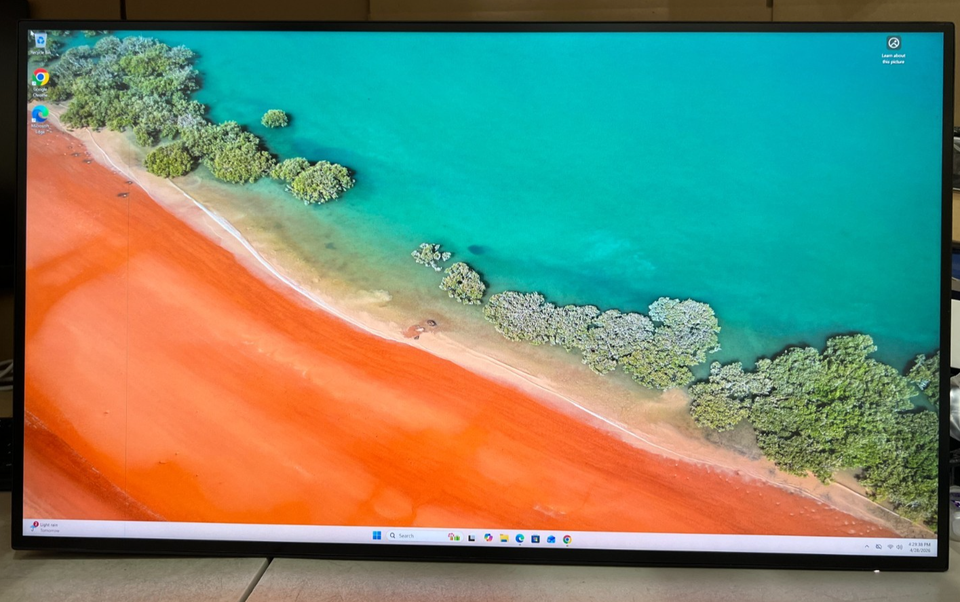
Dell UltraSharp U2723QE 27" 4K USB-C Hub Monitor

Dell UltraSharp U2723QE 27" 4K Monitor

Dell UltraSharp U2723QE 27" 4K USB-C Hub Monitor

4.9(17 ratings)
$364.46at Micro CenterChecked Nov 9
See all prices and details
Visit Micro Center
Pros
  • IPS Black gives deeper blacks and better contrast than standard IPS
  • 1.07 billion colors and 163 ppi suit photo, video and text work
  • USB-C hub with Ethernet and five downstream USB ports replaces a dock
  • DisplayPort out lets you daisy-chain a second screen
  • Strong owner ratings and a fully adjustable stand
Cons
  • 60 Hz refresh limits gaming smoothness
  • No HDR support
  • 5 ms GtG is slow next to gaming panels
  • No built-in speakers or smart apps
Samsung
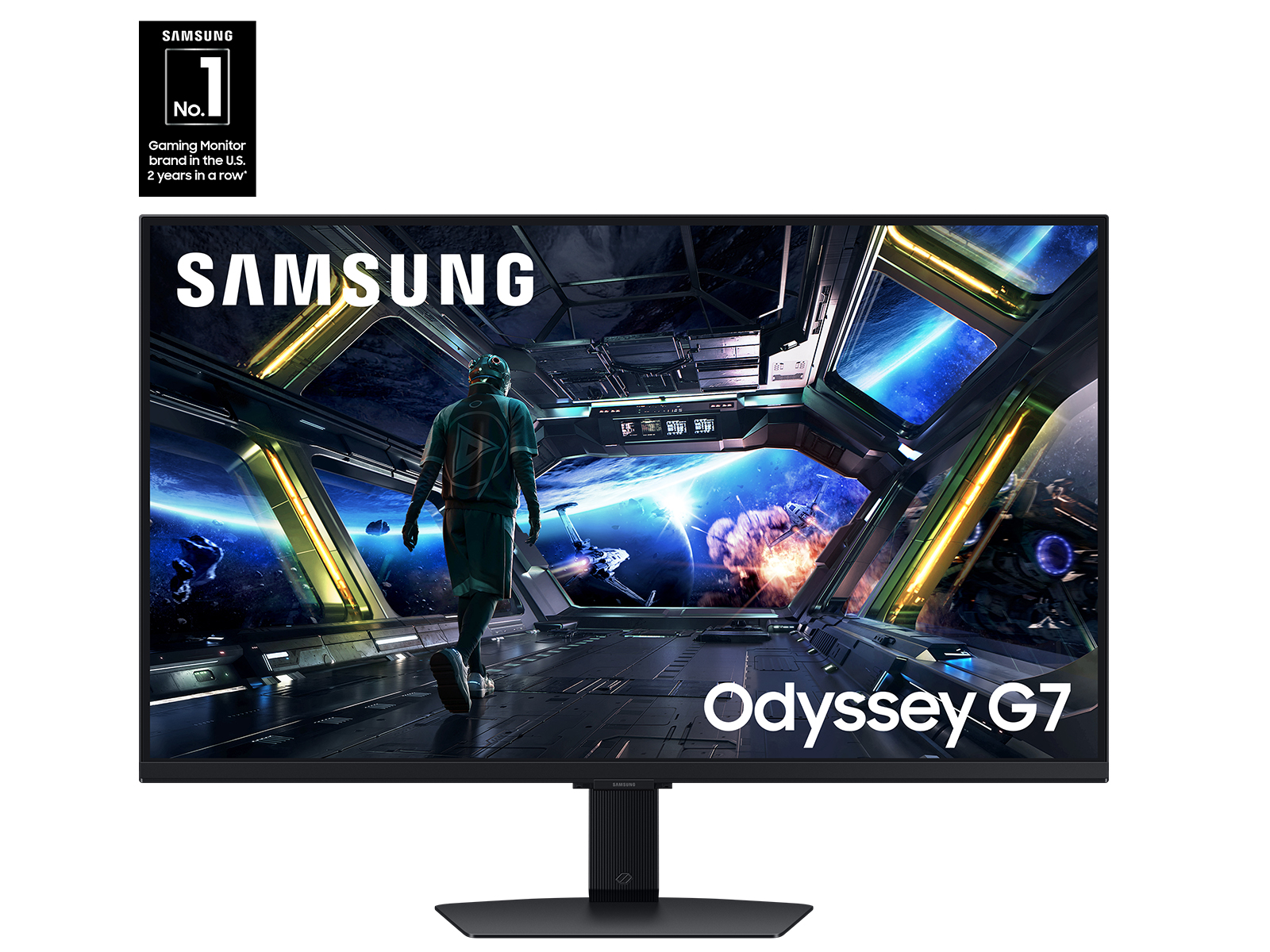
Samsung 32" Odyssey G7 (G70D) 4K UHD IPS Smart Gaming Monitor

Samsung Odyssey G7 G70D 32" 4K Gaming Monitor

Samsung 32" Odyssey G7 (G70D) 4K UHD IPS Smart Gaming Monitor

4.6(73 ratings)
$599.00at WalmartChecked 1 h ago
See all prices and details
Visit Walmart
Pros
  • 144 Hz with 1 ms GtG keeps fast motion clear
  • FreeSync Premium cuts tearing and stutter
  • 32-inch 4K screen gives a large, immersive view
  • Smart TV apps and AI upscaling work without a PC
  • DisplayHDR 400 and gaming tools like black equalizer
Cons
  • No USB-C hub or Ethernet, so laptop docking needs extra gear
  • Lower pixel density than a 27-inch 4K panel
  • Curved 800R shape is a taste some buyers dislike
  • HDR is entry level, not bright enough for true HDR

What separates them

Dell UltraSharp U2723QE 27" 4K MonitorSamsung Odyssey G7 G70D 32" 4K Gaming Monitor
Refresh rate and motion60 Hz, 5 ms GtG in Fast mode144 Hz, 1 ms GtG
Panel and colorIPS Black, 1.07 billion colors, 400 cd/m², 178° anglesFast IPS/PLS, 400 cd/m² class HDR, 178° angles
Screen size and pixel density27 inches at 163 ppi, sharper text32 inches at about 138 ppi, more room but softer pixels
USB-C hub and networkingUSB-C with power delivery, 5 USB downstream ports, Ethernet, DisplayPort out for daisy-chainingNo USB-C hub, no Ethernet; HDMI and DisplayPort inputs only
HDR and gaming extrasNo HDR rating; Adaptive Sync onlyDisplayHDR 400, FreeSync Premium, black equalizer, virtual aim point, 21:9 view option
Smart featuresPlain monitor; no apps or voice assistantSmart TV apps, NQM AI upscaling, Active Voice Amplifier Pro, Auto Source Switch+
Stand and mountingTilt, swivel, pivot and height adjust; VESA compatibleTilt and swivel; VESA compatible; 800R curved screen
Owner satisfaction4.9 out of 5 from 17 ratings4.6 out of 5 from 73 ratings

Price history

$799.99$195.48
Nov 5Nov 19
  • Dell UltraSharp U2723QE 27" 4K Monitor: lowest $195.48 on Nov 5 at eBay; $577.98 on Nov 19.
  • Samsung Odyssey G7 G70D 32" 4K Gaming Monitor: lowest $799.99 on Nov 12 at Best Buy.

Prices at every store

Dell UltraSharp U2723QE 27" 4K Monitor

  • Micro CenterNew

    Availability unknown

    $364.46Checked Nov 9
    Visit Micro Center
  • Focus CameraNew

    Availability unknown

    $549.99Checked Nov 9
    Visit Focus Camera
  • BlueDogInkNew

    Availability unknown

    $560.20+ $6.99 shippingChecked Nov 9
    Visit BlueDogInk
  • SabrePC.comNew

    Availability unknown

    $577.98Checked 4 h ago
    Visit SabrePC.com
All 19 stores and price history →

Samsung Odyssey G7 G70D 32" 4K Gaming Monitor

  • WalmartNew

    In stockSold by Walts TVReturns: Sold by a Walmart Marketplace seller; returns go to the seller under the seller's returns policy.

    $599.00Free shippingChecked 1 h ago
    Visit Walmart
  • Best BuyNew

    In stock

    $799.99Free shippingChecked Nov 11
    Visit Best Buy

Store links may earn us a commission. Some prices via Klarna.

All 2 stores and price history →

Specs compared

SpecDell UltraSharp U2723QE 27" 4K MonitorSamsung Odyssey G7 G70D 32" 4K Gaming Monitor
Resolution3840 x 21603840x2160 (4K)
Response Time8 ms1 ms
Aspect Ratio16:916:9
Panel TypeIPS, IPS Black, IPS Black TechnologyIPS/PLS
TiltableYesYes
VGA PortsNoNo
VESA-MountYesYes
ColorBlackBlack
VGANoNo
EthernetYesNo
HDMIYesYes
DVI PortsNoNo
Show all 40 specsShow fewer specs
SpecDell UltraSharp U2723QE 27" 4K MonitorSamsung Odyssey G7 G70D 32" 4K Gaming Monitor
EPEAT RatingGoldNo
Memory Card ReaderNoNo
HDRYesYes
Screen Size (")27.032.0
HD Format4K—
Horizontal Resolution3840—
Vertical Resolution2160—
GTG Response Time5 ms (Fast)—
Max Brightness400 cd/m²—
Sync Technology

What reviewers say

Dell UltraSharp U2723QE 27" 4K Monitor

  • 4.9 / 517 ratings

Buyers rate it 4.9 out of 5 and mostly praise the color accuracy, the one-cable USB-C hub and the value against pricier 4K monitors. Complaints center on the 400-nit brightness ceiling and a stand that wobbles.

What people mention
  • Color accuracyPraisedOwners say colors are accurate across aRGB, Rec-709 and DCI-P3, which suits photo and video work.
  • USB-C hubPraisedA single cable switches between two computers and shares a keyboard and mouse.
  • BrightnessCriticisedThe 400-nit maximum can be an issue in well-lit rooms.
  • StandCriticisedThe included stand is described as a bit wobbly for the width of the monitor.

Samsung Odyssey G7 G70D 32" 4K Gaming Monitor

  • 4.6 / 573 ratings

Owners rate it highly, praising the sharp 4K picture, smooth 144Hz motion and the convenience of built-in apps. Complaints center on the curve for non-gaming work and on HDR that does not match pricier mini-LED screens.

What people mention
  • Picture qualityPraisedOwners call the 4K image sharp and the IPS colors consistent from side angles.
  • MotionPraisedReviewers say 144Hz with FreeSync keeps fast games smooth and free of visible tearing.
  • HDRCriticisedBuyers note DisplayHDR 400 without local dimming gives only a mild HDR effect.
  • CurveMixed
Reviews
  • The Best 4K Monitors for 2026
  • The Best 4K Monitors for 2026 - PCMag editors select and review products independently

Questions and answers

Which is better for photo and video editing?
The Dell. IPS Black, 1.07 billion colors and 163 ppi give more accurate, sharper color work, and the USB-C hub keeps a calibrated workflow tidy. The Samsung is fine for casual editing but its strength is motion, not color depth.
Which is better for gaming?
The Samsung. 144 Hz, 1 ms GtG and FreeSync Premium make fast games far smoother than the Dell's 60 Hz panel. The Dell is playable but not built for competitive play.
Can I use either as a laptop dock?
Only the Dell. It carries video, USB data and wired Ethernet over one USB-C cable and adds five downstream USB ports. The Samsung has no USB-C hub or Ethernet, so you need a separate dock.
Which lasts longer?
Both are well-built, and neither has a clear reliability edge from owner reports. The Dell's stand and hub see more daily handling, so its ports and hinge get more wear; the Samsung's smart software depends on firmware updates.
Is the Samsung worth stepping up to over the Dell?
Only if gaming or streaming matters more than color accuracy and docking. If your day is documents, code and editing, the Dell's sharper panel and hub are the better fit.
Do I need a bigger screen than 27 inches?
The 32-inch Samsung gives more desk real estate but lower pixel density, so text looks slightly softer. The 27-inch Dell is sharper at the same 4K resolution.

Ask our shopping agent

It checks today's price at every store, compares the alternatives and answers in about a minute.

Enter to send, Shift+Enter for a new line

More comparisons

  • Dell UltraSharp U2723QE 27" 4K USB-C Hub Monitor vs Benq PD2706U 27 Inch 4K UHD Monitor
  • Dell UltraSharp U2723QE 27" 4K USB-C Hub Monitor vs BenQ PD3225U DesignVue Designer Monitor
  • Dell UltraSharp U2723QE 27" 4K USB-C Hub Monitor vs ASUS ProArt Display PA279CRV 27" 4K Monitor
  • Dell UltraSharp U2723QE 27" 4K USB-C Hub Monitor vs Samsung 32" Odyssey QD-OLED G8 G81SF 4K 240Hz Gaming Monitor
  • Dell UltraSharp U2723QE 27" 4K USB-C Hub Monitor vs Benq GW2790TC 27 Eye-Care Home Office Monitor
  • Dell UltraSharp U2723QE 27" 4K USB-C Hub Monitor vs Dell UltraSharp 32 4K Thunderbolt Hub Monitor (U3225QE)
  • Dell UltraSharp U2723QE 27" 4K USB-C Hub Monitor vs Samsung M8 4K ultra wide monitor
  • Dell UltraSharp U2723QE 27" 4K USB-C Hub Monitor vs BenQ PD3200U 32" 4K UHD Color Display Monitor

Buying guides that pick them

  • Best monitors for work
  • Best 4K monitors
Adaptive Sync
—
Connector TypeHDMI, USB-C—
Number Of HDMI Ports1—
Number Of USB Ports4 (USB 3.2 Gen 2 downstream)—
HDCP CompatibleYes (HDCP 2.2)—
Network ConnectivityEthernet—
Display TypeLED-backlit LCD monitor—
Maximum Refresh Rate60 Hz—
Backlight TechnologyLED backlight—
Display HighlightsIPS Black technology—
Display Viewing Angle178°/178°—
Horizontal Viewing Angle178°—
Vertical Viewing Angle178°—
Color Support1.07 billion colors—
Pixel Density163.18 ppi—
Weight With Stand (lb)14.6—
3.5 mm In (AUX)No—
HDMI Ports1—
No. of USB (total) (pcs)6—
The 800R curve is liked for immersion in games but criticized for bending straight lines in work apps.