StoreDeal.ai store
Shop
  • Deals
  • Deal checker
  • Black Friday
  • Buying guides
  • Brands
  • Stores
Travel
  • Flight deals
  • Hotel deals
Company
  • Research
  • Press
  • Use in AI assistants
  • Contact
  • deal.ai apps
Black Friday 2026
  • Walmart
  • Best Buy
  • Target
  • TVs
  • Laptops
  • Headphones
  • Apple
  • Gaming
  • Vacuums
  • Kitchen
  • Toys
  • Smartwatches
  • Tablets
  • Furniture
  • Mattresses
© Deal.ai Inc.·2222 Ponce de Leon Blvd, Miami, FL 33134·support@deal.ai
TermsPrivacy
Deal.ai › Compare

Lenovo IdeaPad Slim 3 Chromebook vs ASUS Chromebook Plus CX34

The ASUS Chromebook Plus CX34 is the stronger machine: 8GB of RAM, an Intel 12th-gen chip, a 1080p touchscreen and Chromebook Plus status make it faster and more capable for multitasking. The Lenovo IdeaPad Slim 3 Chromebook is the lighter, simpler pick with a bigger 57Wh battery and Wi-Fi 6, but its 4GB of soldered RAM and 1366x768 TN panel hold it back. Buy the ASUS if you keep many tabs open, want a touchscreen, or need Android and Linux apps to run smoothly. Buy the Lenovo if you want a basic, light ChromeOS laptop for browsing, email and school documents.

  • Choose the Lenovo IdeaPad Slim 3 Chromebook if you want a light 14-inch ChromeOS laptop for web browsing, email and schoolwork and you do not need a touchscreen or heavy multitasking.
  • Choose the ASUS Chromebook Plus CX34 if you want a sharper 1080p touchscreen, 8GB of RAM and an Intel 12th-gen processor for many tabs, Android apps and light photo or document work.

Prices

  • Lenovo IdeaPad Slim 3 Chromebook: $257.99 at Newegg (last seen Nov 18)
  • ASUS Chromebook Plus CX34: $345.99 at Reno Laptop Repair (last seen Nov 19)
  • Difference: the Lenovo IdeaPad Slim 3 Chromebook is $88.00 cheaper than the ASUS Chromebook Plus CX34 at the latest prices (Nov 18 and Nov 19)
Lenovo
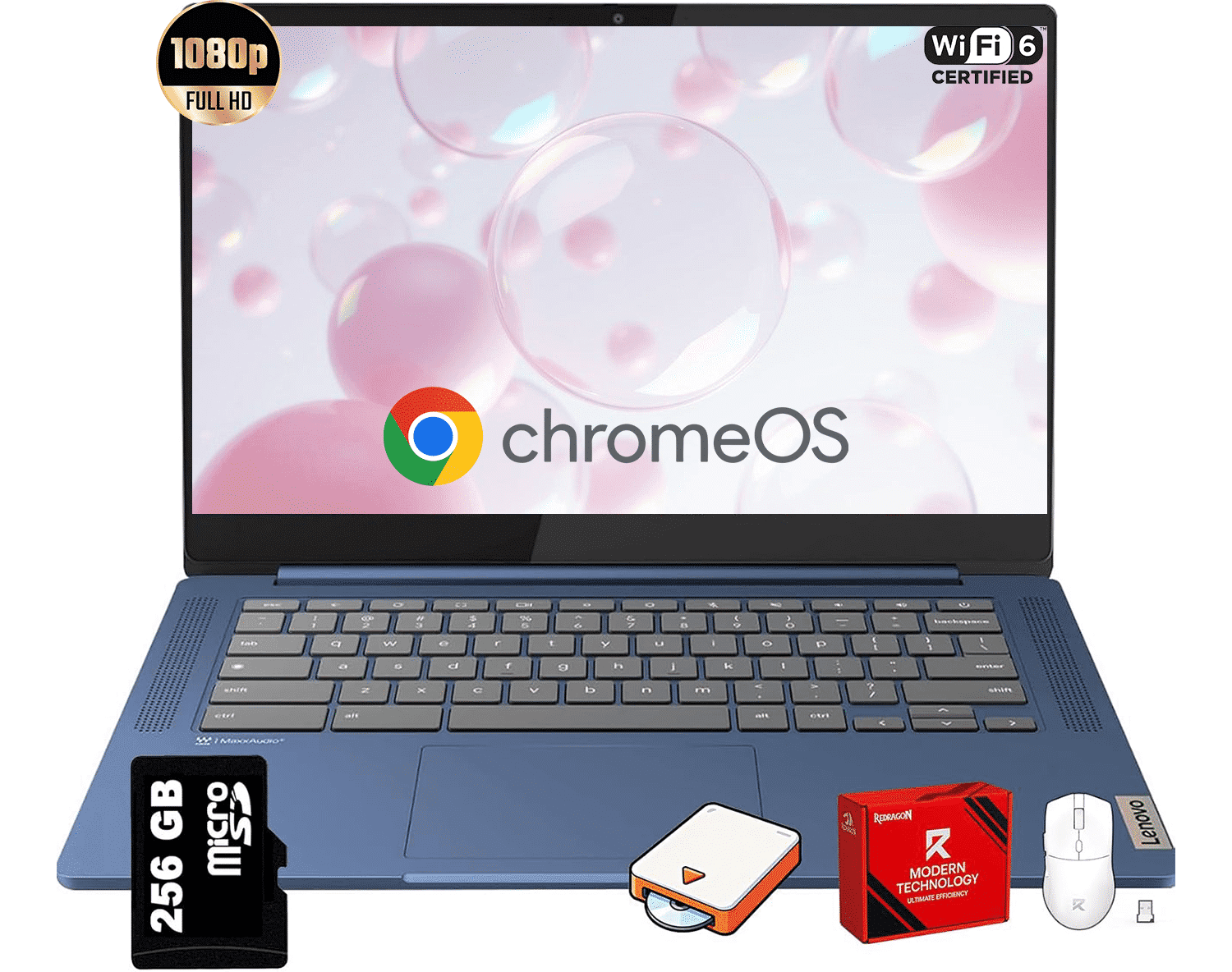
Lenovo IdeaPad Slim 3 Chromebook

Lenovo IdeaPad Slim 3 Chromebook

4.5(331 ratings)
$257.99at NeweggChecked Nov 18
See all prices and details
Visit Newegg

Store links may earn us a commission. Price via Klarna.

Pros
  • Light at about 3.2 lb with a 14-inch screen
  • Large 57Wh battery for its class
  • Wi-Fi 6 and Bluetooth 5.3
  • Privacy shutter on the 720p webcam
  • Charges over USB-C with a 65W adapter
Cons
  • Only 4GB of soldered RAM, which limits open tabs
  • 1366x768 TN panel is dim at 250 nits with narrow color
  • 128GB eMMC storage is slow compared with an SSD
  • No touchscreen
  • Standard ChromeOS, not Chromebook Plus
ASUS
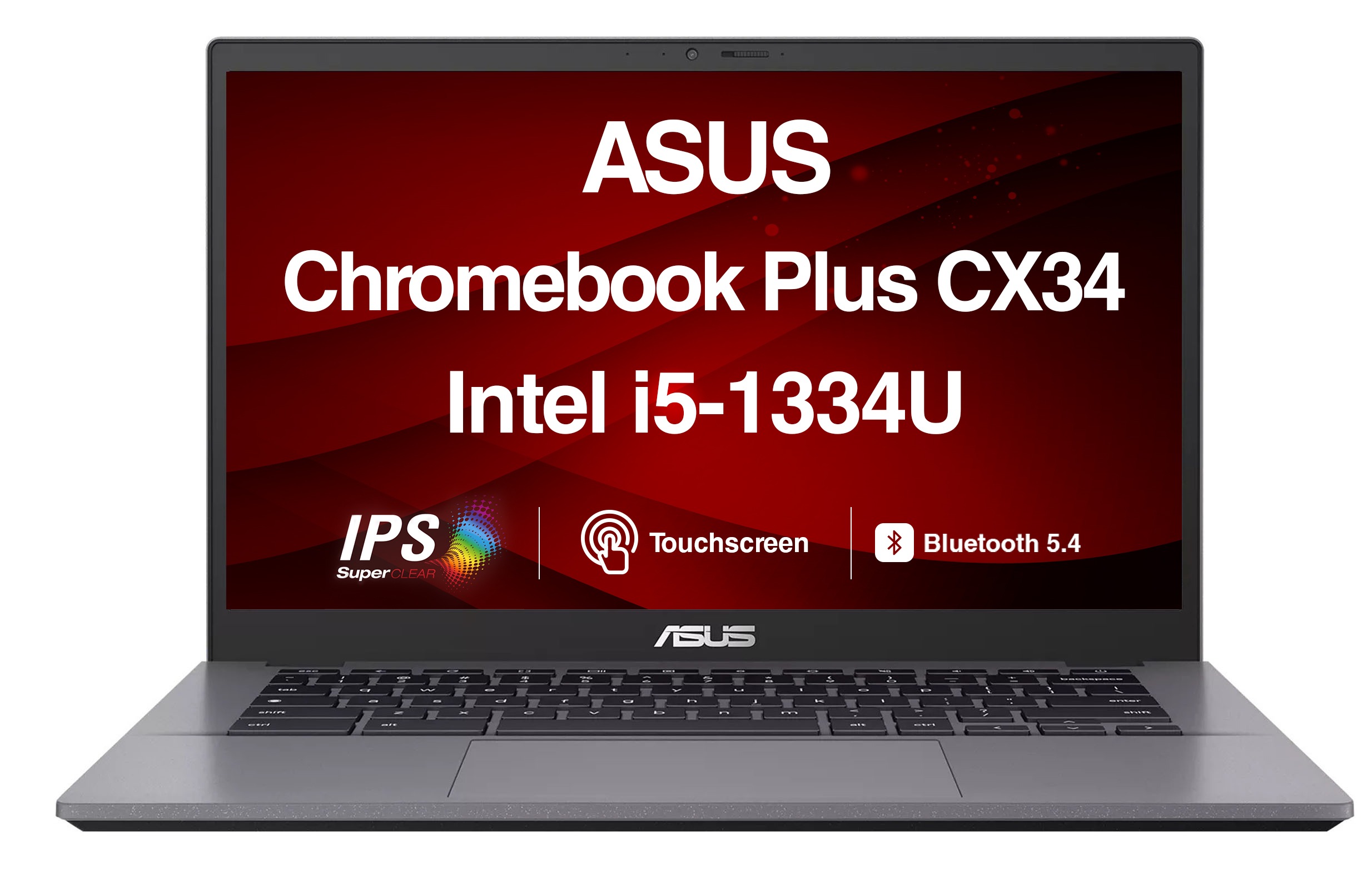
ASUS Chromebook Plus CX34 Touchscreen Laptop

ASUS Chromebook Plus CX34

ASUS Chromebook Plus CX34 Touchscreen Laptop

4.7(6 ratings)
$345.99at Reno Laptop RepairChecked Nov 19
See all prices and details
Visit Reno Laptop Repair
Pros
  • 8GB of RAM handles many tabs and Android apps
  • Intel 12th-gen CPU with 4.4 GHz turbo is noticeably quicker
  • Sharp 1080p anti-glare touchscreen
  • Chromebook Plus brings Google AI writing and editing tools
  • HDMI plus USB-A and USB-C ports
Cons
  • 50Wh battery is smaller than the Lenovo's
  • Rated 4.0 out of 5, below the Lenovo's 4.5
  • 128GB storage fills quickly with Android and Linux apps
  • Touchscreen adds glare and fingerprint smudges
  • Heavier software load can drain the battery faster

What separates them

Lenovo IdeaPad Slim 3 ChromebookASUS Chromebook Plus CX34
Memory4GB LPDDR5, soldered and not upgradable8GB, twice the headroom for tabs and apps
ProcessorMediaTek Kompanio 520, 8 cores, ARM-basedIntel 12th-gen, 6 cores, up to 4.4 GHz turbo
Display14-inch 1366x768 TN, 250 nits, anti-glare14-inch 1920x1080 anti-glare touchscreen, 60Hz
ChromeOS tierStandard ChromeOSChromebook Plus, with Google AI features and higher hardware baseline
Battery57Wh cell50Wh, 3-cell, rated about 10 hours
WeightAbout 3.2 lb (1.43 kg)About 3.2 lb
PortsUSB-C charging, USB-A, card readerUSB-A, USB-C, HDMI
WirelessWi-Fi 6 and Bluetooth 5.3Wi-Fi 6 and Bluetooth, version not stated
HingeStandard clamshell hinge180-degree lay-flat hinge for sharing the screen
Ratings4.5 out of 5 from 331 ratings4.0 out of 5

Price history

$549.99$189.99
Oct 31Nov 29
  • Lenovo IdeaPad Slim 3 Chromebook: lowest $239.00 on Nov 7 at Best Buy; $239.00 on Nov 19.
  • ASUS Chromebook Plus CX34: lowest $189.99 on Nov 18 at Iconic; $519.00 on Nov 29.

Prices at every store

Lenovo IdeaPad Slim 3 Chromebook

  • Best BuyNew

    In stock

    $239.00Free shippingChecked Nov 18
    Visit Best Buy
  • NeweggNew

    In stock

    $257.99Free shippingChecked Nov 18
    Visit Newegg
  • WalmartNew

    In stockSold by Littleox Tech LLCReturns: Sold by a Walmart Marketplace seller; returns go to the seller under the seller's returns policy.

    $259.00Free shippingChecked Nov 18
    Visit Walmart
  • Lowe'sNew

    In stock

    $262.99Free shippingChecked Nov 18
    Visit Lowe's

Store links may earn us a commission. Some prices via Klarna.

All 7 stores and price history →

ASUS Chromebook Plus CX34

  • Reno Laptop RepairNew

    In stock

    $345.99Checked Nov 19
    Visit Reno Laptop Repair
  • gotlaptopparts.comNew

    Availability unknown

    $345.99Checked Nov 18
    Visit gotlaptopparts.com
  • AmazonNew

    Availability unknown

    As an Amazon Associate, Deal.ai earns from qualifying purchases.

    $449.99Free shippingChecked Nov 28
    Visit Amazon
  • Teds ElectronicsNew

    Availability unknown

    $486.99Checked Nov 26
    Visit Teds Electronics

Also available at

  • eBayCheck price at eBay
  • Uber EatsCheck price at Uber Eats
  • JourneyEdCheck price at JourneyEd

Store links may earn us a commission.

All 22 stores and price history →

Specs compared

SpecLenovo IdeaPad Slim 3 ChromebookASUS Chromebook Plus CX34
Memory4GB Soldered LPDDR5-48008GB LPDDR5 on board, Memory Max Up to:8GB
Storage128GB eMMC 5.164 GB
Display14" HD (1366x768) TN 250nits Anti-glare, 45% NT…14.0-inch, FHD (1920 x 1080) 16:9, 250nits
WeightAround 1.43 kg (3.2 lbs)3.2 lb
Operating SystemChromeOSChrome OS
CameraHD 720p with Privacy Shutter1080p FHD camera
Battery57Wh—
Power Adapter65W USB-C® (3-pin)—
WLAN + BluetoothMediaTek Wi-Fi® 6 MT7921, 802.11ax 2x2 + BT5.3—
SpeakersStereo speakers, 2W x2, optimized with Waves Ma…—
Resolution—1920 x 1080
Processor Brand—Intel CPU
Show all 40 specsShow fewer specs
SpecLenovo IdeaPad Slim 3 ChromebookASUS Chromebook Plus CX34
Touchscreen—Yes
Color—Gray
Language—English / North America
With No-Glare Screen—Yes
Refresh Rate—60Hz
Available Ports—USB-A, USB-C, HDMI
Drive Capacity—128 GB drive
Screen Size—14 inches
Installed Memory—8 GB RAM
Processor Speed

What reviewers say

Lenovo IdeaPad Slim 3 Chromebook

  • 4.5 / 5331 ratings

Rated 4.5 out of 5 from 331 ratings, buyers treat it as a solid cheap Chromebook for everyday tasks. Complaints center on the dim display and the limited 4GB of memory once many tabs are open.

What people mention
  • Battery lifePraisedOwners report getting through a full day of light use on the 57Wh battery.
  • DisplayCriticisedThe 250-nit TN panel is called dim with weak viewing angles and color.
  • MemoryCriticised4GB of soldered RAM fills up quickly with many tabs open.
  • PortabilityPraisedAt around 3.2 lbs it is easy to carry in a backpack.

ASUS Chromebook Plus CX34

Owner feedback on the CX34 line is generally positive, with the screen, weight and ports drawing the most praise. Complaints center on the modest memory and storage and on Chrome OS limits for users who need desktop software.

What people mention
  • DisplayPraisedOwners like the sharp 1080p anti-glare touchscreen for work and streaming.
  • WeightPraisedBuyers say 3.2 lb is easy to carry to class or between meetings.
  • PortsPraisedReviewers appreciate having USB-A, USB-C and HDMI without adapters.
  • MemoryCriticisedUsers report slowdowns once many browser tabs are open on 8 GB of RAM.
Reviews
  • The Best Laptops Under $500 for 2026
  • The Best Cheap Laptops for 2026 - Boot Drive Capacity (as Tested)1Boot Drive TypeSSDClassConvertible 2-in-1Dimensions (HWD)0.74 by 12.4 by 8

Questions and answers

Which is better for schoolwork and everyday browsing?
Both handle docs, email and video calls. The ASUS is better if you keep many tabs open or run Android apps, because 8GB of RAM and the Intel chip stay responsive. The Lenovo is fine for lighter use.
Is the ASUS screen worth stepping up to?
Yes for most people. The ASUS gives you 1920x1080 instead of 1366x768, a touchscreen and an anti-glare finish. The Lenovo's TN panel is dimmer and shows less color.
Which lasts longer on a charge?
The Lenovo has the larger 57Wh battery, so it should run longer between charges under similar loads. The ASUS is rated at about 10 hours with its 50Wh cell.
Can I add more RAM later?
No on both. The Lenovo's 4GB is soldered, and the ASUS ships with 8GB fixed. Pick the memory you need at purchase.
Which is better for Android and Linux apps?
The ASUS. Chromebook Plus models are built for heavier app use, and 8GB of RAM plus the Intel CPU run Android and Linux apps more smoothly than 4GB on the Lenovo.
Do either have a touchscreen?
Only the ASUS CX34 has a touchscreen. The Lenovo IdeaPad Slim 3 Chromebook is a non-touch display.
Which is better for video calls and meetings?
The Lenovo has a 720p webcam with a privacy shutter, and its stereo speakers are tuned with Waves MaxxAudio. The ASUS has the faster chip and more RAM for screen sharing with many tabs open, but its camera specs are not stated.
Does the ASUS hinge matter day to day?
It helps if you share a screen or work at odd angles. The CX34 folds flat to 180 degrees, while the Lenovo uses a standard clamshell hinge.
Which one is built to last?
The ASUS is described as durable enough for everyday bumps and knocks, and its 128GB drive is an SSD rather than the Lenovo's slower eMMC. The Lenovo has no durability claims beyond its standard clamshell build.
What do owners say about the ASUS?
Buyers on one reseller's page rate it 4.3 from 569 verified reviews and praise clean keyboards and palm rests and a full battery report. Some note faint marks on the glass that are hard to see while working, and that long-term battery health is not guaranteed.

Ask our shopping agent

It checks today's price at every store, compares the alternatives and answers in about a minute.

Enter to send, Shift+Enter for a new line

More comparisons

  • Acer Aspire Go 15 vs ASUS Chromebook Plus CX34 Touchscreen Laptop
  • ASUS Vivobook Go 14 14" FHD Laptop Intel Celeron N4500 vs ASUS Chromebook Plus CX34 Touchscreen Laptop
  • Lenovo IdeaPad 1 15.6" Laptop vs ASUS Chromebook Plus CX34 Touchscreen Laptop
  • Lenovo IdeaPad Slim 3 (2024, Ryzen 5 7530U) vs ASUS Chromebook Plus CX34 Touchscreen Laptop
  • Acer Chromebook Plus Spin 514 vs ASUS Chromebook Plus CX34 Touchscreen Laptop
  • ASUS Chromebook Plus CX34 Touchscreen Laptop vs Dell Inspiron 15 15.6" FHD Touchscreen Laptop
  • Lenovo IdeaPad Slim 3 Chromebook vs Acer Aspire Go 15 Laptop AG15-51P-510U
  • ASUS Chromebook Plus CX34 Touchscreen Laptop vs Lenovo Chromebook 14″ (14-8)

Buying guides that pick them

  • Best laptops under $500
  • Best Chromebooks
  • Best laptops under $400 for work and video
  • Best value Chromebooks with 8GB RAM
  • Best Chromebooks for everyday use
—
4.6 GHz CPU
Battery Life—10 hours battery life
OS Version—Chromebook Plus
Battery Capacity—50WHrs
Battery Run Time—10 Hours
Battery Type—3-cell
Graphics Memory—Shared
Number Of Processor Cores—6 cores
Integrated GPU—Yes
Processor Clock Speed—1.2 GHz
Graphics Memory Tech—LPDDR5
Max Turbo Speed—4.4 GHz
Highlighted Performance Features—AI-powered
Processor Chipset—Intel
Processor Chipset Features—12th Gen (processor generation)
Cache—10M Cache
Display Size—14-inch
Display Resolution—1080p
Display Aspect Ratio—16:9