- Is the M4 Pro MacBook Pro worth it over the M4 model?
- Yes, if you need more CPU and GPU cores for demanding tasks like video editing or 3D rendering. The M4 Pro offers significantly better multi-core performance and a more powerful GPU.
- How does the M4 Pro compare to the M3 Pro?
- The M4 Pro brings a faster 12-core CPU and 16-core GPU, plus Thunderbolt 5 support. Real-world gains are modest but noticeable in heavy workloads.
- Can I upgrade the RAM or storage later?
- No, the memory and SSD are soldered and cannot be upgraded after purchase. Choose your configuration carefully at checkout.
- What ports does it have?
- It includes three Thunderbolt 5 (USB-C) ports, an HDMI port, an SDXC card slot, a MagSafe 3 charging port, and a 3.5mm headphone jack.
- How long does the battery last?
- Apple rates it for up to 14 hours of video streaming or 12 hours of web browsing. Most users get through a full workday.
- Is the 120Hz display worth it?
- Yes, the ProMotion display makes scrolling and animations smoother, and it benefits fast-paced content creation. It also supports HDR for accurate color grading.
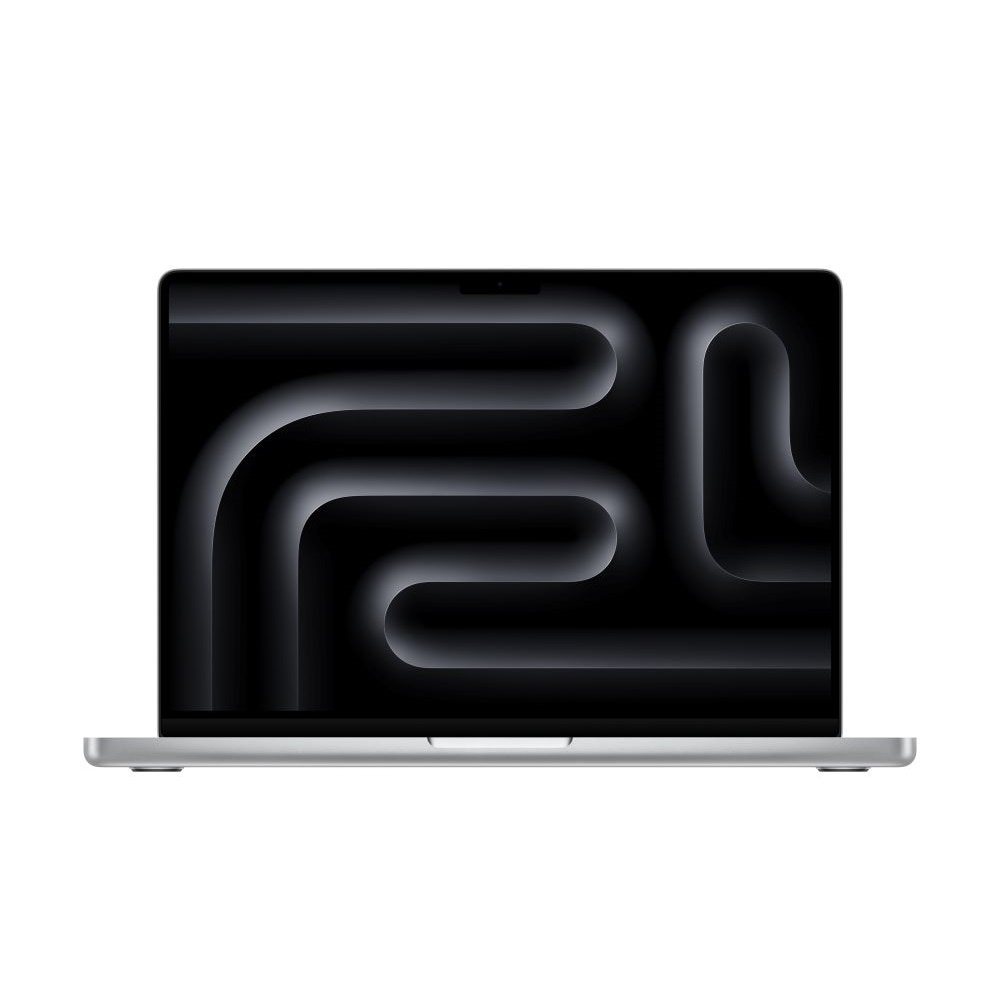
- Where is the Apple MacBook Pro, 14.2-inch, M4 Pro Chip, 12-core CPU, 16-core GPU, 24GB Unified Memory, 512GB SSD Storage, Space Black cheapest?
- At UMKC Bookstore, for $1,749.00, 20% under what the other stores charge, as of our latest check.
- What do buyers say about the Apple MacBook Pro, 14.2-inch, M4 Pro Chip, 12-core CPU, 16-core GPU, 24GB Unified Memory, 512GB SSD Storage, Space Black?
- Rated 4.9 out of 5 from 108 ratings.
- Where can I buy the Apple MacBook Pro, 14.2-inch, M4 Pro Chip, 12-core CPU, 16-core GPU, 24GB Unified Memory, 512GB SSD Storage, Space Black?
- 10 stores we checked sell it, including UMKC Bookstore, Best Buy, Amazon, eBay, Walmart.