ORICO Dual Bay M.2 SSD Enclosure M.2 NVMe Cloner NVMe Enclosure Adapter 10Gbps USB C M-Key Aluminum External Hard Drive Enclosure Max to 8TB Tool Free(No Drive)
Best price now
$71.99at Walmart

Prices are checked against each store and labelled with when.
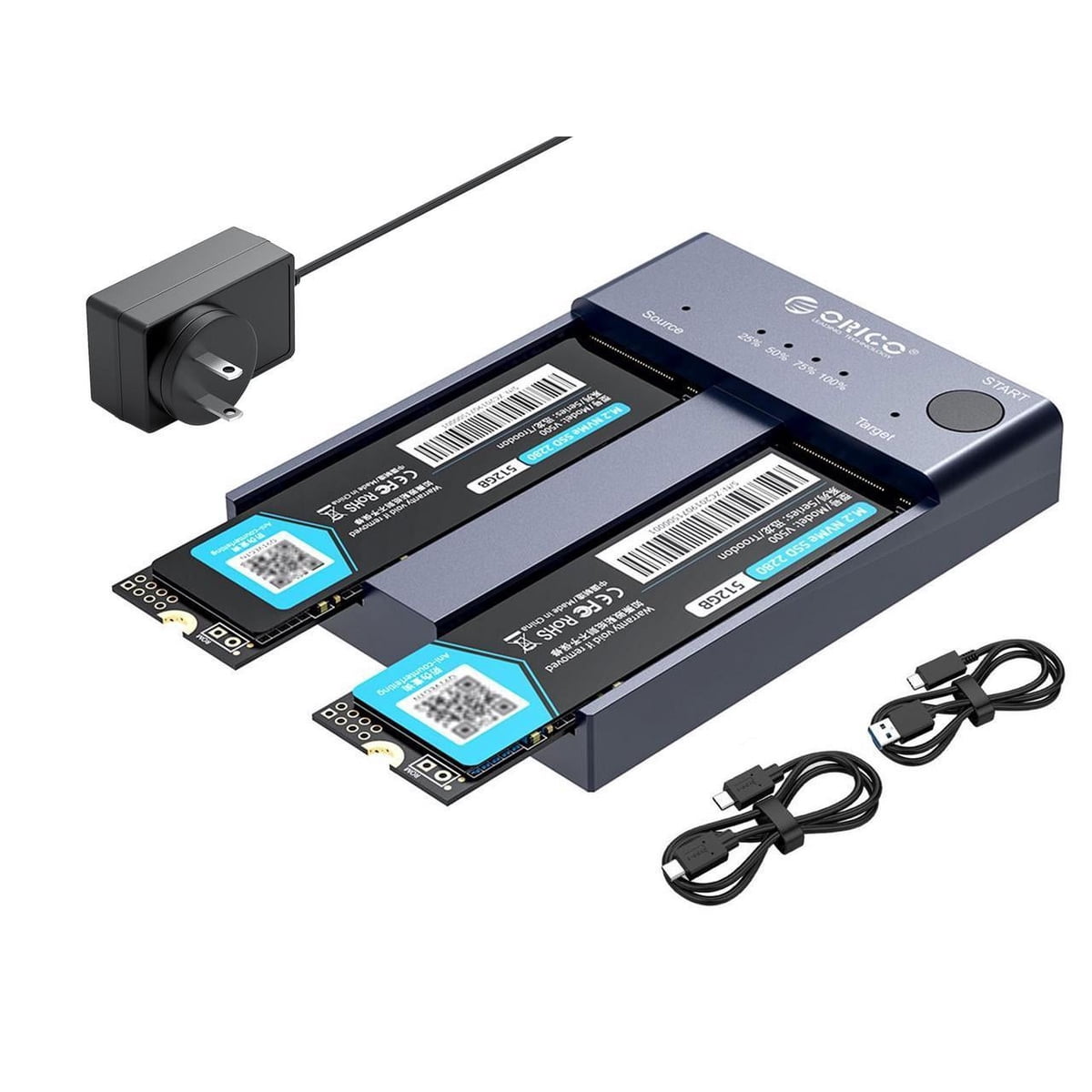
The ORICO Dual Bay M.2 NVMe Enclosure is an aluminum USB-C case that holds two M.2 NVMe drives at once. It works as a dual-slot external reader over USB 3.1 Gen 2 at up to 10Gbps, and it can clone one drive to the other with a one-key offline copy that needs no computer. It suits people moving a laptop drive to a bigger one, technicians duplicating drives, and anyone who wants two NVMe drives readable from one port. Against single-bay enclosures it adds the second slot and offline cloning, but it is a plain 10Gbps bridge rather than a Thunderbolt unit, and it ships without drives.
In stockSold by ORICO Official StoreReturns: Sold by a Walmart Marketplace seller; returns go to the seller under the seller's returns policy.
With only a handful of ratings, feedback is limited but leans positive. Owners value the dual slots and the offline clone button for drive swaps, while the main reservations are about speed over USB and the size-matching rule for cloning.
The ORICO dual-bay M.2 NVMe enclosure holds two M.2 NVMe PCIe SSDs. It works as an external M.2 SSD reader when connected to a computer, or copies one drive to the other on its own without a computer. The case is made of aluminum alloy, which helps dissipate heat during high-speed transfers. No drive is included.
Data moves over USB 3.1 Gen 2 through a USB-C port at speeds up to 10Gbps, with UASP support. The enclosure recognizes and operates both SSDs at once, with capacities up to 4TB per drive, and takes M.2 drives in 22110, 2280, 2260 and 2242 lengths. It works with Windows, Mac and Linux without additional drivers or software, and connects to devices such as a PC, laptop, smart TV, PS4 or Xbox.
For offline cloning, the drives go into the marked source and target slots, with the target drive's capacity larger than the source drive's. The included power adapter connects to the enclosure, and the clone button is held for about 10 to 15 seconds until the LED indicator starts showing progress. Four LEDs track the copy at 25%, 50%, 75% and 100%, and all four stay lit when cloning is complete. Do not connect a USB cable to the computer during cloning, scan the SSDs for bad sectors first, and back up the target drive's data before copying.
It checks today's price at every store, compares the alternatives and answers in about a minute.