StoreDeal.ai store
Shop
  • Deals
  • Deal checker
  • Black Friday
  • Buying guides
  • Brands
  • Stores
Travel
  • Flight deals
  • Hotel deals
Company
  • Research
  • Press
  • Use in AI assistants
  • Contact
  • deal.ai apps
Black Friday 2026
  • Walmart
  • Best Buy
  • Target
  • TVs
  • Laptops
  • Headphones
  • Apple
  • Gaming
  • Vacuums
  • Kitchen
  • Toys
  • Smartwatches
  • Tablets
  • Furniture
  • Mattresses
© Deal.ai Inc.·2222 Ponce de Leon Blvd, Miami, FL 33134·support@deal.ai
TermsPrivacy
Deal.ai › Compare

ASUS ProArt PA279CRV vs Asus ProArt PA248QFV Monitor

Buy the PA279CRV for color-critical work: 4K resolution, 99% DCI-P3 and Adobe RGB, 10-bit color and 96W USB-C make it the better editing display. The PA248QFV is the compact 16:10 choice for office, coding and sRGB design work, with a faster 100Hz panel and a 3-year warranty. The PA279CRV has the stronger color and connectivity package; the PA248QFV wins on desk space, vertical workspace and motion smoothness.

  • Choose the ProArt PA279CRV if you edit 4K video or retouch photos and need wide-gamut, 10-bit color with single-cable USB-C docking.
  • Choose the ProArt PA248QFV if you want a compact 16:10 screen for documents, code and sRGB design work with smoother 100Hz motion.

Prices

  • ASUS ProArt PA279CRV: $364.99 at Adorama (checked today)
  • Asus ProArt PA248QFV Monitor: $218.81 at Westenditstore (checked today)
  • Difference: the Asus ProArt PA248QFV Monitor is $146.18 cheaper than the ASUS ProArt PA279CRV today
ASUS
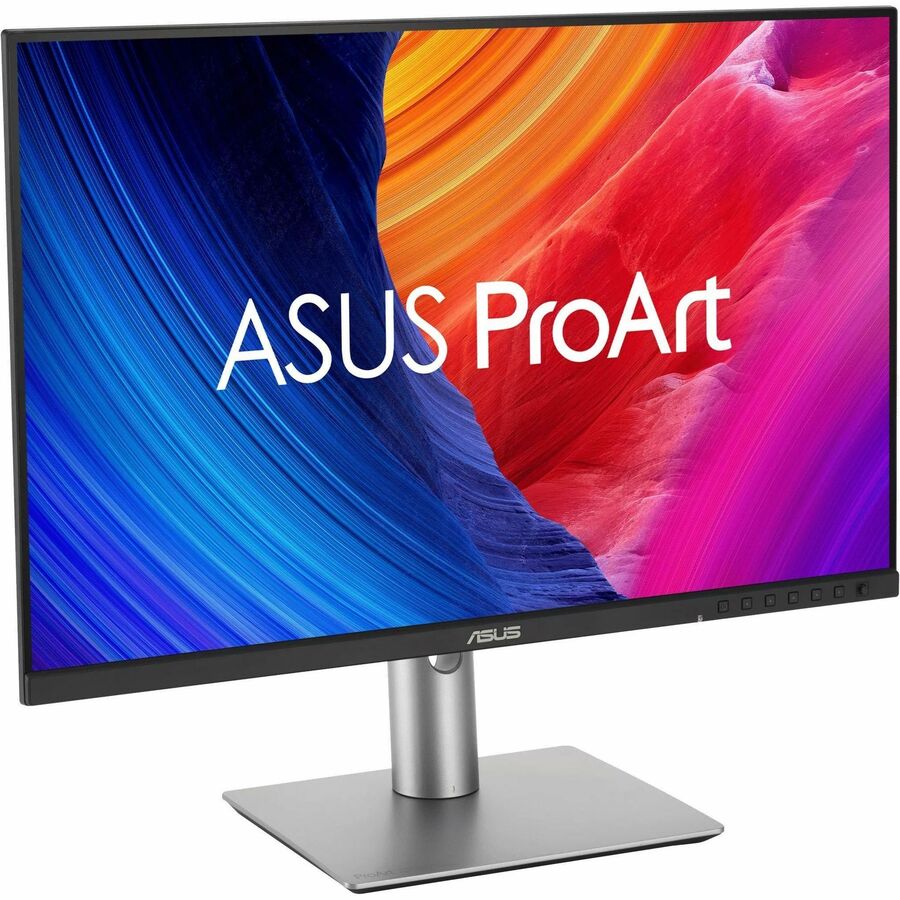
ASUS ProArt PA279CRV

ASUS ProArt PA279CRV

5(3 ratings)
$364.99at AdoramaChecked 1 h ago
See all prices and details
Visit Adorama

Store links may earn us a commission. Price via Klarna.

Pros
  • 4K resolution shows full-detail 4K timelines and high-res photos
  • Wide gamut covers DCI-P3 and Adobe RGB for video and print work
  • Factory calibrated to Delta E < 2 and Calman Verified
  • Single USB-C cable carries video, data and 96W charging
  • Full ergonomic stand: height, tilt, swivel, pivot
Cons
  • 60Hz feels less smooth for motion and scrolling
  • 16:9 gives less vertical room than 16:10
  • 350 nits and DisplayHDR 400 are modest for HDR grading
ASUS
Asus ProArt PA248QFV 24" Class WUXGA LED Monitor

Asus ProArt PA248QFV Monitor

Asus ProArt PA248QFV 24" Class WUXGA LED Monitor

$218.81at WestenditstoreChecked 3 h ago
See all prices and details
Visit Westenditstore
Pros
  • 16:10 ratio adds vertical space for timelines and documents
  • 100Hz refresh is smoother than 60Hz
  • Compact 24-inch footprint suits smaller desks
  • Calman Verified with Delta E < 2 for sRGB work
  • 3-year manufacturer warranty
Cons
  • 1920x1200 cannot show 4K footage at full detail
  • sRGB-only gamut falls short for DCI-P3 and Adobe RGB work
  • USB-C power delivery not specified, so docking is less certain

What separates them

ASUS ProArt PA279CRVAsus ProArt PA248QFV Monitor
Resolution3840x2160 (4K UHD)1920x1200 (WUXGA)
Color gamut99% DCI-P3, 99% Adobe RGB, 100% sRGB100% sRGB
Color depth10-bit, 1073.7M colorsNot specified as 10-bit
Refresh rate60Hz100Hz
Aspect ratio16:916:10, more vertical workspace
USB-C power delivery96W over USB-C with data and DisplayPortUSB hub, power delivery not specified
HDRVESA DisplayHDR 400 and HDR10HDR-10 compatible
WarrantyNot stated in the listing3-year manufacturer warranty

Price history

$434.99$218.81
Nov 10Nov 20
  • ASUS ProArt PA279CRV: lowest $364.99 on Nov 19 at Adorama; $364.99 on Nov 20.
  • Asus ProArt PA248QFV Monitor: lowest $218.81 on Nov 19 at Westenditstore.

Prices at every store

ASUS ProArt PA279CRV

  • AdoramaNew

    In stock

    $364.99Free shippingChecked 1 h ago
    Visit Adorama
  • AntonlineNew

    In stock

    $437.02Free shippingChecked 1 h ago
    Visit Antonline
  • AsusNew

    In stock

    $456.63Free shippingChecked Nov 10
    Visit Asus

Store links may earn us a commission. Some prices via Klarna.

All 3 stores and price history →

Asus ProArt PA248QFV Monitor

  • WestenditstoreNew

    In stock

    $218.81Free shippingChecked 3 h ago
    Visit Westenditstore
  • NeweggNew

    In stock

    $220.43Free shippingChecked 3 h ago
    Visit Newegg
  • Best BuyNew

    In stock

    $239.99Free shippingChecked 3 h ago
    Visit Best Buy
  • AmazonNew

    Availability unknown

    As an Amazon Associate, Deal.ai earns from qualifying purchases.

    $222.35Free shippingChecked 3 h ago
    Visit Amazon

Store links may earn us a commission. Some prices via Klarna.

All 9 stores and price history →

Specs compared

SpecASUS ProArt PA279CRVAsus ProArt PA248QFV Monitor
Resolution3840x21601920x1200
Panel TypeIPSIPS/PLS
Response Time5ms(GTG)5 ms
Panel Size27—
Refresh Rate60Hz—
Brightness (Typ.)350cd/㎡—
Contrast Ratio (Typ.)1000:1—
Display Colors1073.7M (10 bit)—
USB-C Power Delivery96W—
Power Consumption26.14 W—
Net Weight5.78 kg (12.74 lbs)—
Height Adjustment0~130mm—
Show all 25 specsShow fewer specs
SpecASUS ProArt PA279CRVAsus ProArt PA248QFV Monitor
color—Black
Refresh Rate (Hz)—100
USB—Yes
DisplayPort—Yes
VESA-Mount—Yes
HDMI—Yes
Display—LED
Aspect Ratio—16:10
3D Ready—Yes
Connector Type—HDMI, DisplayPort

Questions and answers

Which is better for 4K video editing?
The PA279CRV. Its 3840x2160 panel shows 4K footage at native detail, and its DCI-P3 coverage and 10-bit color suit HDR and wide-gamut grading. The PA248QFV tops out at 1920x1200.
Which is better for coding and office work?
The PA248QFV. Its 16:10 ratio gives more vertical lines of text, and 100Hz scrolling is easier on the eyes. The PA279CRV's extra resolution helps, but its 16:9 shape is shorter.
Is the PA279CRV worth stepping up to from the PA248QFV?
Yes if you work in Adobe RGB or DCI-P3, need 4K detail, or want one USB-C cable for video, data and 96W laptop charging. For sRGB design and everyday work, the PA248QFV covers the basics.
Which has better color accuracy?
Both are factory calibrated to Delta E < 2 and Calman Verified. The PA279CRV adds 99% Adobe RGB and 99% DCI-P3 coverage and 10-bit color, so it holds accuracy across wider gamuts.
Does either monitor charge a laptop over USB-C?
The PA279CRV delivers 96W over USB-C along with DisplayPort and data. The PA248QFV has USB ports, but its listing does not specify USB-C power delivery.
Which is smoother for motion?
The PA248QFV at 100Hz is smoother than the PA279CRV at 60Hz. Neither is a gaming panel, but scrolling and motion graphics look more fluid on the 100Hz screen.

Ask our shopping agent

It checks today's price at every store, compares the alternatives and answers in about a minute.

Enter to send, Shift+Enter for a new line

More comparisons

  • ASUS ProArt PA279CRV vs ASUS ProArt Display PA278CV 27" Monitor
  • ASUS ProArt PA27JCV vs ASUS ProArt PA279CRV
  • ASUS ProArt Display PA278CV 27" Monitor vs Asus ProArt PA248QFV 24" Class WUXGA LED Monitor
  • ASUS ProArt PA27JCV vs Asus ProArt PA248QFV 24" Class WUXGA LED Monitor

Buying guides that pick them

  • Best monitors for creative work
Size
—
24.1 in
Maximum Refresh Rate—100 Hz
Brightness—350 cd/m²