StoreDeal.ai store
Shop
  • Deals
  • Deal checker
  • Black Friday
  • Buying guides
  • Brands
  • Stores
Travel
  • Flight deals
  • Hotel deals
Company
  • Research
  • Press
  • Use in AI assistants
  • Contact
  • deal.ai apps
Black Friday 2026
  • Walmart
  • Best Buy
  • Target
  • TVs
  • Laptops
  • Headphones
  • Apple
  • Gaming
  • Vacuums
  • Kitchen
  • Toys
  • Smartwatches
  • Tablets
  • Furniture
  • Mattresses
© Deal.ai Inc.·2222 Ponce de Leon Blvd, Miami, FL 33134·support@deal.ai
TermsPrivacy
Deal.ai › Compare

ASUS ProArt PA27JCV vs Asus ProArt PA248QFV Monitor

The PA27JCV is the sharper, more color-capable display: 5K on 27 inches gives 218 ppi, and it covers 99% DCI-P3 and 95% Adobe RGB with USB-C 96W power delivery and a built-in KVM. The PA248QFV trades resolution and gamut for a 16:10 panel, a 100Hz refresh rate and a smaller 24-inch footprint. Buy the 5K if you edit photos or video, work in DCI-P3, or want one cable to a laptop. Buy the 24-inch if you mostly work in sRGB, want extra vertical space for timelines and documents, or need smoother motion on a smaller desk.

  • Choose the ProArt PA27JCV if you need 5K detail, wide-gamut color for photo and video work, and a single USB-C cable that charges your laptop.
  • Choose the ProArt PA248QFV if you work mainly in sRGB, want the taller 16:10 workspace and 100Hz motion, and prefer a compact 24-inch screen.

Prices

  • Asus ProArt PA248QFV Monitor: $218.81 at Westenditstore (checked today)
ASUS
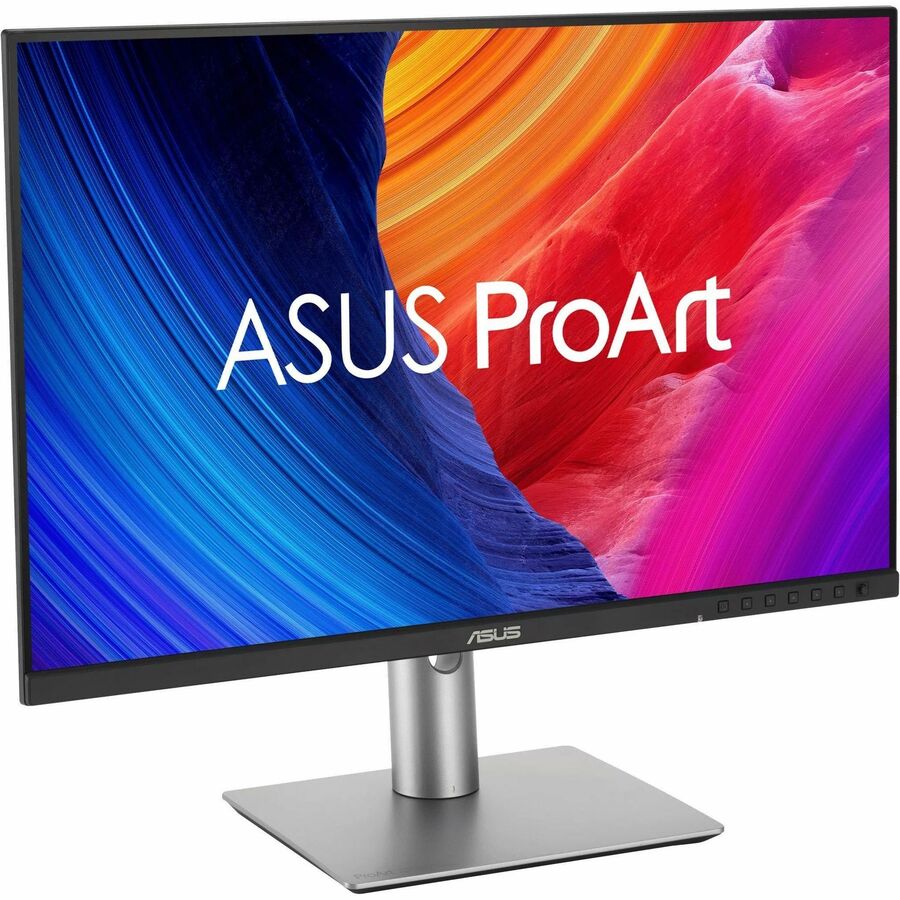
ASUS ProArt PA27JCV

ASUS ProArt PA27JCV

5(1 rating)
See all prices and details
Pros
  • 5K resolution gives very sharp text and fine detail for photo and video work
  • Wide gamut covers DCI-P3 and Adobe RGB, not just sRGB
  • Factory calibrated to Delta E < 2 and Calman Verified
  • USB-C carries video, data and 96W charging over one cable
  • Auto KVM switches keyboard and mouse between two computers
Cons
  • 60 Hz refresh rate is modest for motion work
  • 16:9 gives less vertical room than a 16:10 panel
  • 10-bit color is 8-bit plus FRC, not a native 10-bit panel
  • 5K output needs a capable GPU and the right cable
ASUS
Asus ProArt PA248QFV 24" Class WUXGA LED Monitor

Asus ProArt PA248QFV Monitor

Asus ProArt PA248QFV 24" Class WUXGA LED Monitor

$218.81at WestenditstoreChecked 3 h ago
See all prices and details
Visit Westenditstore
Pros
  • 16:10 aspect ratio adds vertical space for timelines and documents
  • 100Hz refresh rate makes scrolling and motion smoother
  • 100% sRGB with Delta E < 2 and Calman Verified
  • Compact 24-inch size suits smaller desks
  • Three-year manufacturer warranty
Cons
  • 1920 x 1200 is far less sharp than 5K at this size
  • sRGB only, so no wide-gamut DCI-P3 or Adobe RGB coverage
  • 350 nits is dimmer, which limits HDR impact
  • No stated USB-C laptop charging or KVM

What separates them

ASUS ProArt PA27JCVAsus ProArt PA248QFV Monitor
Resolution and pixel density5120 x 2880 (5K) at 218 ppi on 27 inches1920 x 1200 (WUXGA) on 24.1 inches
Color gamut99% DCI-P3, 100% sRGB, 95% Adobe RGB100% sRGB
Aspect ratio16:916:10, giving extra vertical space
Refresh rate60 Hz100 Hz
Brightness500 nits peak, HDR support350 nits, HDR-10 compatible
USB-C power deliveryUSB-C with DisplayPort and 96W charging plus USB hubUSB and DisplayPort present, no laptop charging specified
KVMBuilt-in Auto KVM for two computers with one keyboard and mouseNot specified
Stand adjustmentTilt, swivel, pivot and height adjustmentErgonomic adjustable stand

Price history

$599.00$218.81
Nov 12Nov 19
  • ASUS ProArt PA27JCV: lowest $599.00 on Nov 19.
  • Asus ProArt PA248QFV Monitor: lowest $218.81 on Nov 19 at Westenditstore.

Prices at every store

ASUS ProArt PA27JCV

No priced offers right now.

Prices and history →

Asus ProArt PA248QFV Monitor

  • WestenditstoreNew

    In stock

    $218.81Free shippingChecked 3 h ago
    Visit Westenditstore
  • NeweggNew

    In stock

    $220.43Free shippingChecked 3 h ago
    Visit Newegg
  • Best BuyNew

    In stock

    $239.99Free shippingChecked 3 h ago
    Visit Best Buy
  • AmazonNew

    Availability unknown

    As an Amazon Associate, Deal.ai earns from qualifying purchases.

    $222.35Free shippingChecked 3 h ago
    Visit Amazon

Store links may earn us a commission. Some prices via Klarna.

All 9 stores and price history →

Specs compared

SpecASUS ProArt PA27JCVAsus ProArt PA248QFV Monitor
Size27 inches24.1 in
ResolutionUHD 5K (5120 x 2880) at 60 Hz1920x1200
Brightness500 nits peak brightness350 cd/m²
Connector TypeUSB-C, HDMIHDMI, DisplayPort
Response Time5ms (GTG)5 ms
Maximum Refresh Rate60 Hz100 Hz
Aspect Ratio16:916:10
Panel TypeIPSIPS/PLS
Color Depth10-bit with FRC—
Color Accuracy100% sRGB (claimed) and 99% DCI-P3 (claimed)—
HD Format5K—
Horizontal Resolution5120 pixels—
Show all 36 specsShow fewer specs
SpecASUS ProArt PA27JCVAsus ProArt PA248QFV Monitor
Vertical Resolution2880 pixels—
Number Of HDMI Ports1—
Number Of USB Ports3 (USB 3.2 Gen 1 Type-A)—
HDCP CompatibleYes—
GTG Response Time5 ms—
Max Brightness500 cd/㎡ (HDR, Peak)—
Sync TechnologyAdaptive-Sync—
Display TypeIPS, LED—
Backlight TechnologyLED—
Display Highlights

Questions and answers

Which is better for photo and video editing?
The PA27JCV. Its 5K panel shows finer detail, and its DCI-P3 and Adobe RGB coverage matters when you grade or retouch for print and video. The PA248QFV is fine for sRGB web and document work but cannot show wide-gamut color.
Is the 100Hz refresh rate on the PA248QFV a real advantage?
For scrolling, cursor movement and motion graphics, yes. It feels smoother than 60 Hz. For still-image color work, the 5K resolution of the PA27JCV matters more than refresh rate.
Which one is better for a laptop setup?
The PA27JCV. One USB-C cable carries video and data and delivers 96W of charging, and the Auto KVM lets one keyboard and mouse control two machines. The PA248QFV lists USB and DisplayPort but no laptop charging.
Does the 16:10 screen on the PA248QFV help?
Yes, if you work with timelines, code or long documents. The extra vertical space reduces scrolling. The PA27JCV is 16:9, so it is wider but shorter for the same screen size.
Which lasts longer?
Both are IPS panels from the same ProArt line. The PA248QFV states a three-year manufacturer warranty; the PA27JCV's warranty is not stated in the listing. Longevity depends more on use and backlight hours than on the model.
Is the 5K worth stepping up to?
If you retouch high-resolution photos, edit 4K video or read a lot of text, yes. The jump in sharpness and gamut is large. If you mostly write, browse and edit sRGB images, the 24-inch model covers that well.

Ask our shopping agent

It checks today's price at every store, compares the alternatives and answers in about a minute.

Enter to send, Shift+Enter for a new line

More comparisons

  • ASUS ProArt PA27JCV vs ASUS ProArt PA279CRV
  • ASUS ProArt PA27JCV vs ASUS ProArt Display PA278CV 27" Monitor
  • ASUS ProArt Display PA278CV 27" Monitor vs Asus ProArt PA248QFV 24" Class WUXGA LED Monitor
  • ASUS ProArt PA279CRV vs Asus ProArt PA248QFV 24" Class WUXGA LED Monitor

Buying guides that pick them

  • Best monitors for creative work
HDR support
—
Display Viewing Angle178° wide viewing angle—
Horizontal Viewing Angle178°—
Vertical Viewing Angle178°—
Color Support100% sRGB—
Pixel Density218 ppi—
Pixel Per Inch218 ppi—
color—Black
Refresh Rate (Hz)—100
USB—Yes
DisplayPort—Yes
VESA-Mount—Yes
HDMI—Yes
Display—LED
3D Ready—Yes