StoreDeal.ai store
Shop
  • Deals
  • Deal checker
  • Black Friday
  • Buying guides
  • Brands
  • Stores
Travel
  • Flight deals
  • Hotel deals
Company
  • Research
  • Press
  • Use in AI assistants
  • Contact
  • deal.ai apps
Black Friday 2026
  • Walmart
  • Best Buy
  • Target
  • TVs
  • Laptops
  • Headphones
  • Apple
  • Gaming
  • Vacuums
  • Kitchen
  • Toys
  • Smartwatches
  • Tablets
  • Furniture
  • Mattresses
© Deal.ai Inc.·2222 Ponce de Leon Blvd, Miami, FL 33134·support@deal.ai
TermsPrivacy
Deal.ai › Compare

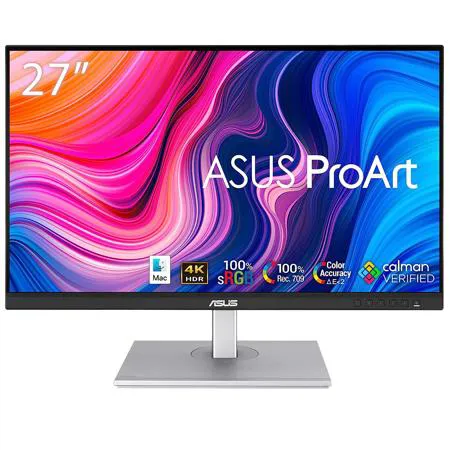
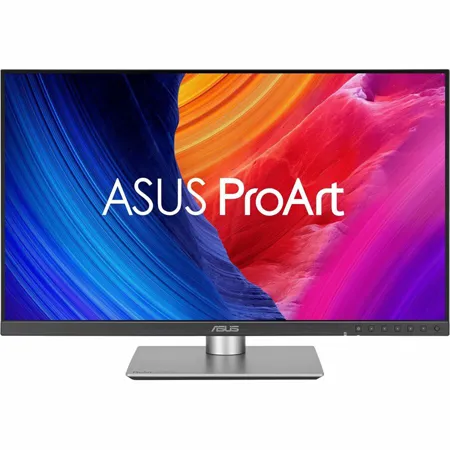
ASUS ProArt PA27JCV vs ASUS ProArt PA279CRV

Buy the PA27JCV if sharpness is the priority: its 5K panel at 218 ppi makes text and fine detail visibly crisper than 4K at the same size, and it adds Auto KVM plus a brighter 500-nit panel. Buy the PA279CRV if you work in print or Adobe RGB color and want true 10-bit color without FRC, since it covers 99% Adobe RGB against 95% on the 5K model. Both are factory calibrated to Delta E under 2 and Calman Verified, both deliver 96W over USB-C, and both use the same ergonomic stand, so the choice comes down to resolution versus Adobe RGB coverage and panel brightness.

  • Choose the ProArt PA27JCV if you want the sharpest 27-inch image for text-heavy work, photo retouching or UI design, and you value the built-in KVM and higher peak brightness.
  • Choose the ProArt PA279CRV if your work depends on Adobe RGB coverage or true 10-bit color, and 4K resolution is enough for your editing and design tasks.

Prices

  • ASUS ProArt PA279CRV: $364.99 at Adorama (checked today)
ASUS
ASUS ProArt PA27JCV

ASUS ProArt PA27JCV

5(1 rating)
See all prices and details
Pros
  • 5K resolution gives noticeably sharper text and detail than 4K at 27 inches
  • 500-nit peak brightness handles bright rooms and HDR previews better
  • Auto KVM switches keyboard and mouse between two machines
  • Factory calibrated to Delta E under 2 and Calman Verified
  • 96W USB-C charging plus a three-port USB hub
Cons
  • 10-bit color relies on FRC rather than a native 10-bit panel
  • Adobe RGB coverage tops out at 95%, below the 4K model
  • 60 Hz refresh limits it to productivity and creative work, not gaming
ASUS
ASUS ProArt PA279CRV

ASUS ProArt PA279CRV

5(3 ratings)
$364.99at AdoramaChecked 1 h ago
See all prices and details
Visit Adorama

Store links may earn us a commission. Price via Klarna.

Pros
  • 99% Adobe RGB and true 10-bit color suit print and color-critical work
  • Slimmer, smaller-footprint chassis frees desk space
  • Factory calibrated to Delta E under 2 and Calman Verified
  • 96W USB-C power delivery over a single cable
  • DisplayHDR 400 and HDR10 support
Cons
  • 4K at 27 inches is less sharp than 5K for text and fine detail
  • 350-nit typical brightness is dimmer than the 5K model
  • No built-in KVM switch

What separates them

ASUS ProArt PA27JCVASUS ProArt PA279CRV
Resolution and pixel density5120 x 2880, 218 ppi3840 x 2160, about 163 ppi
Color depth10-bit with FRCTrue 10-bit (1073.7M colors)
Adobe RGB coverage95%99%
Peak brightness500 nits (HDR peak)350 nits typical, DisplayHDR 400
KVM switchBuilt-in Auto KVM for two computersNot listed
USB-C power delivery96W96W
Stand ergonomicsTilt, swivel, pivot, height adjustmentTilt, swivel, pivot, height adjustment
Chassis footprintStandard ProArt bodySpace-saving base, 8 mm at thinnest point

Price history

$599.00$364.99
Nov 10Nov 20
  • ASUS ProArt PA27JCV: lowest $599.00 on Nov 19.
  • ASUS ProArt PA279CRV: lowest $364.99 on Nov 19 at Adorama; $364.99 on Nov 20.

Prices at every store

ASUS ProArt PA27JCV

No priced offers right now.

Prices and history →

ASUS ProArt PA279CRV

  • AdoramaNew

    In stock

    $364.99Free shippingChecked 1 h ago
    Visit Adorama
  • AntonlineNew

    In stock

    $437.02Free shippingChecked 1 h ago
    Visit Antonline
  • AsusNew

    In stock

    $456.63Free shippingChecked Nov 10
    Visit Asus

Store links may earn us a commission. Some prices via Klarna.

All 3 stores and price history →

Specs compared

SpecASUS ProArt PA27JCVASUS ProArt PA279CRV
ResolutionUHD 5K (5120 x 2880) at 60 Hz3840x2160
Response Time5ms (GTG)5ms(GTG)
Panel TypeIPSIPS
Size27 inches—
Brightness500 nits peak brightness—
Color Depth10-bit with FRC—
Color Accuracy100% sRGB (claimed) and 99% DCI-P3 (claimed)—
HD Format5K—
Horizontal Resolution5120 pixels—
Vertical Resolution2880 pixels—
Connector TypeUSB-C, HDMI—
Number Of HDMI Ports1—
Show all 37 specsShow fewer specs
SpecASUS ProArt PA27JCVASUS ProArt PA279CRV
Number Of USB Ports3 (USB 3.2 Gen 1 Type-A)—
HDCP CompatibleYes—
GTG Response Time5 ms—
Max Brightness500 cd/㎡ (HDR, Peak)—
Sync TechnologyAdaptive-Sync—
Display TypeIPS, LED—
Maximum Refresh Rate60 Hz—
Aspect Ratio16:9—
Backlight TechnologyLED—
Display Highlights

Questions and answers

Which is better for photo editing?
Both are calibrated to Delta E under 2, so color accuracy is close. The PA279CRV wins on Adobe RGB coverage and true 10-bit color, which matters for print work. The PA27JCV wins on resolution, which helps when judging fine detail and sharpening.
Is 5K worth stepping up to over 4K at 27 inches?
If you read a lot of text, edit high-resolution images or work in design tools, yes. The jump from about 163 ppi to 218 ppi is visible in text edges and fine detail. If your work is mostly video at 4K, the 4K panel is enough.
Which has better color coverage?
The PA279CRV covers 99% Adobe RGB and 99% DCI-P3. The PA27JCV covers 95% Adobe RGB, 99% DCI-P3 and 100% sRGB. For print workflows, the 4K model has the edge.
Do both charge a laptop over USB-C?
Yes. Both deliver up to 96W over USB-C with DisplayPort, so a single cable carries video, data and power on either monitor.
Which is better for a multi-computer desk setup?
The PA27JCV, because it has a built-in Auto KVM that switches one keyboard and mouse between two connected computers. The PA279CRV has no KVM listed.
Can either be used for gaming?
Only casually. Both are 60 Hz with 5 ms response times, so they suit creative work and office use rather than fast-paced games.

Ask our shopping agent

It checks today's price at every store, compares the alternatives and answers in about a minute.

Enter to send, Shift+Enter for a new line

More comparisons

  • ASUS ProArt PA27JCV vs ASUS ProArt Display PA278CV 27" Monitor
  • ASUS ProArt PA279CRV vs ASUS ProArt Display PA278CV 27" Monitor
  • ASUS ProArt PA27JCV vs Asus ProArt PA248QFV 24" Class WUXGA LED Monitor
  • ASUS ProArt PA279CRV vs Asus ProArt PA248QFV 24" Class WUXGA LED Monitor

Buying guides that pick them

  • Best monitors for creative work
HDR support
—
Display Viewing Angle178° wide viewing angle—
Horizontal Viewing Angle178°—
Vertical Viewing Angle178°—
Color Support100% sRGB—
Pixel Density218 ppi—
Pixel Per Inch218 ppi—
Panel Size—27
Refresh Rate—60Hz
Brightness (Typ.)—350cd/㎡
Contrast Ratio (Typ.)—1000:1
Display Colors—1073.7M (10 bit)
USB-C Power Delivery—96W
Power Consumption—26.14 W
Net Weight—5.78 kg (12.74 lbs)
Height Adjustment—0~130mm