StoreDeal.ai store
Shop
  • Deals
  • Deal checker
  • Black Friday
  • Buying guides
  • Brands
  • Stores
Travel
  • Flight deals
  • Hotel deals
Company
  • Research
  • Press
  • Use in AI assistants
  • Contact
  • deal.ai apps
Black Friday 2026
  • Walmart
  • Best Buy
  • Target
  • TVs
  • Laptops
  • Headphones
  • Apple
  • Gaming
  • Vacuums
  • Kitchen
  • Toys
  • Smartwatches
  • Tablets
  • Furniture
  • Mattresses
© Deal.ai Inc.·2222 Ponce de Leon Blvd, Miami, FL 33134·support@deal.ai
TermsPrivacy
Deal.ai › Compare

ASUS ProArt PA27JCV vs ASUS ProArt Display PA278CV

The PA27JCV is the sharper, more color-accurate monitor: 5K resolution at 218 ppi, 99% DCI-P3, Calman Verified with a factory Delta E < 2 report, and USB-C with 96W power delivery plus an auto KVM. The PA278CV is a solid 1440p IPS workhorse with built-in speakers, a 75 Hz refresh and a 4.6/5 owner rating across 363 ratings, but it is a step down in resolution and color coverage. Buy the PA27JCV for color-critical photo, video and design work; buy the PA278CV for general office, coding and light creative work where 1440p is enough.

  • Choose the ProArt PA27JCV if you edit photos or video, need Delta E < 2 color out of the box, or want one USB-C cable to charge a laptop and drive a 5K screen.
  • Choose the ProArt PA278CV if you want a dependable 27-inch 1440p IPS panel for documents, code and everyday design, and built-in speakers save desk space.

Prices

  • ASUS ProArt Display PA278CV: $135.00 at vipoutlet.com (last seen Nov 10)
ASUS
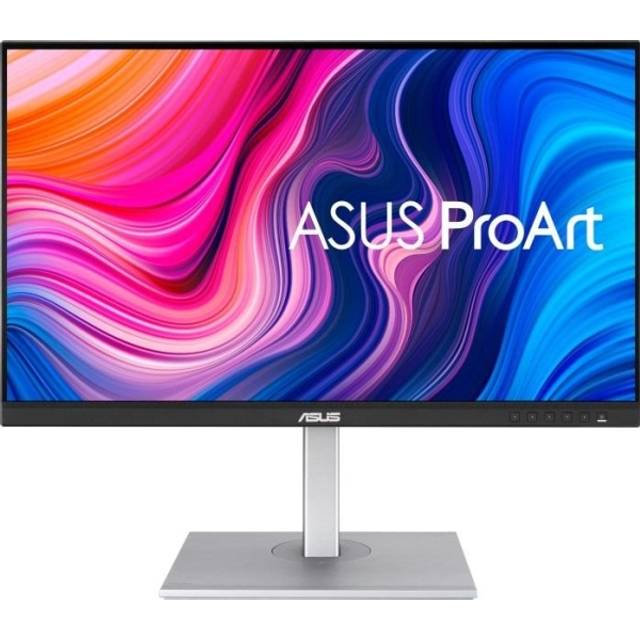
ASUS ProArt PA27JCV

ASUS ProArt PA27JCV

5(1 rating)
See all prices and details
Pros
  • 5K resolution gives very sharp text and fine detail
  • Wide gamut with factory calibration and a Delta E < 2 report in the box
  • One USB-C cable carries video, data and 96W charging
  • Auto KVM switches keyboard and mouse between two computers
  • Full ergonomic stand with pivot and height adjustment
Cons
  • 60 Hz only, so less smooth for motion and casual gaming
  • No built-in speakers
  • 5K at 27 inches needs display scaling, and some apps scale poorly
  • Demands a strong GPU or a laptop that drives 5K over USB-C
ASUS
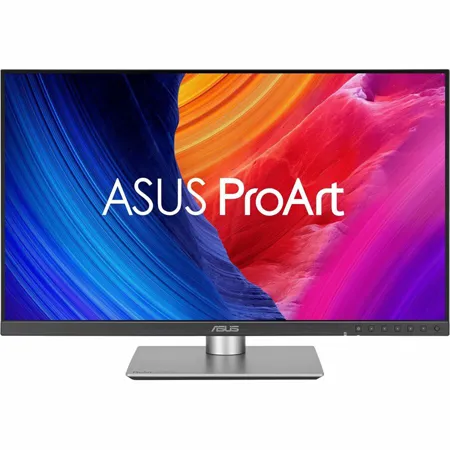
ASUS ProArt Display PA278CV 27" Monitor

ASUS ProArt Display PA278CV

ASUS ProArt Display PA278CV 27" Monitor

4.6(363 ratings)
$135.00at vipoutlet.comChecked Nov 10
See all prices and details
Visit vipoutlet.com
Pros
  • 1440p is easy to drive and comfortable at native size without scaling
  • 75 Hz feels slightly smoother than 60 Hz for scrolling and cursor motion
  • Built-in speakers and a headphone jack cut cable clutter
  • 4.6 out of 5 from 363 ratings shows a long, consistent owner record
  • Energy Star and EPEAT registered
Cons
  • 1440p at 27 inches is noticeably softer than 5K for text and fine detail
  • Narrower color coverage, no Calman verification or per-unit calibration report
  • 350 nits is dimmer and there is no meaningful HDR
  • Lower USB-C power delivery, so it charges laptops more slowly

What separates them

ASUS ProArt PA27JCVASUS ProArt Display PA278CV
Resolution and pixel density5120 x 2880, 218 ppi2560 x 1440, about 109 ppi
Color coverage99% DCI-P3, 100% sRGB, 95% Adobe RGB, Calman Verified, factory Delta E < 2sRGB-class IPS panel, no listed wide-gamut or calibration claims
Brightness and HDR500 nits peak, HDR support350 nits, no HDR claim
USB-C power deliveryUSB-C with DisplayPort and 96W power delivery, plus USB hubUSB-C present, lower power delivery, 4 USB ports total
Refresh rate60 Hz with Adaptive-Sync75 Hz
SpeakersNot listedBuilt-in speakers, headphone out
ErgonomicsTilt, swivel, pivot, height adjustment, VESATilt, swivel, pivot, height adjustment, VESA
Owner feedbackNewer model, limited owner history4.6 out of 5 from 363 ratings

Price history

$599.00$135.00
Nov 10Nov 20
  • ASUS ProArt PA27JCV: lowest $599.00 on Nov 19.
  • ASUS ProArt Display PA278CV: lowest $135.00 on Nov 10 at vipoutlet.com; $239.00 on Nov 20.

Prices at every store

ASUS ProArt PA27JCV

No priced offers right now.

Prices and history →

ASUS ProArt Display PA278CV

  • vipoutlet.comNew

    In stock

    $135.00Checked Nov 10
    Visit vipoutlet.com
  • WalmartNew

    In stockSold by Newegg Inc.Returns: Sold by a Walmart Marketplace seller; returns go to the seller under the seller's returns policy.

    $219.99Free shippingChecked 1 h ago
    Visit Walmart
  • B&H Photo-Video-AudioNew

    Availability unknown

    $219.00Checked 3 h ago
    Visit B&H Photo-Video-Audio
  • AmazonNew

    Availability unknown

    As an Amazon Associate, Deal.ai earns from qualifying purchases.

    $219.00Free shippingChecked 3 h ago
    Visit Amazon

Store links may earn us a commission.

All 31 stores and price history →

Specs compared

SpecASUS ProArt PA27JCVASUS ProArt Display PA278CV
Size27 inches27 in
ResolutionUHD 5K (5120 x 2880) at 60 Hz2560 x 1440
Brightness500 nits peak brightness350 cd/m²
Color Depth10-bit with FRC8 Bit
Connector TypeUSB-C, HDMIHDMI, DisplayPort, USB-C
Response Time5ms (GTG)5 milliseconds
Display TypeIPS, LEDLED
Maximum Refresh Rate60 Hz75 Hz
Aspect Ratio16:916:9
Panel TypeIPSIPS
Horizontal Viewing Angle178°178 degrees
Vertical Viewing Angle178°178 degrees
Show all 40 specsShow fewer specs
SpecASUS ProArt PA27JCVASUS ProArt Display PA278CV
Color Accuracy100% sRGB (claimed) and 99% DCI-P3 (claimed)—
HD Format5K—
Horizontal Resolution5120 pixels—
Vertical Resolution2880 pixels—
Number Of HDMI Ports1—
Number Of USB Ports3 (USB 3.2 Gen 1 Type-A)—
HDCP CompatibleYes—
GTG Response Time5 ms—
Max Brightness500 cd/㎡ (HDR, Peak)—

What reviewers say

ASUS ProArt Display PA278CV

  • 4.6 / 5363 ratings

Reviewers and owners widely praise the PA278CV for its accurate colors, USB-C convenience, and solid build quality. Many find it an excellent value for creative work, though some note the modest refresh rate and average contrast.

What people mention
  • Color accuracyPraisedUsers consistently report that colors are accurate and consistent with the factory calibration.
  • USB-C connectivityPraisedThe USB-C port with 65W power delivery is frequently highlighted as a convenient single-cable solution for laptops.
  • Build qualityPraisedThe monitor feels well-built and the stand is sturdy with smooth adjustments.
  • Refresh rateMixedSome users wish for a higher refresh rate for smoother motion, but most find 75Hz adequate for productivity.

Questions and answers

Which is better for photo and video editing?
The PA27JCV. Its 5K panel, 99% DCI-P3 coverage and factory Delta E < 2 calibration matter for color-critical work. The PA278CV is fine for casual edits but its gamut and accuracy are narrower.
Is the 5K screen worth stepping up to from 1440p?
If you read a lot of text or retouch fine detail, yes. 218 ppi versus about 109 ppi is a visible jump in sharpness. If you mainly write documents and browse, 1440p at 27 inches is adequate.
Which lasts longer?
Both use IPS panels with LED backlights and similar 5 ms response times, and neither has a clear durability edge. The PA278CV has the longer track record, with 4.6 out of 5 from 363 ratings.
Can I use either with a MacBook over one cable?
Yes. The PA27JCV's USB-C carries DisplayPort, data and 96W charging, enough for most 14-inch laptops. The PA278CV also has USB-C but delivers less power, so check your laptop's charging needs.
Which is better for gaming?
Neither is a gaming monitor. The PA278CV's 75 Hz is slightly smoother than the PA27JCV's 60 Hz, but both have 5 ms response times and no high refresh rate.
Do I need a special cable or GPU for the 5K model?
You need a source that supports 5K at 60 Hz over USB-C DisplayPort or HDMI. Many recent laptops handle it; older machines may drop to a lower resolution.

Ask our shopping agent

It checks today's price at every store, compares the alternatives and answers in about a minute.

Enter to send, Shift+Enter for a new line

More comparisons

  • ASUS ProArt PA27JCV vs ASUS ProArt PA279CRV
  • ASUS ProArt PA279CRV vs ASUS ProArt Display PA278CV 27" Monitor
  • ASUS ProArt PA27JCV vs Asus ProArt PA248QFV 24" Class WUXGA LED Monitor
  • ASUS ProArt Display PA278CV 27" Monitor vs Asus ProArt PA248QFV 24" Class WUXGA LED Monitor

Buying guides that pick them

  • Best monitors for creative work
Sync Technology
Adaptive-Sync
—
Backlight TechnologyLED—
Display HighlightsHDR support—
Display Viewing Angle178° wide viewing angle—
Color Support100% sRGB—
Pixel Density218 ppi—
Pixel Per Inch218 ppi—
With Speakers—Yes
Energy Star—Yes
EPEAT-Registered—Yes
Weight—18.5 lb weight
Weight With Stand (lb)—18.519
3.5 mm In (AUX)—No
HDMI Ports—1
No. of USB (total) (pcs)—4
Depth Without Stand (")—2.1
Tiltable—Yes
VGA Ports—No
Curved Screen—No