StoreDeal.ai store
Shop
  • Deals
  • Deal checker
  • Black Friday
  • Buying guides
  • Brands
  • Stores
Travel
  • Flight deals
  • Hotel deals
Company
  • Research
  • Press
  • Use in AI assistants
  • Contact
  • deal.ai apps
Black Friday 2026
  • Walmart
  • Best Buy
  • Target
  • TVs
  • Laptops
  • Headphones
  • Apple
  • Gaming
  • Vacuums
  • Kitchen
  • Toys
  • Smartwatches
  • Tablets
  • Furniture
  • Mattresses
© Deal.ai Inc.·2222 Ponce de Leon Blvd, Miami, FL 33134·support@deal.ai
TermsPrivacy
Deal.ai › Compare

Dell UltraSharp 32 4K Thunderbolt Hub Monitor vs Dell Alienware AW3225QF

Buy the UltraSharp U3225QE for mixed work: text, spreadsheets, coding and video calls. Its IPS Black panel holds 3,000:1 contrast without burn-in risk, and the Thunderbolt 4 hub with 140W power delivery and 2.5GbE Ethernet replaces a dock. Buy the Alienware AW3225QF for gaming and dark-room media. Its QD-OLED panel gives near-infinite contrast, 240Hz and 0.03ms response, and owners rate it 4.5 out of 5. The UltraSharp is the safer long-term desk monitor; the Alienware is the faster, punchier screen with burn-in care required.

  • Choose the UltraSharp U3225QE if you want one cable to a laptop, a built-in Ethernet dock, accurate factory-calibrated color and a panel that will not burn in.
  • Choose the Alienware AW3225QF if you play fast games or watch films in a dark room and want OLED contrast at 240Hz.

Prices

  • Dell UltraSharp 32 4K Thunderbolt Hub Monitor: $799.00 at Amazon (checked today)
  • Dell Alienware AW3225QF: $699.99 at eBay (last seen Nov 25)
  • Difference: the Dell Alienware AW3225QF is $99.01 cheaper than the Dell UltraSharp 32 4K Thunderbolt Hub Monitor at the latest prices (Nov 25 and Nov 26)
Dell
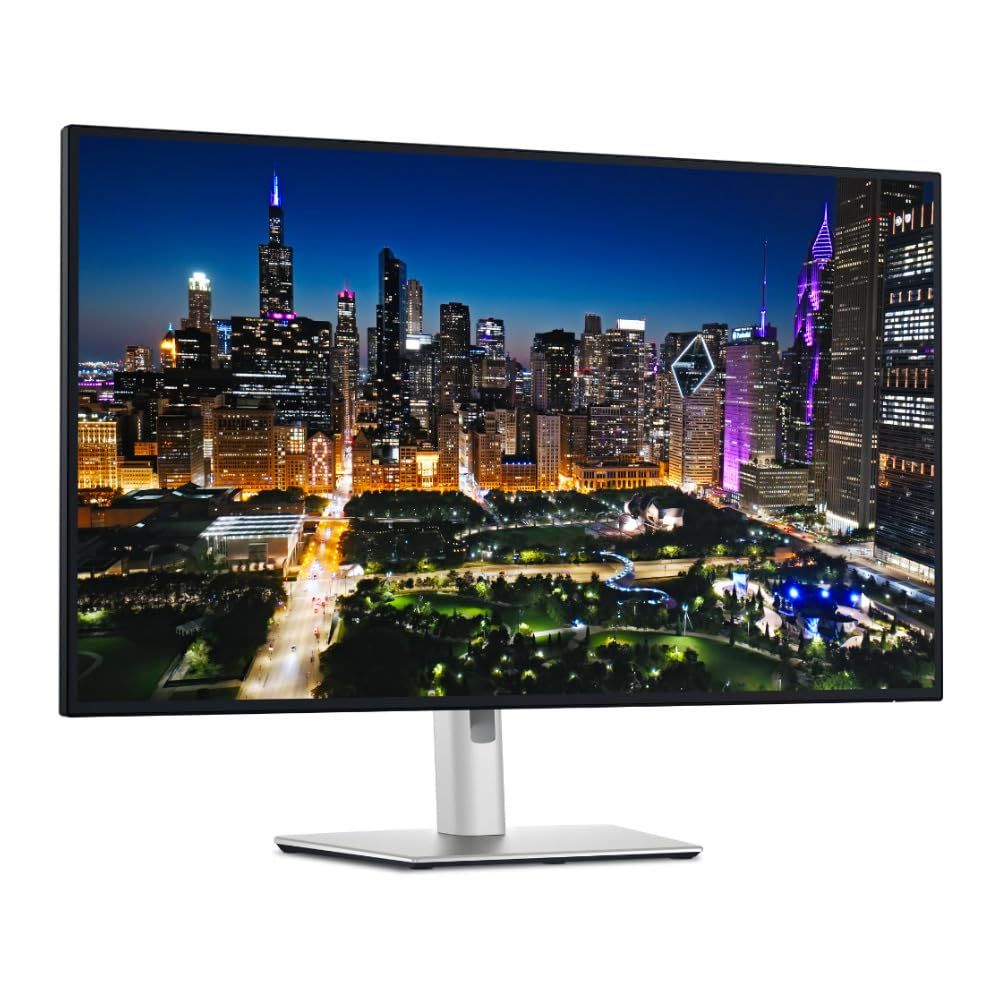
Dell UltraSharp 32 4K Thunderbolt Hub Monitor (U3225QE)

Dell UltraSharp 32 4K Thunderbolt Hub Monitor

Dell UltraSharp 32 4K Thunderbolt Hub Monitor (U3225QE)

5(1 rating)
$799.00at AmazonChecked 18 h ago
See all prices and details
Visit Amazon

Store links may earn us a commission. As an Amazon Associate, Deal.ai earns from qualifying purchases.

Pros
  • Thunderbolt 4 hub with 140W charging and 2.5GbE Ethernet in one cable
  • IPS Black gives 3,000:1 contrast, double typical IPS
  • Factory-calibrated, 99% DCI-P3 color
  • Full height, tilt, swivel and pivot adjustment
  • No burn-in risk for static toolbars
Cons
  • 120Hz is modest next to a 240Hz gaming panel
  • 5ms response is slow for competitive play
  • LCD blacks still trail OLED in a dark room
  • Heavy at about 9.3 kg
Dell
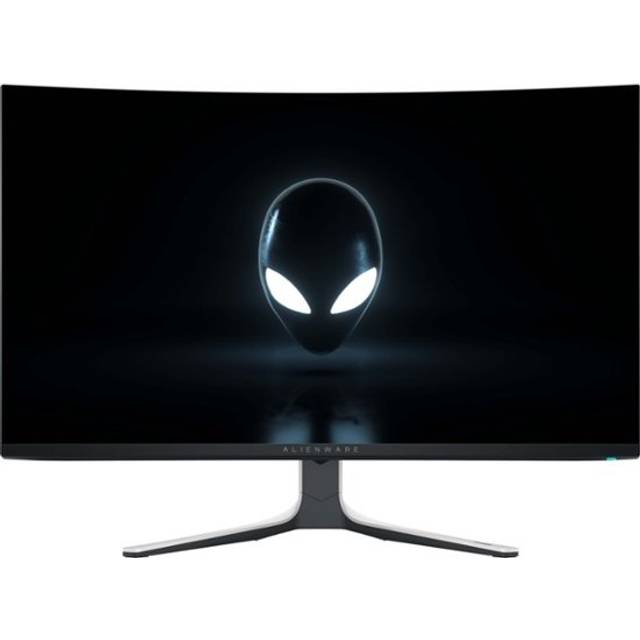
Dell Alienware AW3225QF

Dell Alienware AW3225QF

4.5(153 ratings)
$699.99at eBayChecked 20 h ago
See all prices and details
Visit eBay

Store links may earn us a commission.

Pros
  • QD-OLED contrast with true blacks
  • 240Hz and 0.03ms for fast games
  • 4K at 32 inches keeps text sharp
  • Two HDMI 2.1 ports suit consoles
  • Rated 4.5 out of 5 by 153 owners
Cons
  • No USB-C power delivery or Ethernet, so no one-cable dock
  • Curved screen can distort straight lines for design work
  • OLED burn-in risk with static taskbars
  • No pivot, so no portrait mode
  • Matte coating softens the OLED glow slightly

What separates them

Dell UltraSharp 32 4K Thunderbolt Hub MonitorDell Alienware AW3225QF
PanelIPS Black LCD, 3,000:1 contrastQD-OLED, effectively infinite contrast
Refresh rate120Hz240Hz
Response time5ms GTG (Fast)0.03ms
USB-C power deliveryUp to 140W over Thunderbolt 4None
Ethernet2.5GbE RJ45 built inNone
Screen shapeFlatCurved
Burn-in riskNone typical of LCDOLED can retain static images
Stand adjustment150mm height, tilt, swivel, pivotHeight and tilt only, no pivot

Price history

$1,051.99$699.99
Nov 9Nov 26
  • Dell UltraSharp 32 4K Thunderbolt Hub Monitor: lowest $789.00 on Nov 9 at Amazon; $799.00 on Nov 26.
  • Dell Alienware AW3225QF: lowest $699.99 on Nov 20 at Best Buy; $699.99 on Nov 26.

Prices at every store

Dell UltraSharp 32 4K Thunderbolt Hub Monitor

  • AmazonNew

    Availability unknown

    As an Amazon Associate, Deal.ai earns from qualifying purchases.

    $799.00+ $129.66 shippingChecked 18 h ago
    Visit Amazon

Store links may earn us a commission.

Prices and history →

Dell Alienware AW3225QF

  • Best BuyNew

    In stock

    $699.99Free shippingChecked 45 min ago
    Visit Best Buy
  • Dell Home & Home OfficeNew

    In stock

    $699.99Free shippingChecked 45 min ago
    Visit Dell Home & Home Office
  • NeweggNew

    In stock

    $949.99Free shippingChecked 45 min ago
    Visit Newegg
  • eBayNew

    Availability unknownSold by dell (97.8% positive, 30,800 ratings)Returns: Set by the eBay seller; the eBay Money Back Guarantee covers an item that doesn't arrive or isn't as described.

    $699.99Free shippingChecked 20 h ago
    Visit eBay

Store links may earn us a commission. Some prices via Klarna.

All 8 stores and price history →

Specs compared

SpecDell UltraSharp 32 4K Thunderbolt Hub MonitorDell Alienware AW3225QF
Resolution3840 x 21603840x2160 (4K)
Response time5ms GTG (Fast), 8ms GTG0.03 ms
DisplayPortYesYes
HDMIYesYes
colorSilverWhite
Display TypeLEDOLED
Connector TypeHDMI, DisplayPort, USB-CHDMI 2.1
HD Format4K4K
Panel TypeIPSOLED
Maximum Refresh Rate120 Hz240Hz
Screen size31.5"—
Refresh rate120Hz—
Show all 40 specsShow fewer specs
SpecDell UltraSharp 32 4K Thunderbolt Hub MonitorDell Alienware AW3225QF
Panel technologyIPS Black—
Contrast ratio3,000:1—
Brightness450 cd/m2, 600 cd/m2—
USB-C power deliveryUp to 140W EPR—
Ethernet portRJ45 Ethernet port, 2.5GbE—
Weight9.34 kg—
Maximum adjustable height150 mm—
Refresh Rate (Hz)120—
USB TypeUSB-C—
Energy Star

What reviewers say

Dell UltraSharp 32 4K Thunderbolt Hub Monitor

Owners and reviewers treat the U3225QE as a strong do-everything work monitor. The single-cable Thunderbolt setup and the 120Hz IPS Black panel draw the most praise. Complaints center on weight, the lack of speakers and the premium over plain 4K screens.

What people mention
  • ContrastPraisedOwners say the IPS Black panel gives deeper blacks and less glow than standard IPS monitors.
  • Refresh ratePraisedReviewers note the 120Hz refresh rate makes scrolling and cursor movement smoother than 60Hz work screens.
  • ConnectivityPraisedUsers like running video, data, Ethernet and charging through one Thunderbolt 4 cable.
  • WeightCriticisedSome owners find the monitor heavy and awkward to lift onto a stand or arm.

Dell Alienware AW3225QF

  • 4.5 / 5153 ratings

Owners rate it highly for its 4K OLED picture, deep blacks and fast 240 Hz motion. Complaints center on the curve, the matte finish and OLED maintenance habits rather than performance.

What people mention
  • Picture qualityPraisedOwners call the QD-OLED image vivid with deep blacks and strong contrast.
  • MotionPraisedThe 240 Hz refresh makes fast games look smooth and clear.
  • CurveMixedSome like the wrap-around feel; others would prefer a flat panel.
Reviews
  • Best 4k Monitors
  • Best 4k Monitors - The reviews on this page have been selected by our editors, but have been optimized by our commerce team
  • The Best 4K Monitors for 2026

Questions and answers

Which is better for office work and coding?
The UltraSharp. Its flat IPS Black panel keeps text crisp, it pivots to portrait, and one Thunderbolt cable carries video, data, 140W charging and 2.5GbE Ethernet. The Alienware's curve and OLED subpixels are less ideal for long text sessions.
Which is better for gaming?
The Alienware. 240Hz, 0.03ms response and OLED contrast beat the UltraSharp's 120Hz and 5ms. The UltraSharp is fine for casual play but not competitive shooters.
Does the Alienware work as a laptop dock?
No. It has no USB-C power delivery and no Ethernet, so you still need a separate dock or hub. The UltraSharp replaces that dock.
Will the OLED screen burn in?
It can with static content such as taskbars and docked windows over long sessions. Use screen savers, hide the taskbar and let pixel refresh run. The UltraSharp's LCD has no such risk.
Is the UltraSharp worth stepping up to over a basic 4K monitor?
Yes if you use a laptop. The Thunderbolt 4 hub, 140W charging, 2.5GbE Ethernet and calibrated IPS Black panel do work a plain 4K panel cannot.
Which lasts longer?
The UltraSharp is the safer bet for years of static desktop work. OLED brightness fades gradually with use, so the Alienware suits mixed gaming and media more than all-day spreadsheets.

Ask our shopping agent

It checks today's price at every store, compares the alternatives and answers in about a minute.

Enter to send, Shift+Enter for a new line

More comparisons

  • Samsung 32" Odyssey QD-OLED G8 G81SF 4K 240Hz Gaming Monitor vs Dell UltraSharp 32 4K Thunderbolt Hub Monitor (U3225QE)
  • LG 34 inch UltraGear 1440p 240 Hz OLED 800R Curved Gaming Monitor vs Dell Alienware AW3225QF
  • Samsung Odyssey OLED G9 vs Dell Alienware AW3225QF
  • Samsung 32" Odyssey QD-OLED G8 G81SF 4K 240Hz Gaming Monitor vs Dell Alienware AW3225QF
  • Dell UltraSharp U2723QE 27" 4K USB-C Hub Monitor vs Dell UltraSharp 32 4K Thunderbolt Hub Monitor (U3225QE)
  • Samsung ViewFinity S8 27" 4K Monitor vs Dell UltraSharp 32 4K Thunderbolt Hub Monitor (U3225QE)
  • LG UltraGear evo 39GX950B-B 38.8" 21:9 Dual Mode 5K2K 165Hz and QHD 330Hz Curved OLED HDR Gaming Monitor vs Dell Alienware AW3225QF
  • ASUS ProArt Display PA279CRV 27" 4K Monitor vs Dell UltraSharp 32 4K Thunderbolt Hub Monitor (U3225QE)

Buying guides that pick them

  • Best 4K monitors
  • Best curved 4K OLED gaming monitors
  • Best curved OLED gaming monitors
Yes
—
EPEAT-RegisteredYes—
Size32 in—
DisplayLCD—
Inputs / OutputsUSB Type-C, HDMI, DisplayPort, Thunderbolt, RJ45—
Input / Output TypeHDMI—
Assembled Product Weight30 lb—
Count Per Pack1—
Weight With Stand (lb)—13.2
3.5 mm In (AUX)—No
HDMI Ports—2
No. of USB (total) (pcs)—4
Depth Without Stand (")—4.2
HDMI Version—2.1
Tiltable—Yes
VGA Ports—No
Curved Screen—Yes
Height With Stand (")—23.0
Weight With Stand (kg)—6.0
Matte coatingMixed
A few notice slight grain on bright white backgrounds.