StoreDeal.ai store
Shop
  • Deals
  • Deal checker
  • Black Friday
  • Buying guides
  • Brands
  • Stores
Travel
  • Flight deals
  • Hotel deals
Company
  • Research
  • Press
  • Use in AI assistants
  • Contact
  • deal.ai apps
Black Friday 2026
  • Walmart
  • Best Buy
  • Target
  • TVs
  • Laptops
  • Headphones
  • Apple
  • Gaming
  • Vacuums
  • Kitchen
  • Toys
  • Smartwatches
  • Tablets
  • Furniture
  • Mattresses
© Deal.ai Inc.·2222 Ponce de Leon Blvd, Miami, FL 33134·support@deal.ai
TermsPrivacy
Deal.ai › Compare

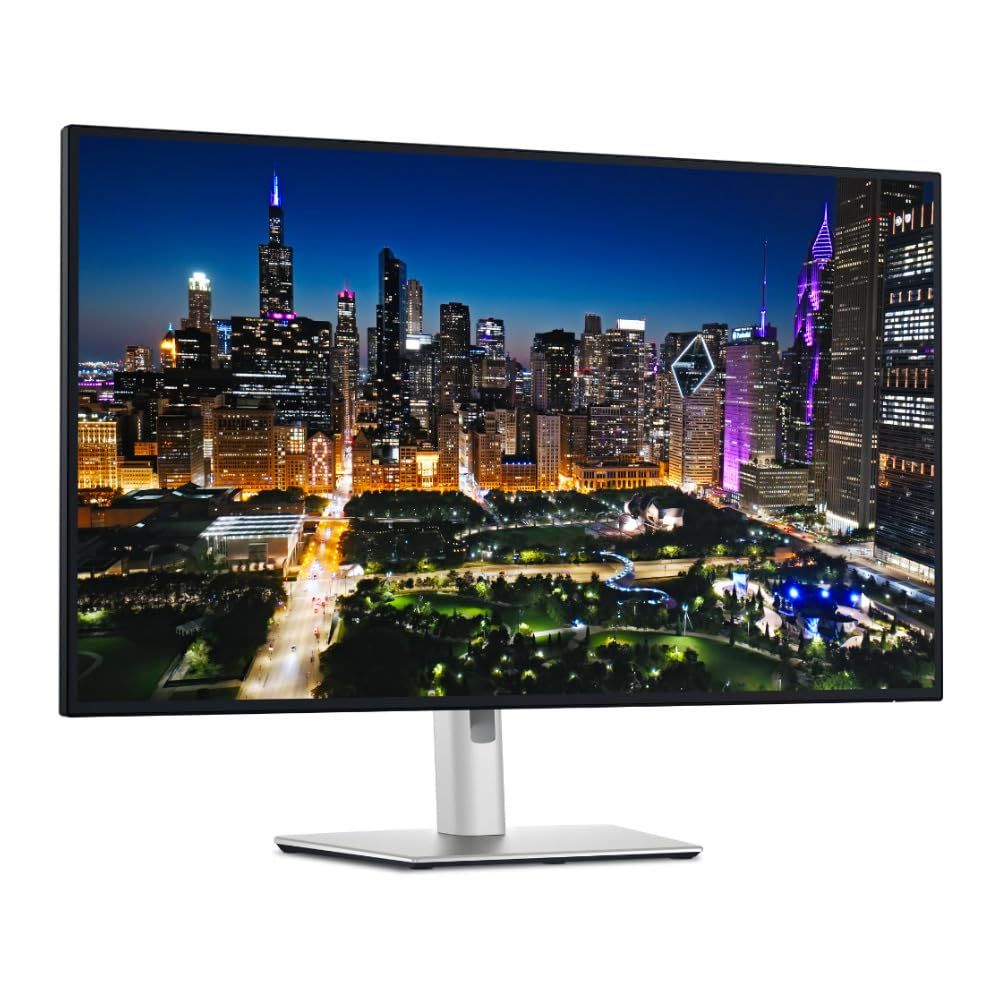
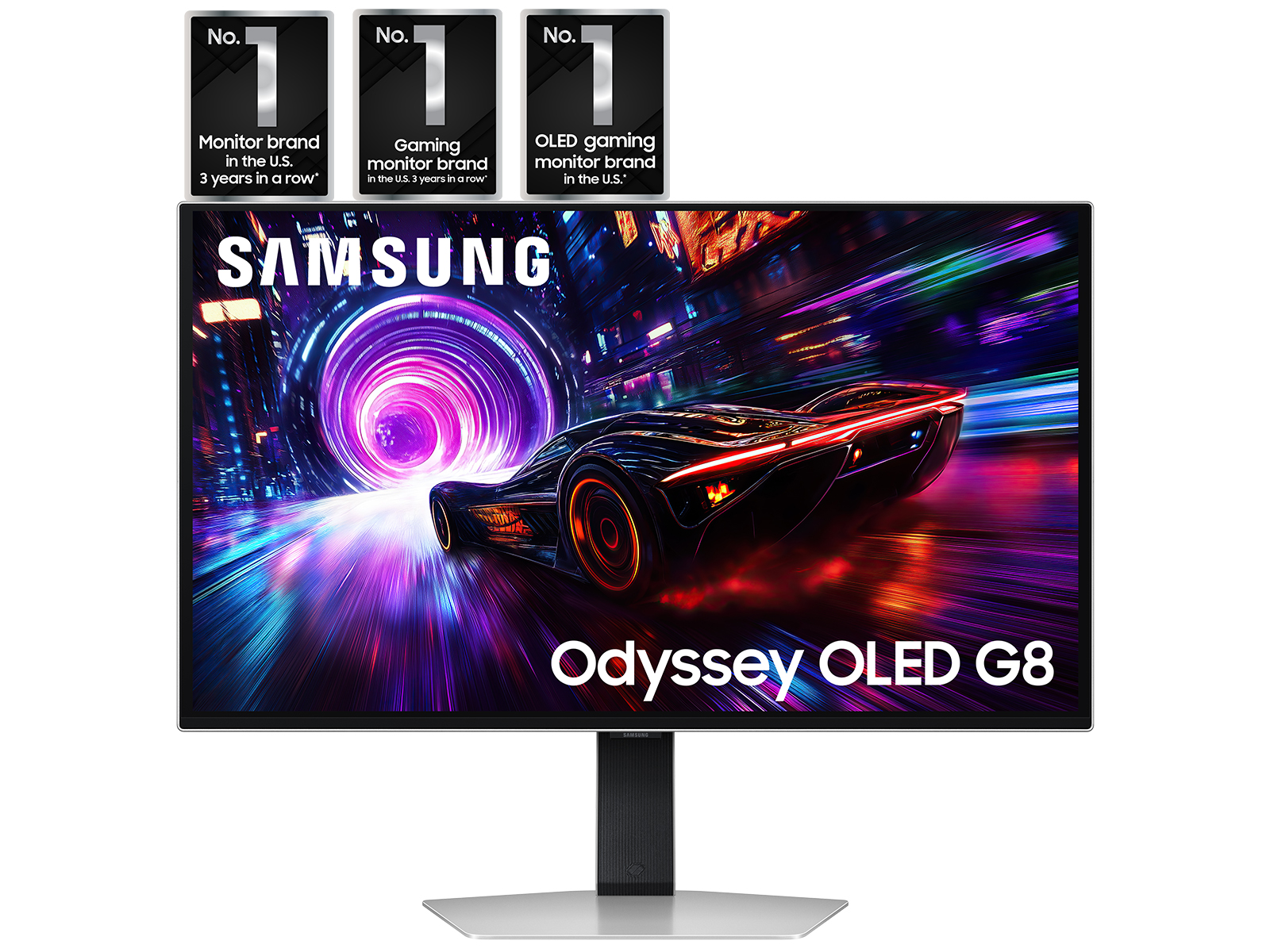
Samsung Odyssey OLED G8 32" 4K Gaming Monitor vs Dell UltraSharp 32 4K Thunderbolt Hub Monitor

Buy the Samsung Odyssey G8 if gaming is the point: QD-OLED gives near-instant 0.03ms response, true blacks and 240Hz, and owners rate it 4.7/5. Buy the Dell UltraSharp U3225QE if you work on one screen all day and want a Thunderbolt 4 hub, 140W laptop charging, 2.5GbE Ethernet and factory-calibrated IPS Black color. The Dell is the better all-round work monitor; the Samsung is the better gaming monitor, and neither replaces the other.

  • Choose the Samsung Odyssey G8 if you want a 4K OLED panel at 240Hz for fast games and deep blacks in a dark room.
  • Choose the Dell UltraSharp U3225QE if you dock a laptop over one Thunderbolt cable and need accurate color and static-image safety for long workdays.

Prices

  • Samsung Odyssey OLED G8 32" 4K Gaming Monitor: $773.10 at Walts TV (last seen Nov 18)
  • Dell UltraSharp 32 4K Thunderbolt Hub Monitor: $799.00 at Amazon (checked today)
  • Difference: the Samsung Odyssey OLED G8 32" 4K Gaming Monitor is $25.90 cheaper than the Dell UltraSharp 32 4K Thunderbolt Hub Monitor at the latest prices (Nov 18 and Nov 26)
Samsung
Samsung 32" Odyssey QD-OLED G8 G81SF 4K 240Hz Gaming Monitor

Samsung Odyssey OLED G8 32" 4K Gaming Monitor

Samsung 32" Odyssey QD-OLED G8 G81SF 4K 240Hz Gaming Monitor

4.7(196 ratings)
$773.10at Walts TVChecked Nov 18
See all prices and details
Visit Walts TV
Pros
  • 240Hz QD-OLED with 0.03ms response is the smoothest motion here
  • True blacks and DisplayHDR True Black 400 for HDR games and film
  • Glare Free coating cuts reflections without a heavy purple tint
  • FreeSync Premium Pro and G-Sync Compatible
  • Burn-in safeguards: logo and taskbar detection, Dynamic Cooling
Cons
  • Lower full-screen brightness than the Dell, weaker in a bright office
  • OLED can drift over years of static desktop content despite safeguards
  • No USB-C power delivery or Ethernet, so no single-cable laptop dock
  • Text clarity is good but not as crisp as a good IPS panel
Dell
Dell UltraSharp 32 4K Thunderbolt Hub Monitor (U3225QE)

Dell UltraSharp 32 4K Thunderbolt Hub Monitor

Dell UltraSharp 32 4K Thunderbolt Hub Monitor (U3225QE)

5(1 rating)
$799.00at AmazonChecked 18 h ago
See all prices and details
Visit Amazon

Store links may earn us a commission. As an Amazon Associate, Deal.ai earns from qualifying purchases.

Pros
  • Thunderbolt 4 hub with 140W charging and 2.5GbE in one cable
  • Factory-calibrated 99% DCI-P3 color for photo and video work
  • 450 cd/m² typical brightness handles bright rooms
  • IPS Black gives 3,000:1 contrast, double typical IPS
  • No burn-in risk, plus ComfortView Plus and an ambient light sensor
Cons
  • 120Hz and 5ms response trail the Samsung for fast games
  • LCD blacks look gray next to OLED in a dark room
  • Heavy at 9.34kg and bulky for a dual-monitor desk
  • Overkill for pure gaming, where the panel is the weaker part

What separates them

Samsung Odyssey OLED G8 32" 4K Gaming MonitorDell UltraSharp 32 4K Thunderbolt Hub Monitor
Panel technologyQD-OLED with per-pixel light and true blacksIPS Black LCD with 3,000:1 contrast
Refresh rate and response240Hz, 0.03ms GtG120Hz, 5ms GtG in Fast mode
Peak brightness260 cd/m², DisplayHDR True Black 400450 cd/m² typical, 600 cd/m² peak
Connectivity and dockingHDMI and DisplayPort, USB hubThunderbolt 4, USB-C with 140W power delivery, 2.5GbE RJ45
Color accuracy out of the boxWide quantum-dot color, tuned for gamingFactory-calibrated, 99% DCI-P3
Static-image careLogo and taskbar detection, thermal modulation, Dynamic CoolingNo burn-in risk on LCD; ambient light sensor and ComfortView Plus
Ergonomics and mountingErgonomic stand, VESA compatible, slim metal body150mm height adjustment, VESA compatible, 9.34kg
Best-fit useFast games, HDR media, dark roomsSpreadsheets, code, photo and video editing, docking

Price history

$1,299.99$773.10
Nov 9Nov 26
  • Samsung Odyssey OLED G8 32" 4K Gaming Monitor: lowest $773.10 on Nov 12 at Walts TV; $899.99 on Nov 26.
  • Dell UltraSharp 32 4K Thunderbolt Hub Monitor: lowest $789.00 on Nov 9 at Amazon; $799.00 on Nov 26.

Prices at every store

Samsung Odyssey OLED G8 32" 4K Gaming Monitor

  • Walts TVNew

    In stock

    $773.10Free shippingChecked Nov 18
    Visit Walts TV
  • WalmartNew

    In stockSold by Walts TVReturns: Sold by a Walmart Marketplace seller; returns go to the seller under the seller's returns policy.

    $859.00Free shippingChecked 1 h ago
    Visit Walmart
  • Macy'sNew

    In stock

    $859.00Free shippingChecked Nov 19
    Visit Macy's
  • Walts TVNew

    Availability unknown

    $773.10Checked Nov 18
    Visit Walts TV

Also available at

  • www.460estore.comCheck price at www.460estore.com
All 24 stores and price history →

Dell UltraSharp 32 4K Thunderbolt Hub Monitor

  • AmazonNew

    Availability unknown

    As an Amazon Associate, Deal.ai earns from qualifying purchases.

    $799.00+ $129.66 shippingChecked 18 h ago
    Visit Amazon

Store links may earn us a commission.

Prices and history →

Specs compared

SpecSamsung Odyssey OLED G8 32" 4K Gaming MonitorDell UltraSharp 32 4K Thunderbolt Hub Monitor
colorSilverSilver
Screen Size (")32.031.5"
Refresh Rate (Hz)240120
Panel TypeOLEDIPS
Resolution3840x2160 (4K)3840 x 2160
Display TypeOLEDLED
Connector TypeHDMI, DisplayPortHDMI, DisplayPort, USB-C
HD Format4K4K
Size27 in, 32 in32 in
Maximum Refresh Rate240 Hz120 Hz
Response Time0 milliseconds5ms GTG (Fast), 8ms GTG
HDMIYesYes
Show all 40 specsShow fewer specs
SpecSamsung Odyssey OLED G8 32" 4K Gaming MonitorDell UltraSharp 32 4K Thunderbolt Hub Monitor
Brightness260 cd/㎡450 cd/m2, 600 cd/m2
Refresh Rate240Hz120Hz
USBYes—
Camera (built-in)No—
VESA-MountYes—
VGANo—
TypeGaming—
Energy Consumption (Standby) (W)0.5—
DVINo—
TCO CertificationNo

What reviewers say

Samsung Odyssey OLED G8 32" 4K Gaming Monitor

  • 4.7 / 5196 ratings

Owners rate it 4.7 out of 5 and mostly praise the OLED picture, 4K sharpness and 240Hz smoothness. Criticism centers on brightness in bright rooms and on OLED care concerns.

What people mention
  • Picture qualityPraisedOwners describe deep blacks, strong contrast and vivid QD-OLED color.
  • Motion and refreshPraisedThe 240Hz refresh and 0.03ms response are called smooth and responsive for fast games.
  • BrightnessCriticisedSome say the panel is dimmer than expected in bright rooms.
  • Burn-in careMixedBuyers mention the safeguards but still worry about static logos and taskbars.

Dell UltraSharp 32 4K Thunderbolt Hub Monitor

Owners and reviewers treat the U3225QE as a strong do-everything work monitor. The single-cable Thunderbolt setup and the 120Hz IPS Black panel draw the most praise. Complaints center on weight, the lack of speakers and the premium over plain 4K screens.

What people mention
  • ContrastPraisedOwners say the IPS Black panel gives deeper blacks and less glow than standard IPS monitors.
  • Refresh ratePraisedReviewers note the 120Hz refresh rate makes scrolling and cursor movement smoother than 60Hz work screens.
  • ConnectivityPraisedUsers like running video, data, Ethernet and charging through one Thunderbolt 4 cable.
  • WeightCriticisedSome owners find the monitor heavy and awkward to lift onto a stand or arm.
Reviews
  • Best 4k Monitors
  • Best 4k Monitors - The reviews on this page have been selected by our editors, but have been optimized by our commerce team
  • The Best 4K Monitors for 2026

Questions and answers

Which is better for gaming?
The Samsung. Its 240Hz refresh and 0.03ms response make fast motion clearer, and OLED blacks help in dark scenes. The Dell's 120Hz is fine for casual play but a step behind.
Which is better for work and office use?
The Dell. One Thunderbolt 4 cable carries video, data, 2.5GbE Ethernet and up to 140W of laptop charging, and its calibrated IPS Black panel is easier on text and static windows.
Does the Samsung OLED burn in?
QD-OLED can show permanent marks after long static content, but Samsung adds logo and taskbar detection, thermal modulation and a Dynamic Cooling System to limit it. The Dell's LCD has no such risk.
Is the Dell worth stepping up to over the Samsung for a mixed home office?
If you dock a laptop and edit photos or video, yes: the hub, Ethernet and calibrated color do more for work than 240Hz. If games come first, the Samsung is the stronger screen.
Which has better brightness?
The Dell: 450 cd/m² typical and 600 cd/m² peak versus 260 cd/m² on the Samsung. The Samsung wins on contrast and blacks, not on full-screen brightness.
Can I mount either on a monitor arm?
Yes, both are VESA compatible. The Dell is much heavier at 9.34kg, so check your arm's rated load before switching.

Ask our shopping agent

It checks today's price at every store, compares the alternatives and answers in about a minute.

Enter to send, Shift+Enter for a new line

More comparisons

  • Dell UltraSharp U2723QE 27" 4K USB-C Hub Monitor vs Samsung 32" Odyssey QD-OLED G8 G81SF 4K 240Hz Gaming Monitor
  • Samsung 32" Odyssey QD-OLED G8 G81SF 4K 240Hz Gaming Monitor vs Dell Alienware AW3225QF
  • Dell UltraSharp 32 4K Thunderbolt Hub Monitor (U3225QE) vs Dell Alienware AW3225QF
  • Samsung ViewFinity S8 27" 4K Monitor vs Dell UltraSharp 32 4K Thunderbolt Hub Monitor (U3225QE)
  • Samsung 32" Odyssey QD-OLED G8 G81SF 4K 240Hz Gaming Monitor vs Asus ROG Swift PG27UCDM
  • BenQ PD3200U 32" 4K UHD Color Display Monitor vs Samsung 32" Odyssey QD-OLED G8 G81SF 4K 240Hz Gaming Monitor
  • Dell UltraSharp U2723QE 27" 4K USB-C Hub Monitor vs Dell UltraSharp 32 4K Thunderbolt Hub Monitor (U3225QE)
  • ASUS ProArt Display PA279CRV 27" 4K Monitor vs Dell UltraSharp 32 4K Thunderbolt Hub Monitor (U3225QE)

Buying guides that pick them

  • Best 4K monitors
  • Best OLED gaming monitors
  • Best curved 4K OLED gaming monitors under $650
—
HDRYes—
EPEAT RatingNo—
DVI PortsNo—
VGA PortsNo—
Power TypeExternal Adaptor—
Display PortYes—
Flat DisplayYes—
AdjustabilityYes—
Viewing Angle178/178—
Gaming FeatureYes—
Humidity Condition10~80%—
Temperature Condition10~40 ℃—
Panel technology—IPS Black
Contrast ratio—3,000:1
USB-C power delivery—Up to 140W EPR
Ethernet port—RJ45 Ethernet port, 2.5GbE
Weight—9.34 kg
Maximum adjustable height—150 mm