StoreDeal.ai store
Shop
  • Deals
  • Deal checker
  • Black Friday
  • Buying guides
  • Brands
  • Stores
Travel
  • Flight deals
  • Hotel deals
Company
  • Research
  • Press
  • Use in AI assistants
  • Contact
  • deal.ai apps
Black Friday 2026
  • Walmart
  • Best Buy
  • Target
  • TVs
  • Laptops
  • Headphones
  • Apple
  • Gaming
  • Vacuums
  • Kitchen
  • Toys
  • Smartwatches
  • Tablets
  • Furniture
  • Mattresses
© Deal.ai Inc.·2222 Ponce de Leon Blvd, Miami, FL 33134·support@deal.ai
TermsPrivacy
Deal.ai › Compare

Samsung Galaxy Chromebook Plus vs ASUS Chromebook Plus CX34

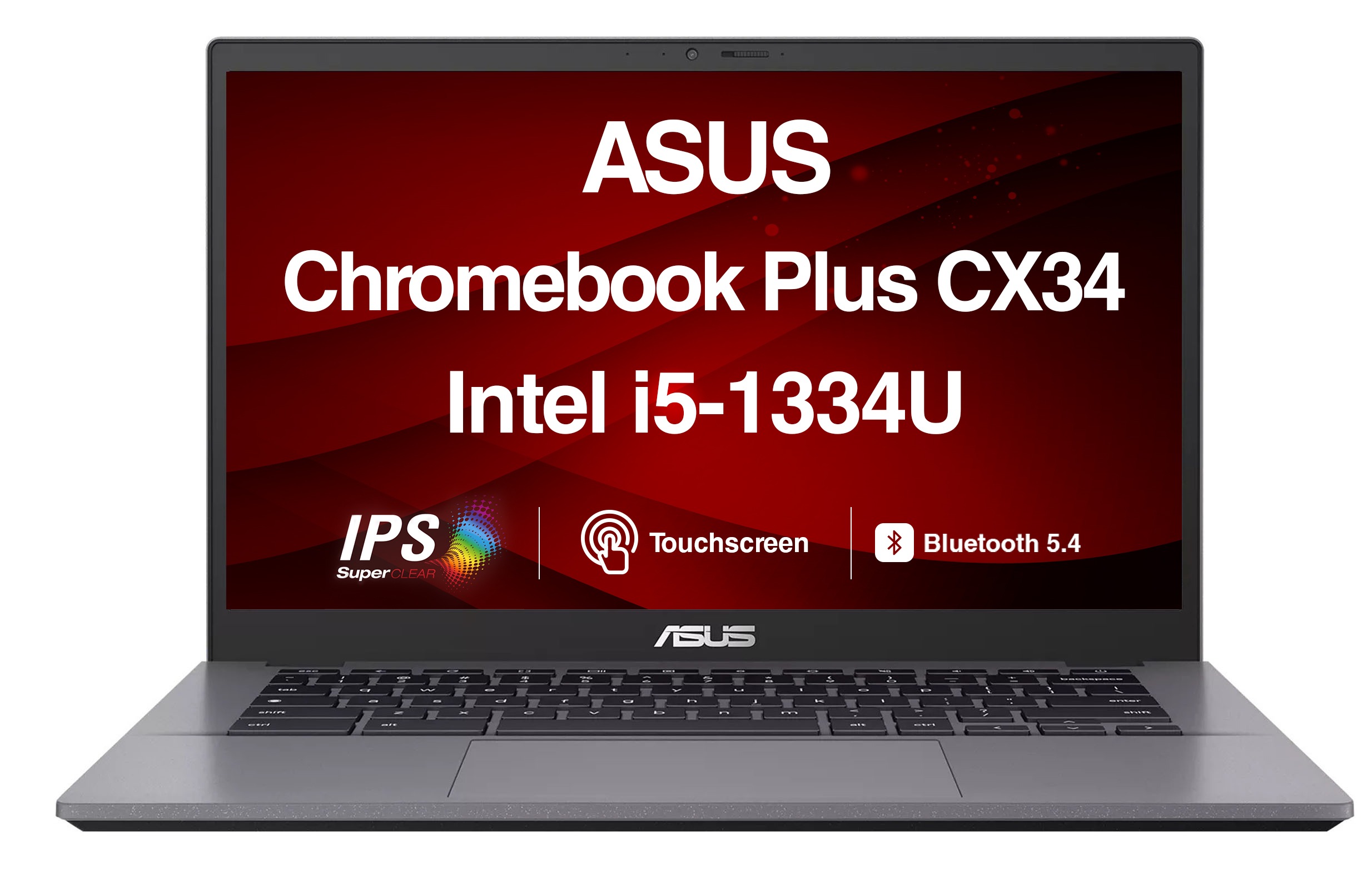
The Samsung Galaxy Chromebook Plus is the better pick for most people: a bigger 15.6-inch screen, a numpad, 256GB of storage and a thin 0.46-inch body. The ASUS Chromebook Plus CX34 is the one to take on the road, at 3.2 lb with a touchscreen and a matte 14-inch panel. Owners of the Samsung praise the keyboard, trackpad and screen and say the battery lasts a full day; ASUS buyers report solid everyday performance, though some units arrive with faint marks on the glass.

  • Choose the Samsung Galaxy Chromebook Plus if you want a large screen and a numpad for spreadsheets and schoolwork, and you mostly work at a desk.
  • Choose the ASUS Chromebook Plus CX34 if you need a light 3.2 lb laptop with a touchscreen and a no-glare display for carrying around campus or on trips.

Prices

  • Samsung Galaxy Chromebook Plus: $649.99 at eBay (last seen Nov 15)
  • ASUS Chromebook Plus CX34: $345.99 at Reno Laptop Repair (checked today)
  • Difference: the ASUS Chromebook Plus CX34 is $304.00 cheaper than the Samsung Galaxy Chromebook Plus at the latest prices (Nov 15 and Nov 19)
Samsung
Samsung Galaxy Chromebook Plus

Samsung Galaxy Chromebook Plus

4.8(378 ratings)
$649.99at eBayChecked Nov 15
See all prices and details
Visit eBay

Store links may earn us a commission.

Pros
  • Large 15.6-inch Full HD screen with a numpad
  • 256GB storage, double the ASUS
  • Very thin at 0.46 inches
  • Owners praise the keyboard, trackpad and screen
  • Battery often lasts a full day
Cons
  • No touchscreen
  • Heavier than the ASUS
  • Glossy panel picks up reflections
  • No fingerprint reader
ASUS
ASUS Chromebook Plus CX34 Touchscreen Laptop

ASUS Chromebook Plus CX34

ASUS Chromebook Plus CX34 Touchscreen Laptop

4.7(6 ratings)
$345.99at Reno Laptop RepairChecked 46 min ago
See all prices and details
Visit Reno Laptop Repair
Pros
  • Light at 3.2 lb
  • Touchscreen with a no-glare finish
  • 12th Gen Intel Core i3 with 6 cores
  • Rated 10 hours on a 50Wh battery
  • FHD 1920x1080 display
Cons
  • 128GB storage fills up fast
  • No numpad
  • No headphone jack listed
  • Some units show faint marks on the glass

What separates them

Samsung Galaxy Chromebook PlusASUS Chromebook Plus CX34
Screen size15.6 inches14 inches
TouchscreenNo touchscreenTouchscreen
GlareStandard glossy panelNo-glare screen
WeightAbout 3.5 lb (shipping weight 4.25 lb)3.2 lb
Storage256GB SSD128GB SSD
NumpadYesNo
PortsUSB-A, USB-C, HDMI, headphone jack, microSDUSB-A, USB-C, HDMI
Battery ratingOwners report a full day of useRated 10 hours, 50Wh

Price history

$747.89$189.99
Oct 31Nov 19
  • Samsung Galaxy Chromebook Plus: lowest $675.99 on Nov 7 at Best Buy; $675.99 on Nov 19.
  • ASUS Chromebook Plus CX34: lowest $189.99 on Nov 18 at Iconic; $345.99 on Nov 19.

Prices at every store

Samsung Galaxy Chromebook Plus

  • Best BuyNew

    In stock

    $675.99Free shippingChecked 21 h ago
    Visit Best Buy
  • eBayNew

    Availability unknownSold by kicks_4_you (99.9% positive, 6,700 ratings)Returns: Set by the eBay seller; the eBay Money Back Guarantee covers an item that doesn't arrive or isn't as described.

    $649.99Free shippingChecked Nov 15
    Visit eBay
  • DoorDashNew

    Availability unknownSold by Best Buy US

    $675.99Checked 21 h ago
    Visit DoorDash
  • Best BuyNew

    Availability unknown

    $675.99Free shippingChecked Nov 10
    Visit Best Buy

Store links may earn us a commission.

All 19 stores and price history →

ASUS Chromebook Plus CX34

  • Reno Laptop RepairNew

    In stock

    $345.99Checked 46 min ago
    Visit Reno Laptop Repair
  • gotlaptopparts.comNew

    Availability unknown

    $345.99Checked Nov 18
    Visit gotlaptopparts.com
  • AmazonNew

    Availability unknown

    As an Amazon Associate, Deal.ai earns from qualifying purchases.

    $455.00Free shippingChecked 21 h ago
    Visit Amazon
  • Reno Computer CoNew

    Availability unknown

    $475.00Checked Nov 8
    Visit Reno Computer Co

Also available at

  • PegasussCheck price at Pegasuss
  • PCNationCheck price at PCNation
  • Uber EatsCheck price at Uber Eats

Store links may earn us a commission.

All 26 stores and price history →

Specs compared

SpecSamsung Galaxy Chromebook PlusASUS Chromebook Plus CX34
ConnectionsUSB-A, USB-C, 1/8" Headphone Jack, HDMIUSB-C, HDMI, USB-A
Optical DriveNoneNone
ProcessorIntel Core 3Intel Core i5
Refresh Rate60Hz60Hz
SSD Size256 GB128 GB
Hard Drive TypeSSDSSD
NFCNoNo
Memory TypeLPDDR5XDDR5
NumpadYesNo
Release Year20242024
Processor Model100U120U
Operating SystemChrome OSChrome OS
Show all 40 specsShow fewer specs
SpecSamsung Galaxy Chromebook PlusASUS Chromebook Plus CX34
TouchscreenNoYes
Screen Resolution1920x1080 (Full HD)1920x1080 (Full HD)
ColorBlueGray
Screen Size (")15.614 inches
WebcamYesYes
Wi-Fi StandardWi-Fi 6E (802.11ax)Wi-Fi 6 (802.11ax)
Screen TypeAMOLEDLED
OS VersionM56 beta (Chrome OS)Chromebook Plus
Battery LifeUp to 13 hours10 hours battery life
Battery Capacity

What reviewers say

Samsung Galaxy Chromebook Plus

  • 4.8 / 5378 ratings

Owners rate it 4.8 out of 5 across 378 ratings, with praise centered on the big screen, the number pad and the port selection. Complaints are few and mostly about the non-touch 1080p panel and the modest processor.

What people mention
  • Screen sizePraisedOwners like the large 15.6-inch display for spreadsheets and split-screen work.
  • Number padPraisedThe full number pad and backlit keys are called out as useful for data entry.
  • PortsPraisedHDMI, USB-A, USB-C and microSD are all built in, so most people need no dongle.
  • Build and weightPraisedThe 0.46-inch chassis is described as thin and light for a 15.6-inch laptop.

ASUS Chromebook Plus CX34

Owner feedback on the CX34 line is generally positive, with the screen, weight and ports drawing the most praise. Complaints center on the modest memory and storage and on Chrome OS limits for users who need desktop software.

What people mention
  • DisplayPraisedOwners like the sharp 1080p anti-glare touchscreen for work and streaming.
  • WeightPraisedBuyers say 3.2 lb is easy to carry to class or between meetings.
  • PortsPraisedReviewers appreciate having USB-A, USB-C and HDMI without adapters.
  • MemoryCriticisedUsers report slowdowns once many browser tabs are open on 8 GB of RAM.
Reviews
  • The best laptops of 2026: Expert tested and reviewed - ZDNET
  • Best Student Laptop 2026: Speedy, long-lasting laptops for your studies
  • The Best Chromebooks We've Tested for 2026 - The Chromebook Plus line has consistently delivered on Chromebooks that don't skimp on capabili
  • Best Chromebook 2026: ChromeOS powered machines for all budgets
  • The best Chromebook you can buy in 2026 - Advertisement
  • The Best Laptops Under $500 for 2026

Questions and answers

Which is better for school?
The ASUS is easier to carry at 3.2 lb and its touchscreen and no-glare screen suit notes and reading. The Samsung gives you a bigger screen and more storage if the laptop mostly stays on a desk.
Which has the better screen?
The Samsung is larger at 15.6 inches. The ASUS is smaller but adds touch and a no-glare finish, which matters more in bright rooms.
Do I need the extra storage on the Samsung?
256GB against 128GB matters if you keep local files, photos or offline video. If you work mostly in the browser and cloud, 128GB is enough.
Which lasts longer on a charge?
The ASUS is rated at 10 hours on a 50Wh battery. Samsung owners report a full day of use. Real results depend on screen brightness and workload.
Is the Samsung worth stepping up to?
Yes if you want a numpad, a bigger screen and more storage in a thin body. Skip it if you need touch or a lighter bag.
Which is better for travel?
The ASUS: it is lighter and has a no-glare touchscreen. The Samsung's thin body helps, but its 15.6-inch panel takes more room.

Ask our shopping agent

It checks today's price at every store, compares the alternatives and answers in about a minute.

Enter to send, Shift+Enter for a new line

More comparisons

  • Acer Chromebook Plus Spin 514 vs ASUS Chromebook Plus CX34 Touchscreen Laptop
  • Samsung Galaxy Chromebook Plus vs Acer Chromebook Plus Spin 514
  • Acer Chromebook Plus 516 vs ASUS Chromebook Plus CX34 Touchscreen Laptop
  • Lenovo IdeaPad Slim 3 Chromebook vs ASUS Chromebook Plus CX34 Touchscreen Laptop
  • ASUS Chromebook Plus CX34 Touchscreen Laptop vs Lenovo Chromebook 14″ (14-8)
  • Samsung Galaxy Chromebook Plus vs Acer Chromebook Plus 514
  • ASUS Chromebook Plus CX34 Touchscreen Laptop vs HP Chromebook Plus x360 14″
  • ASUS Chromebook Plus CX34 Touchscreen Laptop vs Dell Inspiron 15 15.6" FHD Touchscreen Laptop

Buying guides that pick them

  • Best Chromebooks
  • Best everyday laptops
  • Best budget laptops for students
  • Best value Chromebooks with 8GB RAM
  • Best Chromebooks for everyday use
68 Wh
50WHrs
Battery Run Time13 Hours10 Hours
Battery Type4-cell3-cell
Processor BrandIntelIntel CPU
Graphics Memory8 GB VRAMShared
Number Of Processor Cores2 (Performance Cores)6 cores
Integrated GPUYesYes
Processor Clock Speed5 GHz1.2 GHz
Graphics Memory TechLPDDR5XLPDDR5
Max Turbo Speed4.7 GHz4.4 GHz
Highlighted Performance FeaturesFaster processors (Chromebook Plus models)AI-powered
Processor ChipsetRaptor Lake chipIntel
Processor Chipset FeaturesSmart Cache12th Gen (processor generation)
Cache10 MB10M Cache
BluetoothYes—
Depth (")8.89—
Backlit KeyboardYes—
Memory Card ReaderYes—
Fingerprint ReaderNo—
  • Best laptops under $1200
  • Best budget laptops for everyday use