StoreDeal.ai store
Shop
  • Deals
  • Deal checker
  • Black Friday
  • Buying guides
  • Brands
  • Stores
Travel
  • Flight deals
  • Hotel deals
Company
  • Research
  • Press
  • Use in AI assistants
  • Contact
  • deal.ai apps
Black Friday 2026
  • Walmart
  • Best Buy
  • Target
  • TVs
  • Laptops
  • Headphones
  • Apple
  • Gaming
  • Vacuums
  • Kitchen
  • Toys
  • Smartwatches
  • Tablets
  • Furniture
  • Mattresses
© Deal.ai Inc.·2222 Ponce de Leon Blvd, Miami, FL 33134·support@deal.ai
TermsPrivacy
Deal.ai › Compare

Dell UltraSharp 32 4K Thunderbolt Hub Monitor vs Dell UltraSharp U4025QW

The U3225QE is the sharper, more contrasty 32-inch 4K panel, and its 3000:1 IPS Black contrast and 600-nit peak brightness beat the U4025QW on pure image punch. The U4025QW wins on workspace: a 40-inch 5120x2160 curved screen with iMST lets you run it as two 2560x2160 halves without software, which suits traders, editors and heavy multitaskers. Both are 120Hz Thunderbolt 4 hubs with 140W power delivery and 2.5GbE Ethernet, so the choice comes down to screen shape and resolution versus contrast and sharpness. Owners rate the U4025QW highly for its immersive curve; the U3225QE is the safer pick if you want a flat, pixel-dense panel for text and detail work.

  • Choose the Dell UltraSharp 32 (U3225QE) if you want a flat, pixel-dense 4K screen with higher contrast and brightness for text, coding and photo work.
  • Choose the Dell UltraSharp U4025QW if you want a wide curved 5K canvas that can split into two virtual monitors for heavy multitasking.

Prices

  • Dell UltraSharp 32 4K Thunderbolt Hub Monitor: $799.00 at Amazon (checked today)
  • Dell UltraSharp U4025QW: $1,399.99 at Focus Camera (checked today)
  • Difference: the Dell UltraSharp 32 4K Thunderbolt Hub Monitor is $600.99 cheaper than the Dell UltraSharp U4025QW today
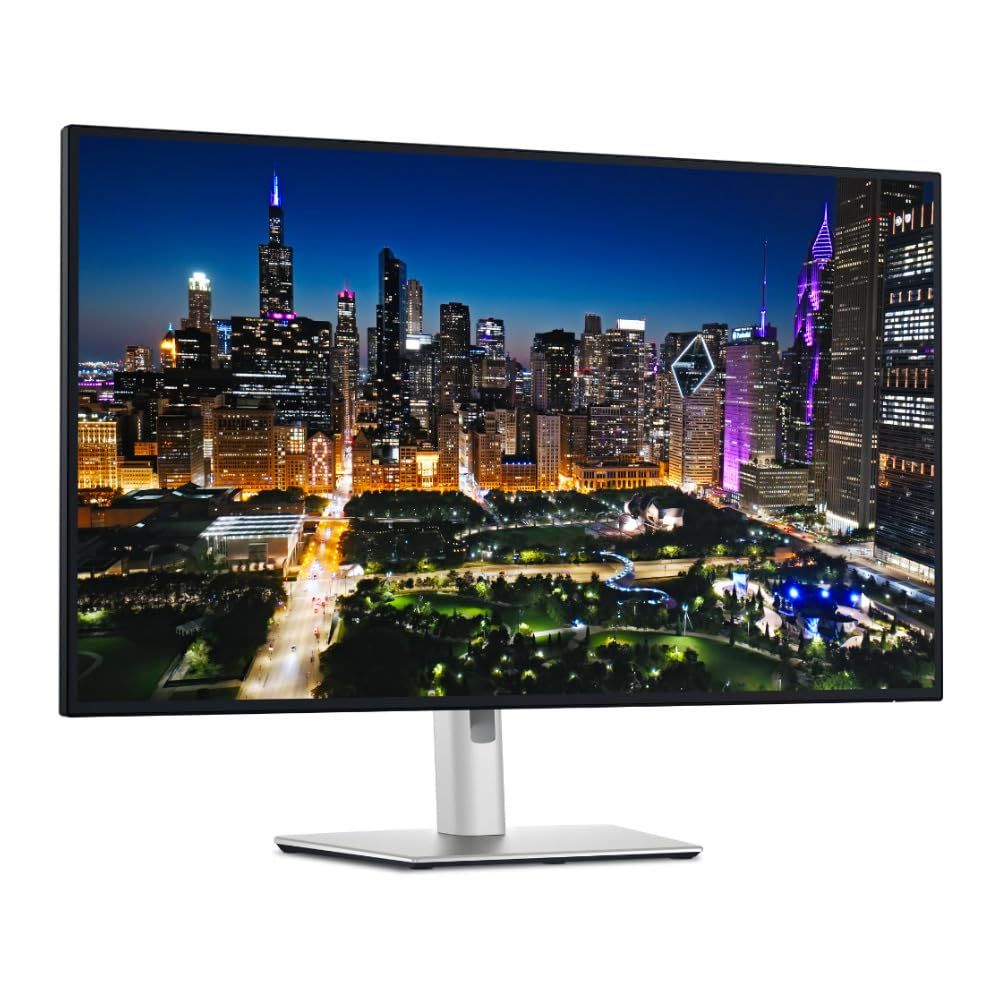
Dell
Dell UltraSharp 32 4K Thunderbolt Hub Monitor (U3225QE)

Dell UltraSharp 32 4K Thunderbolt Hub Monitor

Dell UltraSharp 32 4K Thunderbolt Hub Monitor (U3225QE)

5(1 rating)
$799.00at AmazonChecked 47 min ago
See all prices and details
Visit Amazon

Store links may earn us a commission. As an Amazon Associate, Deal.ai earns from qualifying purchases.

Pros
  • Higher 3000:1 contrast and 600-nit peak brightness
  • Flat 4K panel is sharp for text and detail work
  • 140W single-cable charging and 2.5GbE Ethernet
  • TÜV 5-star ComfortView Plus with ambient light sensor
Cons
  • Narrower canvas than the 40-inch model
  • No built-in split-screen like iMST
  • Heavier stand footprint than a smaller desk monitor
Dell
Dell UltraSharp U4025QW 40-Inch Curved Thunderbolt Hub Monitor with 5K Display

Dell UltraSharp U4025QW

Dell UltraSharp U4025QW 40-Inch Curved Thunderbolt Hub Monitor with 5K Display

4.9(11 ratings)
$1,399.99at Focus CameraChecked 49 min ago
See all prices and details
Visit Focus Camera
Pros
  • Wide 5120x2160 curved canvas suits multitasking
  • iMST splits it into two 2560x2160 virtual monitors
  • 140W power delivery and a dozen-plus ports
  • Highly rated by owners for immersion and clarity
Cons
  • Lower 2000:1 contrast than the U3225QE
  • Curve and width need more desk depth
  • Lower peak brightness

What separates them

Dell UltraSharp 32 4K Thunderbolt Hub MonitorDell UltraSharp U4025QW
Screen size and shape31.5-inch flat panel39.7-inch curved panel
Resolution3840 x 2160 (4K UHD), about 140 ppi5120 x 2160 (WUHD 5K), about 140 ppi across a wider canvas
Panel contrastIPS Black at 3000:1IPS Black at 2000:1
Brightness450 cd/m2 typical, 600 cd/m2 peakLower peak brightness than the U3225QE
MultitaskingSingle 4K desktop; dual-monitor setups need a second screeniMST splits the panel into two 2560x2160 virtual monitors with no software
Connectivity and powerThunderbolt 4 hub, 140W USB-C PD, 2.5GbE RJ45Thunderbolt 4 hub, 140W USB-C PD, RJ45 Ethernet, pop-out quick-access ports
Refresh rate and response120Hz, 5ms GTG fast mode120Hz
Color and eye comfort99% DCI-P3, TÜV 5-star ComfortView Plus with ambient light sensorDCI-P3 and Display P3, ComfortView Plus at 35% blue light, ambient light sensor

Price history

$1,051.99$789.00
Nov 9Nov 28
  • Dell UltraSharp 32 4K Thunderbolt Hub Monitor: lowest $789.00 on Nov 9 at Amazon; $799.00 on Nov 28.

Prices at every store

Dell UltraSharp 32 4K Thunderbolt Hub Monitor

  • AmazonNew

    Availability unknown

    As an Amazon Associate, Deal.ai earns from qualifying purchases.

    $799.00Free shippingChecked 47 min ago
    Visit Amazon

Also available at

  • Lowe'sCheck price at Lowe's
  • BarcodesIncCheck price at BarcodesInc
  • Fishpond.comCheck price at Fishpond.com

Store links may earn us a commission.

Prices and history →

Dell UltraSharp U4025QW

  • Focus CameraNew

    In stockReturn policy

    $1,399.99Checked 49 min ago
    Visit Focus Camera
  • Network Devices Inc.New

    In stockReturn policy

    $1,425.00Checked 1 h ago
    Visit Network Devices Inc.
  • Beach CameraNew

    In stockReturn policy

    $1,639.00Checked 1 h ago
    Visit Beach Camera
  • TeciSoftNew

    In stockReturn policy

    $1,640.93Checked 1 h ago
    Visit TeciSoft
All 7 stores and price history →

Specs compared

SpecDell UltraSharp 32 4K Thunderbolt Hub MonitorDell UltraSharp U4025QW
Screen size31.5"—
Resolution3840 x 2160—
Refresh rate120Hz—
Panel technologyIPS Black—
Contrast ratio3,000:1—
Brightness450 cd/m2, 600 cd/m2—
Response time5ms GTG (Fast), 8ms GTG—
USB-C power deliveryUp to 140W EPR—
Ethernet portRJ45 Ethernet port, 2.5GbE—
Weight9.34 kg—
Maximum adjustable height150 mm—
Refresh Rate (Hz)120—
Show all 34 specsShow fewer specs
SpecDell UltraSharp 32 4K Thunderbolt Hub MonitorDell UltraSharp U4025QW
USB TypeUSB-C—
DisplayPortYes—
HDMIYes—
colorSilver—
Display TypeLED—
Connector TypeHDMI, DisplayPort, USB-C—
HD Format4K—
Energy StarYes—
Panel TypeIPS—
EPEAT-RegisteredYes—

What reviewers say

Dell UltraSharp 32 4K Thunderbolt Hub Monitor

Owners and reviewers treat the U3225QE as a strong do-everything work monitor. The single-cable Thunderbolt setup and the 120Hz IPS Black panel draw the most praise. Complaints center on weight, the lack of speakers and the premium over plain 4K screens.

What people mention
  • ContrastPraisedOwners say the IPS Black panel gives deeper blacks and less glow than standard IPS monitors.
  • Refresh ratePraisedReviewers note the 120Hz refresh rate makes scrolling and cursor movement smoother than 60Hz work screens.
  • ConnectivityPraisedUsers like running video, data, Ethernet and charging through one Thunderbolt 4 cable.
  • WeightCriticisedSome owners find the monitor heavy and awkward to lift onto a stand or arm.

Dell UltraSharp U4025QW

  • 4.9 / 511 ratings

Owners rate it 4.9 out of 5 and mostly praise the wide 5K canvas, the one-cable Thunderbolt hub and the smooth 120Hz motion. Complaints are few and center on its size and the premium tier it sits in.

What people mention
  • Screen sizePraisedOwners like the wide 40-inch canvas for fitting several windows at once.
  • Refresh ratePraisedThe 120Hz panel is described as smoother for scrolling and motion than 60Hz screens.
  • ConnectivityPraisedThe Thunderbolt hub, Ethernet and many ports are cited as a reason to buy.
Reviews
  • Best 4k Monitors
  • Best 4k Monitors - The reviews on this page have been selected by our editors, but have been optimized by our commerce team
  • The Best 4K Monitors for 2026
  • Is the world's first IPS Black technology worth it? Yes, but not that's the whole story
  • Dell UltraSharp 32 4K Thunderbolt Hub Monitor (U3225QE) - PCMag editors select and review products independently
  • Dell UltraSharp 32 4K Thunderbolt Hub Monitor (U3225QE)

Questions and answers

Which is better for coding and text work?
The U3225QE. Its flat 4K panel has the same pixel density as the U4025QW but higher contrast and brightness, which makes text crisper. The U4025QW's curve and extra width help if you keep many windows open.
Is the U4025QW worth stepping up to?
Yes if you want one screen to replace two. iMST splits it into two 2560x2160 virtual monitors without software, and the wider canvas holds more windows. If you mostly work in one window, the U3225QE's better contrast is the stronger pick.
Which has better picture quality?
The U3225QE has the edge on contrast (3000:1 versus 2000:1) and peak brightness (600 nits). The U4025QW matches it on color coverage and refresh rate, so the difference shows most in dark scenes and bright rooms.
Do both charge a laptop over one cable?
Yes. Both are Thunderbolt 4 hubs with up to 140W USB-C power delivery and a built-in RJ45 Ethernet port, so one cable carries video, data, network and charging.
Which lasts longer?
Both are built to the same UltraSharp standard with similar stands and panels, and neither has a clear reliability edge. The U4025QW has more ratings and a high owner score, but that reflects satisfaction, not lifespan.
Which is better for Mac users?
The U4025QW is tested with macOS and covers Display P3, which suits Mac color workflows. The U3225QE also covers P3 and works fine over Thunderbolt, so pick it if you prefer a flat 4K screen.

Ask our shopping agent

It checks today's price at every store, compares the alternatives and answers in about a minute.

Enter to send, Shift+Enter for a new line

More comparisons

  • Dell UltraSharp 32 4K Thunderbolt Hub Monitor (U3225QE) vs Dell Alienware AW3225QF
  • Dell Alienware AW3225QF vs Dell UltraSharp U4025QW 40-Inch Curved Thunderbolt Hub Monitor with 5K Display
  • Samsung 32" Odyssey QD-OLED G8 G81SF 4K 240Hz Gaming Monitor vs Dell UltraSharp 32 4K Thunderbolt Hub Monitor (U3225QE)
  • Dell UltraSharp U3824DW vs Dell UltraSharp U4025QW 40-Inch Curved Thunderbolt Hub Monitor with 5K Display
  • Dell UltraSharp U2723QE 27" 4K USB-C Hub Monitor vs Dell UltraSharp 32 4K Thunderbolt Hub Monitor (U3225QE)
  • Dell UltraSharp 32 4K Thunderbolt Hub Monitor (U3225QE) vs Dell UltraSharp U3824DW
  • ASUS ProArt Display PA279CRV 27" 4K Monitor vs Dell UltraSharp 32 4K Thunderbolt Hub Monitor (U3225QE)
  • Samsung ViewFinity S8 27" 4K Monitor vs Dell UltraSharp 32 4K Thunderbolt Hub Monitor (U3225QE)

Buying guides that pick them

  • Best 4K monitors
  • Best Dell products worth buying
  • Best Dell monitors
Size32 in—
Maximum Refresh Rate120 Hz—
DisplayLCD—
Inputs / OutputsUSB Type-C, HDMI, DisplayPort, Thunderbolt, RJ45—
Input / Output TypeHDMI—
Assembled Product Weight30 lb—
Count Per Pack1—
Standard ModeDisplay brightness (Higher is better)—
Game ModeDisplay brightness (Higher is better)—
Movie ModeDisplay brightness (Higher is better)—
PanelIPS Black—
Power Delivery140W—
  • Power deliveryPraisedA single cable charges laptops at up to 140W while carrying the display signal.